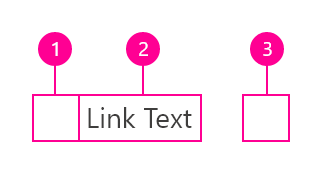
We recommend links be three words or fewer. Because links take users to a new location, it is important that their labels accurately reflect the content users will find at the link destination. Use meaningful labels for links and avoid terms like “click here” or the web address itself.
Links need to be clear enough to be understood by the user, but should not be so long that the text wraps unless used inline.
Behaviors
Interactions
Mouse
Users can open a link by clicking anywhere along the link text or on the associated icon.
Keyboard
Users can open a link by pressingEnterwhile the link has focus. For additional keyboard interactions, see the Accessibility tab.
Screen readers
VoiceOver: Users can open a link by pressingControl-Option-SpaceorEnter.
JAWS: Users can open a link by pressingEnter.
NVDA: Users can open a link by pressingEnter.
Link types
Standalone link
Standalone links are used on their own directly following content. They should not be used within sentences or paragraphs. Standalone links are the default link style for Carbon and only have an underline in the hover state.
The standalone link component can be paired with an icon. Use 16px icons and place them to the right of the link. Icons should always be the same color as the link text.
!!!insert picture here
Inline link
Inline links are used in sentences or paragraphs of text. The inline link behaves the same as the standalone link but it is styled with an underline. This helps differentiate them from the text they are placed next to and makes it clear users can interact with them.
Inline links should not be used on their own and should not be paired with icons.
Modifiers
Visited style
By default, the link component does not use a visited style. Visited links indicate that a user has already opened the link so they can be a helpful indicator during task completion. Visited styles should be used sparingly because they often clutter the the page and add further visual noise as users are trying to navigate a product. They can be used if it is important that a user knows they have already clicked on a link.
Links that trigger actions
Some links trigger actions to aid task completion in addition to navigation. These links should still serve a navigation purpose. A common example is linking phone numbers so clicking the website automatically opens and calls the phone number when clicked. The label and any accompanying icons should make it clear what action will be triggered and where the user will be directed.
Maintaining consistent and engaging digital experiences within Germanedge, whether applications or experiences, requires a sensitive use of color. The following color concepts form the basis for our efforts to create a unique user interface design. The color world of our user interface "Inspire" is clean and reduced.
The colour system is based on 2 main colours, the brand colour and the primary colour "Tokyo". The two colours together, because they are complementary to each other, result in a rounded colour picture. In addition, various alarm colours are added, but it should be noted that the alarm colours never resemble the brand- and primary colours.
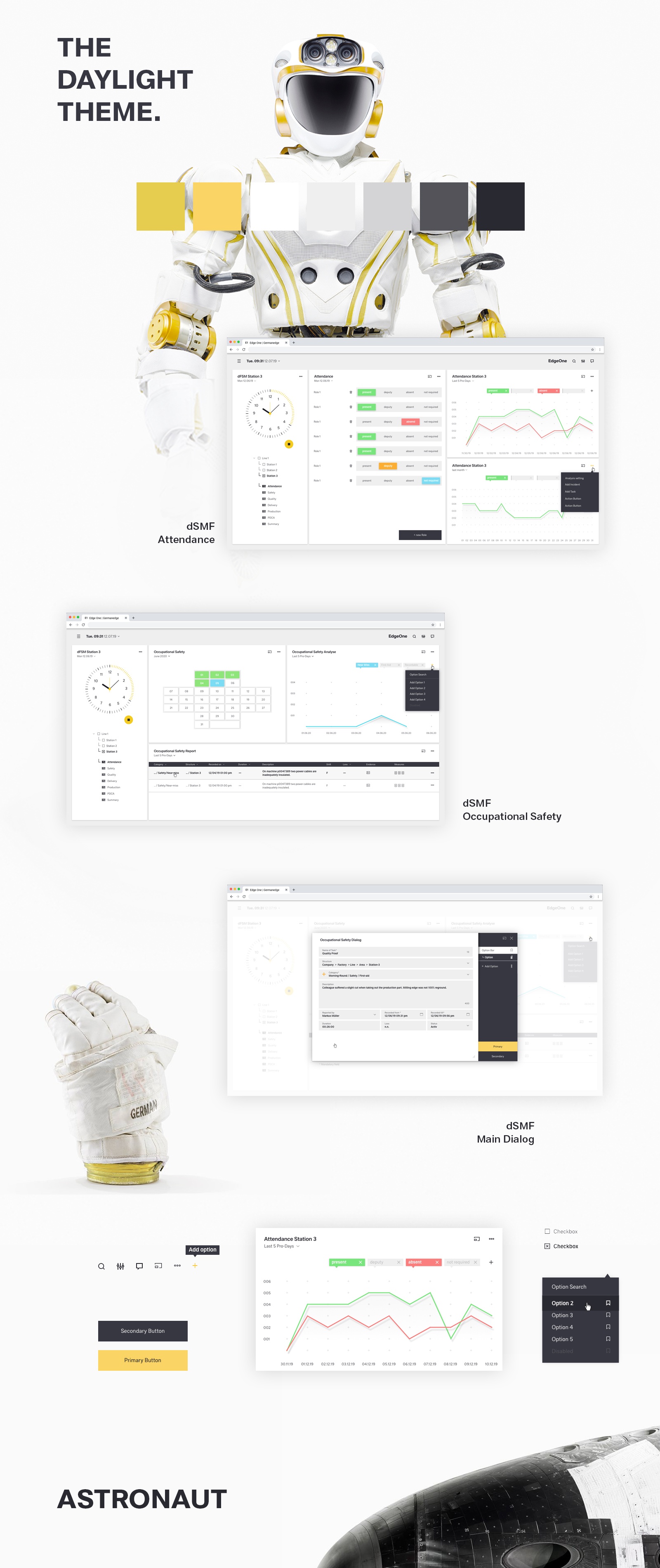
The color palette of Germanedge is basically divided into two different themes. The "Daylight" and "Nightshift" theme. The color palette of each theme brings a uniform and recognizable consistency to our interface.
Image Added
The anatomy of the Germanedge colours.
As the basis for both themes, the neutral "Tokyo" colour family dominates, separating the contents with subtle nuances. It is important that the nuances do not run into each other. The yellow brand colour is the primary action colour for all Germanedge products and experiences. Additional colours are used sparingly and purposefully.
Image Added
UI Tab
title
Usage
The themes.
The themes serve as a framework for colour worlds within Inspire, with each theme based on a specific primary background colour. There are two standard themes. The Daylight theme "Astronaut" and the Nightshift theme"Tokyo at Night".
Image Added
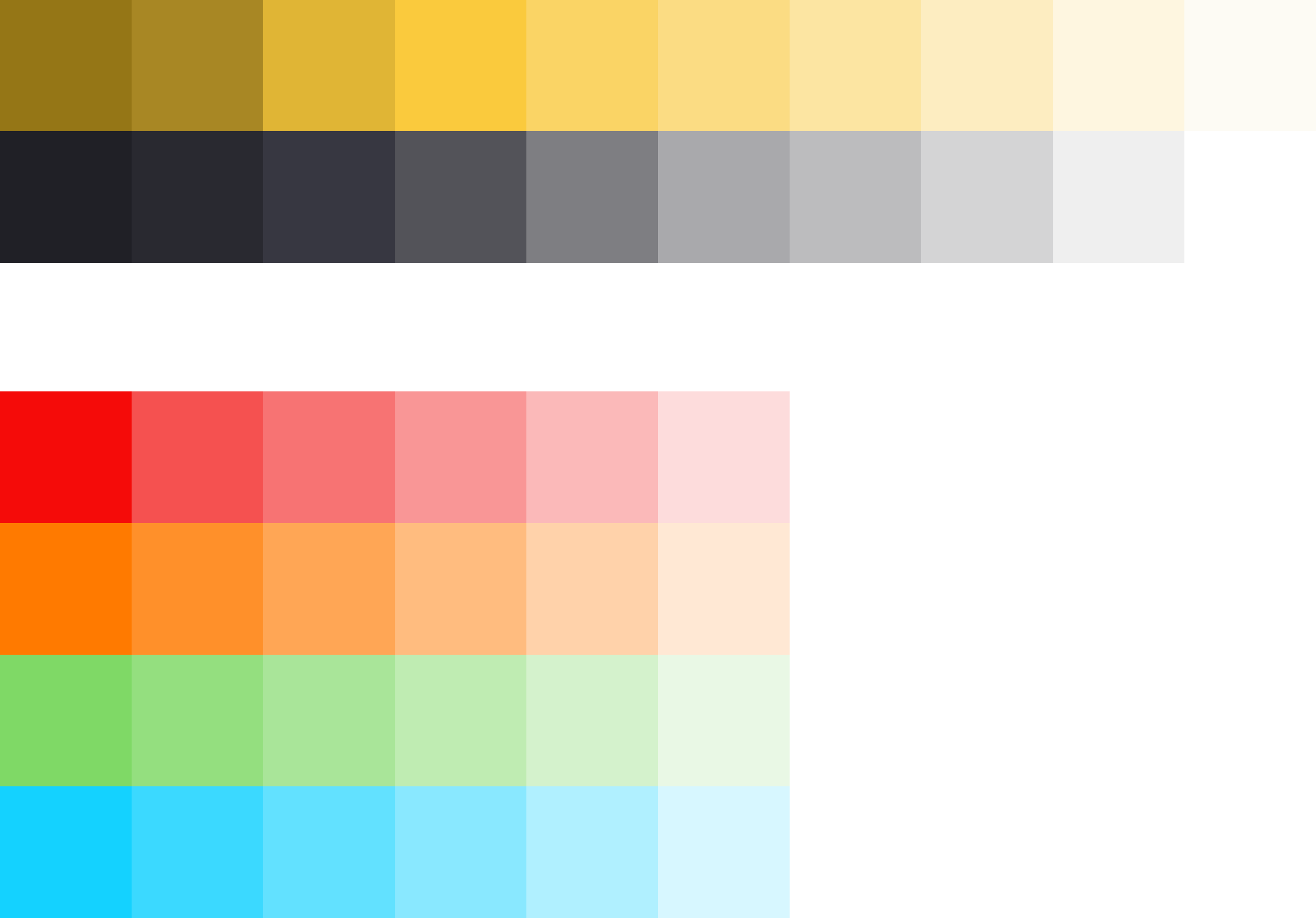
Nightshift Theme Colors Here you will find all colors that can be used in this theme.
Tokyo Colors
Brand Colors
Alerts Colors
#hex
#hex
Danger
#hex
Warning
#hex
Success
#hex
Note
#hex
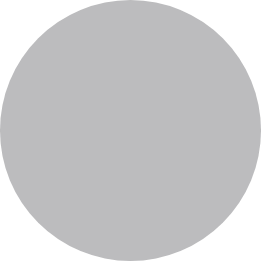
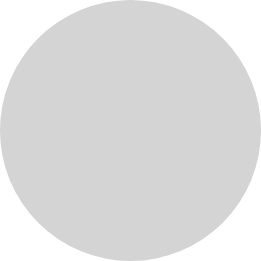
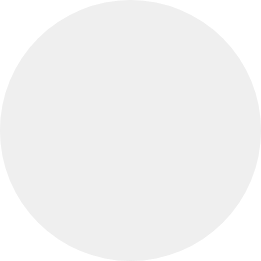
Tokyo 100
#202026
Image Added
Brand 100
#957616
Image Added
Danger 100
#F50B09
Image Added
Warning 100
#FF7A00
Image Added
Success 100
#7FD966
Image Added
Note 100
#14D2FF
Image Added
Tokyo 90
#292930
Image Added
Brand 90
#A88724
Image Added
Danger 80
#F55150
Image Added
Warning 80
#FF902A
Image Added
Success 80
#94DF7F
Image Added
Note 80
#3BD9FF
Image Added
Tokyo 80
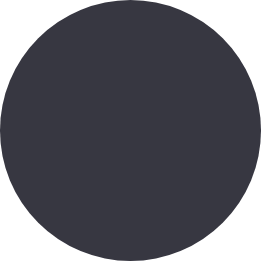
#373741
Image Added
Brand 80
#E0B535
Image Added
Danger 60
#F77373
Image Added
Warning 60
#FFA655
Image Added
Success 60
#A9E599
Image Added
Note 60
#62E1FF
Image Added
Tokyo 70
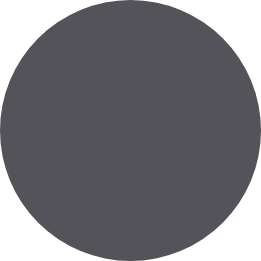
#535359
Image Added
Brand 70
#FACA3D
Image Added
Danger 40
#F99696
Image Added
Warning 40
#FFBC7F
Image Added
Success 40
#BFECB2
Image Added
Note 40
#89E8FF
Image Added
Tokyo 60
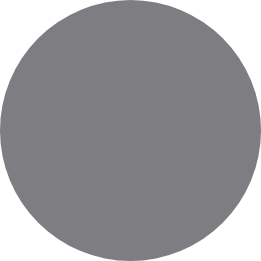
#7E7E82
Image Added
Brand 60
#FAD465
Image Added
Danger 20
#FBB9B9
Image Added
Warning 20
#FFD2AA
Image Added
Success 20
#D4F2CC
Image Added
Note 20
#B0F0FF
Image Added
Tokyo 50
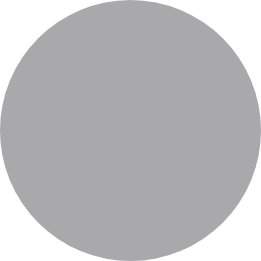
#A9A9AC
Image Added
Brand 50
#FBDC83
Image Added
Danger 00
#FDDCDC
Image Added
Warning 00
#FFE8D4
Image Added
Success 00
#E9F8E5
Image Added
Note 00
#D7F7FF
Image Added
Tokyo 40
#BCBCBE
Image Added
Brand 40
#FCE5A2
Image Added
Tokyo 30
#D4D4D5
Image Added
Brand 30
#FDEDC1
Image Added
Tokyo 20
#EFEFEF
Image Added
Brand 20
#FEF6E0
Image Added
Tokyo 10
#FFFFFF
Image Added
Brand 10
#FDFBF4
Image Added
Image Added
Daylight Theme Colors Here you will find all colors that can be used in the theme.
Tokyo Colors
Brand Colors
Alerts Colors
#hex
#hex
Danger
#hex
Warning
#hex
Success
#hex
Note
#hex
Astronaut 100
#0F0E0D
Image Added
Brand 100
#BE9C38
Image Added
Danger 100
#F06464
Image Added
Warning 100
#FDB225
Image Added
Success 100
#9FDB57
Image Added
Note 100
#87DFF0
Image Added
Astronaut 90
#272625
Image Added
Brand 90
#D9B23D
Image Added
Danger 80
#F17575
Image Added
Warning 80
#FDBA3D
Image Added
Success 80
#A9DF69
Image Added
Note 80
#94E2F1
Image Added
Astronaut 80
#3F3E3D
Image Added
Brand 80
#F2D43D
Image Added
Danger 60
#F38686
Image Added
Warning 60
#FDC355
Image Added
Success 60
#B4E37C
Image Added
Note 60
#A1E6F3
Image Added
Astronaut 70
#575655
Image Added
Brand 70
#F5DB5D
Image Added
Danger 40
#F59797
Image Added
Warning 40
#FDCB6D
Image Added
Success 40
#BFE78F
Image Added
Note 40
#AFE9F5
Image Added
Astronaut 60
#6F6E6D
Image Added
Brand 60
#F7E06F
Image Added
Danger 20
#F6A8A8
Image Added
Warning 20
#FDD485
Image Added
Success 20
#C9EBA1
Image Added
Note 20
#BCEDF6
Image Added
Astronaut 50
#878686
Image Added
Brand 50
#F7E692
Image Added
Astronaut 40
#B7B6B6
Image Added
Brand 40
#F8EBA7
Image Added
Astronaut 30
#CFCECE
Image Added
Brand 30
#F8EFBC
Image Added
Link
#00AEE2
Image Added
Astronaut 20
#E7E6E6
Image Added
Brand 20
#F7F1CF
Image Added
Astronaut 10
#F2F2F2
Image Added
Brand 10
#F5F2DE
Image Added
UI Tab
title
Style
Style
Color
!!! define color here pawel tomkowski makes it sense to put the style information from live style guide here?
Class
Property
Color token
.bx--link
color
$link-01
Interactive States
Class
Property
Color token
:hover
text color
$hover-primary-text
:active
text color
$text-01
:focus
border
$focus
:visited
text color
$visited-link
:disabled
text color
$disabled-02
!!! add picture here
Typography
Links should not exceed three words.
Property
Font-size (px/rem)
Font-weight
Text style
.bx--link
14 / 0.875
Regular / 400
$body-short-01
Structure
Recommended
Links can be grouped horizontally or vertically and must be underlined. The following specs are not built into the Link component but are recommended by design as the proper distance between grouped Links.
Class
Property
px / rem
Spacing token
.bx--link
padding-right
16 / 1
$spacing-05
UI Tab
title
Code
Code
Preview the link component with the React live demo. For detailed code usage documentation, see the Storybooks for each framework below.
!!! create live demo here. pawel tomkowski makes it sense to put the code from live style guide here as an iframe?
Test
UI Tab
title
Accessibility
Accessibility
!!!this section needs to rework
How it works
The link Carbon component is primarily a native HTML hyperlink navigational element
.
TheEnterkey activates the link and causes the user agent to move focus to the link destination. When you use the disabled link component the ARIA state is set toaria-disabled="true", which changes the appearance and thetabindex="-1"which removes the link for the tab order. When the link becomes active the ARIA state changes toaria-disabled="false"and the link is present in the tab order.
Accessibility considerations
This component has been validated to meet theWCAG 2.0 AAandSection 508accessibility guidelines, however changes made by the content owner can affect accessibility compliance. Be sure to review and follow the guidance in this section when updating or adding new content to this component.
Link text is the visible label for the native HTML link and is used to provide the purpose of the link which is clear and easy to understand for all users.
The alt attribute for the img element is used to describe the purpose of a graphical link with an image inside the link.
The title attribute can be used to supplement the link text with any additional useful description.

 9.2.15, themed by Refined