Page History
...
Follow this order in the Header toolbar. : Place business actions first and then content management actions. Place layout management actions next and then generic actions. It is recommended to place the action most important for your business context on the very left within its group.
...
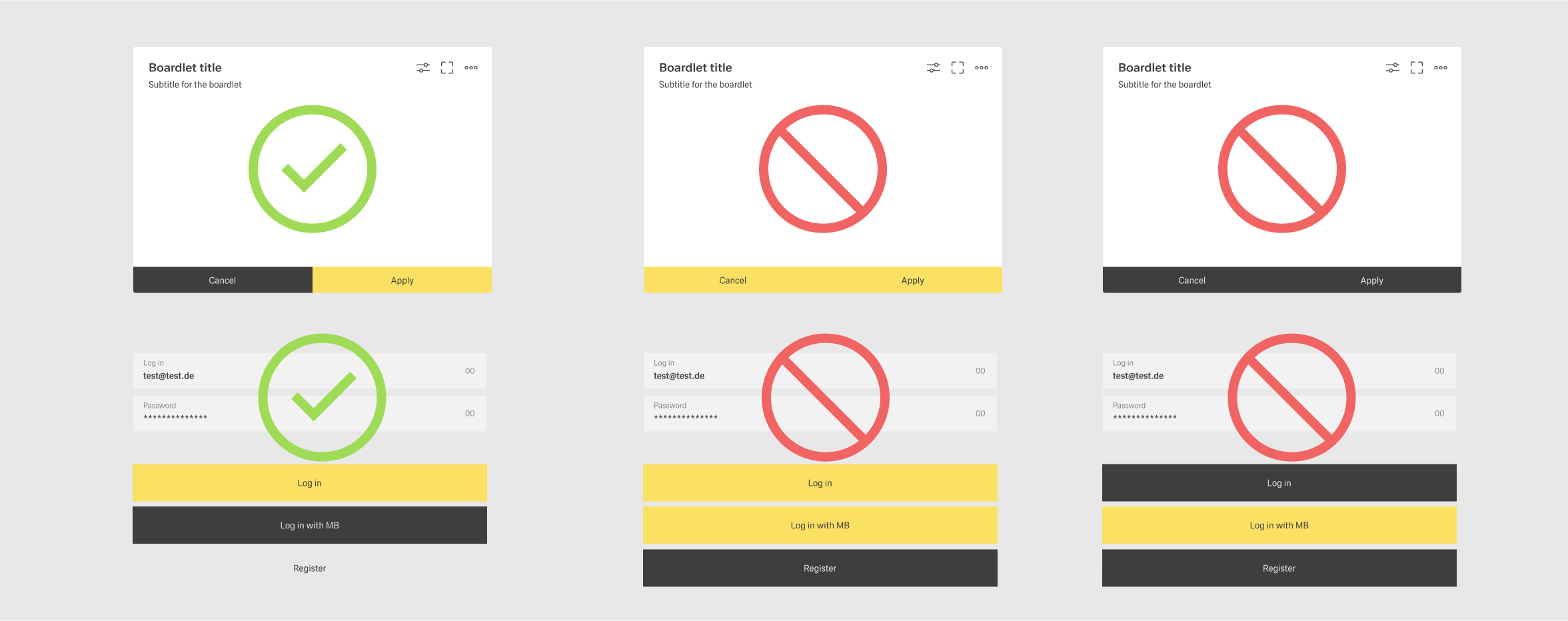
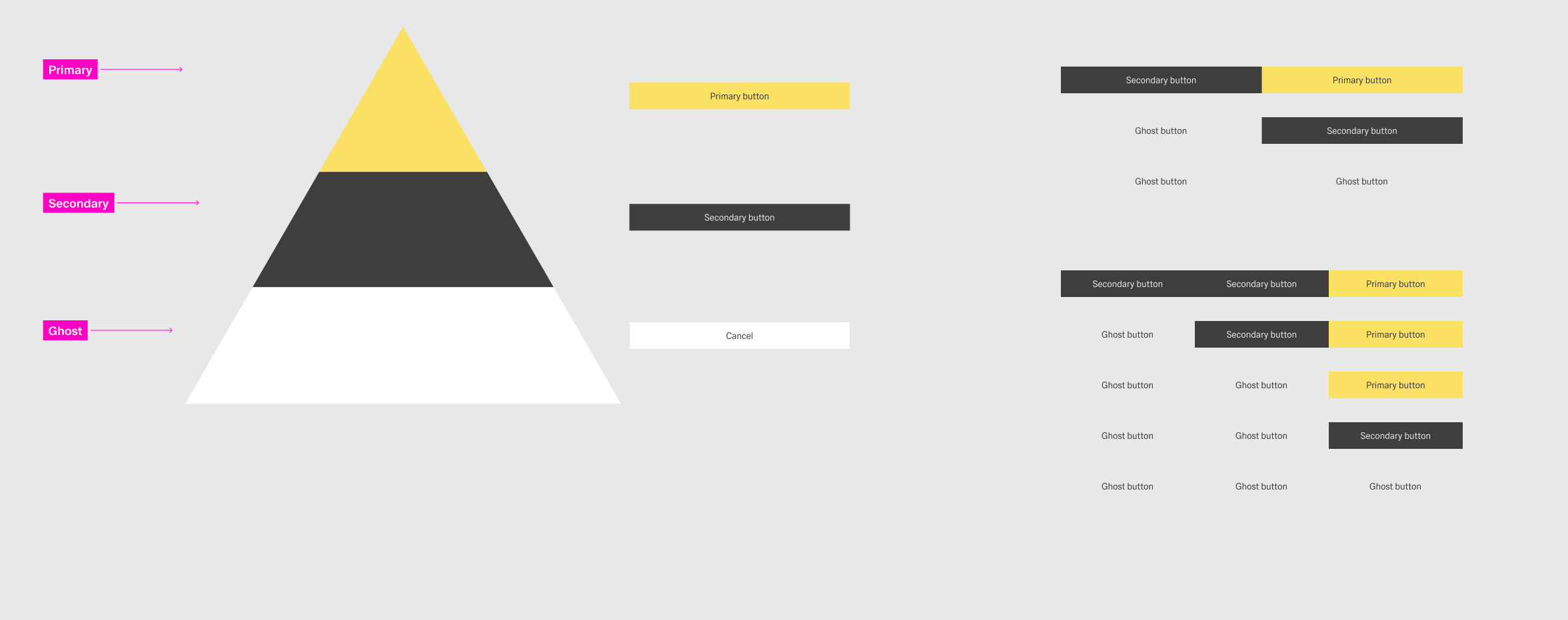
The buttons follow a hierarchical order. It is important that you create a visual hierarchy between the buttons in your user interface. The hirachie moves linearly from right to left.
Types
There are three types of buttons:
| Type | Definition | Examples | Styling |
|---|---|---|---|
 | |||
 | |||
 |
There is only one primary button per group of buttons. There can be multiple secondary and ghost buttons. An actions should retain its type of button throughout the application.
Layout
Depending on the context, a group of buttons can have two layouts: horizontal and vertical. Avoid conbining the two within one dashboard. The order for buttons is as follows:
- Horizontal - From left to right, place ghost buttons first, than secondary buttons and last if existing a primary button.
- Verical - From top to bottom, place the primary button first, than secondary buttons and ghost buttons at the bottom.
Avoid placing more than three buttons in a button group for visual clarity.