
Page History
...
- Unread - This tab displays all notifications the user has not interacted with. This is the default tab.
- All - This tab shows all information the user has received so far.
[IMAGE PLACEHOLDER: Notification Panel]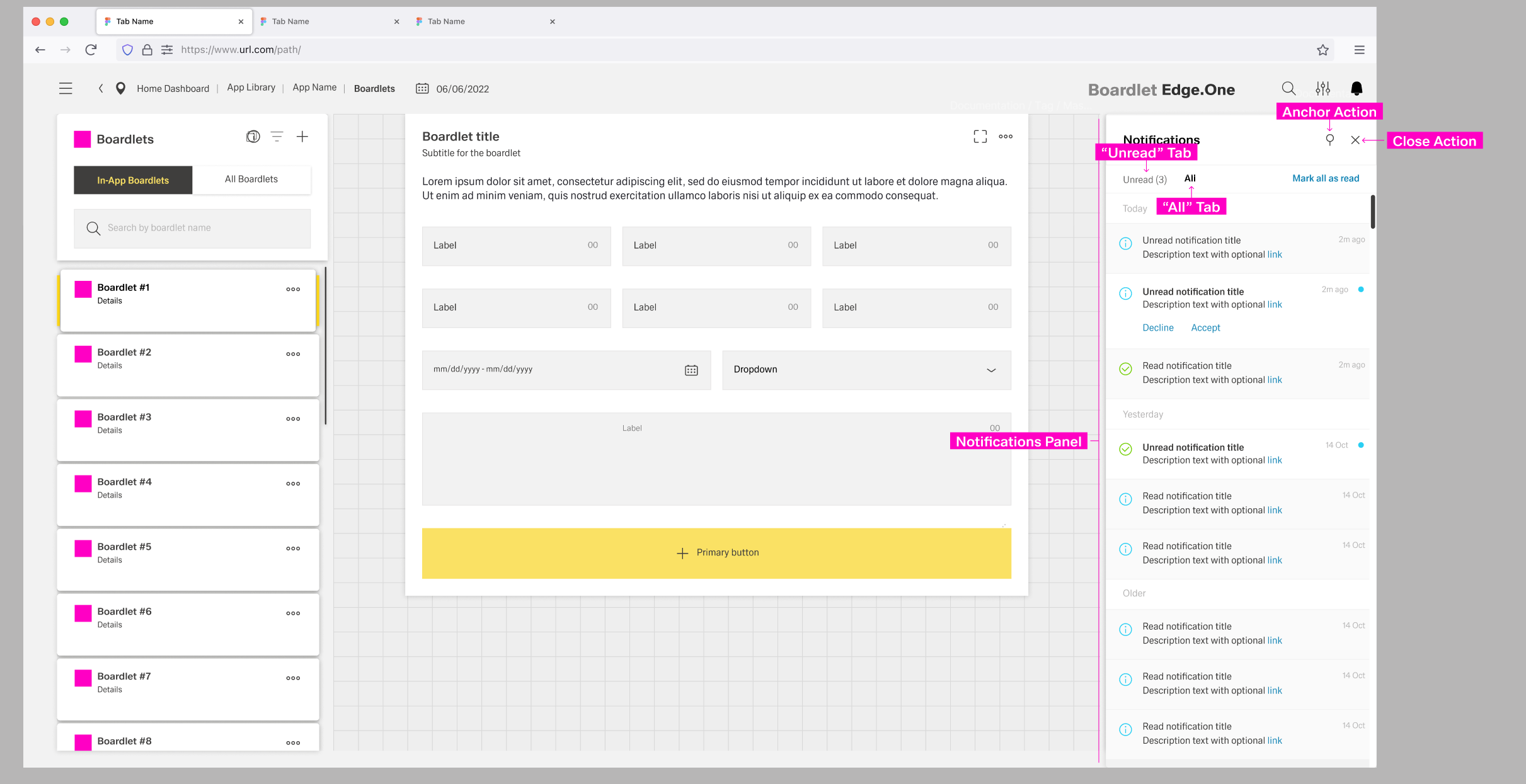
Unread notifications have a small blue status indicator at the top-right and a bold title. By clicking the status indicator, users can set a notification as read. Read notifications are greyed out and have a non-bold title. Both tabs have an action to set all notifications as "read" to the left of the content switch.
...
The color of the toast notification depends on the type of notification it contains. The general layout stays the same between notifications, with the progress notification as the only exception. Progress notifications include a progress bar under the description.
[IMAGE PLACEHOLDER: Labeled anatomy notification without progress]
- 01 Notification Icon – Signals the type of notification and matches the icon in the header, with the exception of the progress notification.
- 02 Title
- 03 Time Stamp – Shows when the notification popped up.
- 04 Close Action – Allows the user to close the toast notification.
- 05 Description – A short text explaining the notification.
- 06 Actions – Influence the process in progress.
[IMAGE PLACEHOLDER: Labeled anatomy notification with progress]
- 01 Notification Icon – Signals the type of notification and matches the icon in the header, with the exception of the progress notification.
- 02 Title
- 03 Time Stamp – Shows when the notification popped up.
- 04 Close Action – Allows the user to close the toast notification.
- 05 Description – A short text explaining the notification.
- 06 Actions – Influence the process in progress.
- 07 Progress Bar – Actively shows updates on the progress.
Inline Notifications
tba
Best Practices
- global vs. local notifications
Local Notification
Global Notification
...
