
Page History
...
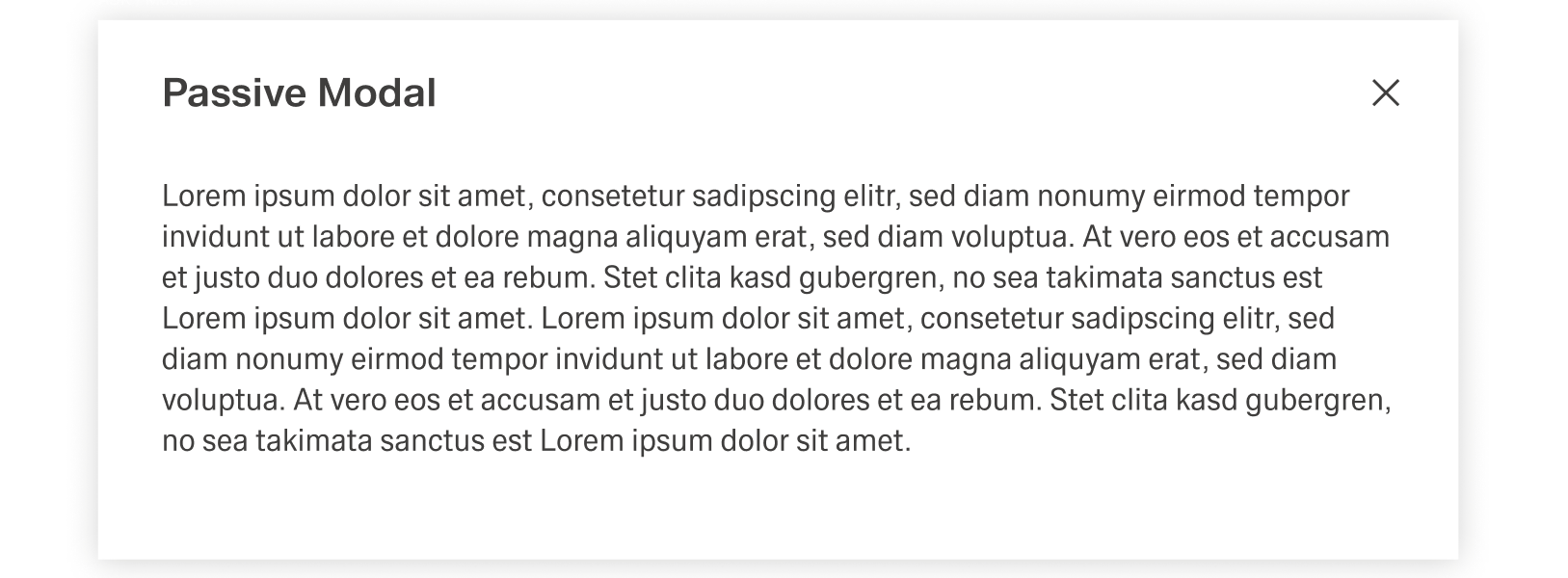
The Modal Notification is a varriation of the Dialog and appears as a centered passive modal above a dimmed background. It contains a critical message and can only be closed with the close action in the header toolba. It blocks interaction with the dashboard until it is closed.
Best Practices
Usage
| Notification type | What it’s for | When to use |
|---|---|---|
| Global Notification | Feedback on major user actions with system impact (e.g., data changes). | At the end of a process after a user action (or when a user can’t perform an action). |
| Inline Notification | Immediate feedback on small, in-process actions (e.g., input valid/invalid). | During sub-steps in a larger flow where the single action has low impact. |
| Toast Notification | Updates about system/background processes (e.g., download progress + completion). | When informing about system status not primarily tied to a user action’s feedback. |
| Modal Notification | Highly disruptive message for critical information triggered by a user action. | Only when information is critical and blocking interaction is justified. |
Global Notification
Global Notifications give feedback on major user actions, for example saving a change inside a table. They appear at the end of a process and usually have an impact on the system, like changing data. They are always tied to user interaction or the inability for a user to perform an action.
...
The text inside the modal notification can be longer than in other forms of notification. Despite this, it should be concise and to the point, since any type of user interaction is blocked by the overlay.
...
Text
Notifications in Inspire Design should be easy to scan and actionable.
Users should understand what happened, why it matters, and what to do next in a few seconds. They should avoid complicated or foreign words and abbreviation. Inline and Global Notifications should never have a message with multiple rows and Toast Notifications should avoid messages longer than three rows.
General Rules
- Use sentence case for notification titles and descriptions.
- Be brief. Keep the content to 1–2 short sentences where possible.
- Don’t repeat yourself. The description should add meaning, not paraphrase the title.
- Avoid technical language (error codes, stack traces) in the message text. If technical detail is needed, move it to details/help or provide a link.
- Add a period only for complete sentences; omit it for short, implicit messages.
Titles
The title is the “headline” of the notification.
It should communicate the main outcome in a few words. Keep titles short and descriptive and use simple language whenever possible. Do not place periods at the end of the titles.
Descriptions
Descriptions add context and next steps.
Keep them short enough that users can skim them. Include only what users need: reason + next step (and consequence only if it changes what they should do). Prefer one sentence for toast notifications. Use plain language and focus on what users can observe or do.
Actions
Actions should help users resolve the situation immediately.
If there’s no meaningful follow-up, don’t add an action. Use imperative verbs and avoid vague labels like “OK”. Keep action labels short with 1–2 words. Action text should be a direct response to the title:
- Title: “An app was shared with you” → Action: “Open app”
- Title: “Couldn’t save changes” → Action: “Try again” / “Review fields”
Notification Type Messages
System Notification
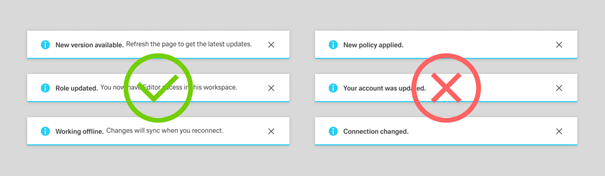
System notifications communicate system-generated updates such as connection changes, maintenance, or session expiry.
Keep the text relevant and informative, and include only the context needed to understand impact.
Write a concise title in sentence case. Add a description only when extra meaning is needed (timing, impact, or where to find something).
When shown as a toast, keep title and description especially brief.
Success Notification
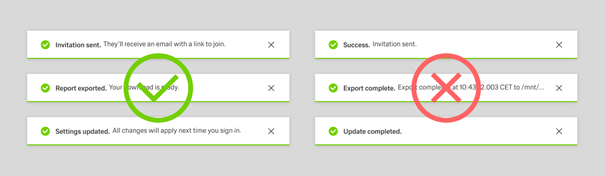
Success notifications confirm that an action has been completed.
Keep the text short and scannable, and use consistent patterns like “[object] [action taken]” (“Sales order created”) or “[count] [objects] [action taken]” (“2 sales orders were deleted.”).
Include names/IDs only when they are needed.
Place the main message in the title and add a brief description only when it clarifies what happens next.
Warning Notification
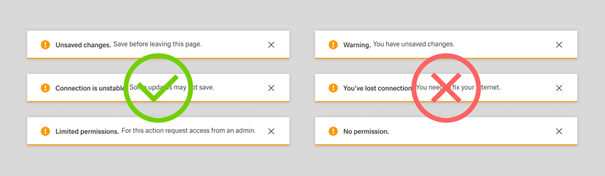
Warning notifications give advance notice when data loss or an error state could occur.
Use factual, actionable wording and structure the message as risk + consequence + preventive action (for example, “Unsaved changes” + “Save before leaving this page.”).
Include only the context needed to act.
Error Notification
Error notifications are used when a problem has occurred and progress may be blocked.
Explain what went wrong in plain language and make recovery clear (for example, “Couldn’t save changes” + “Check required fields and try again.”).
Avoid technical codes unless a user-facing explanation is also provided.
...
