
Page History
...
The buttons follow a hierarchical order. It is important that you to create a visual hierarchy between the buttons in your the user interface . The hirachie moves linearly from right to left.
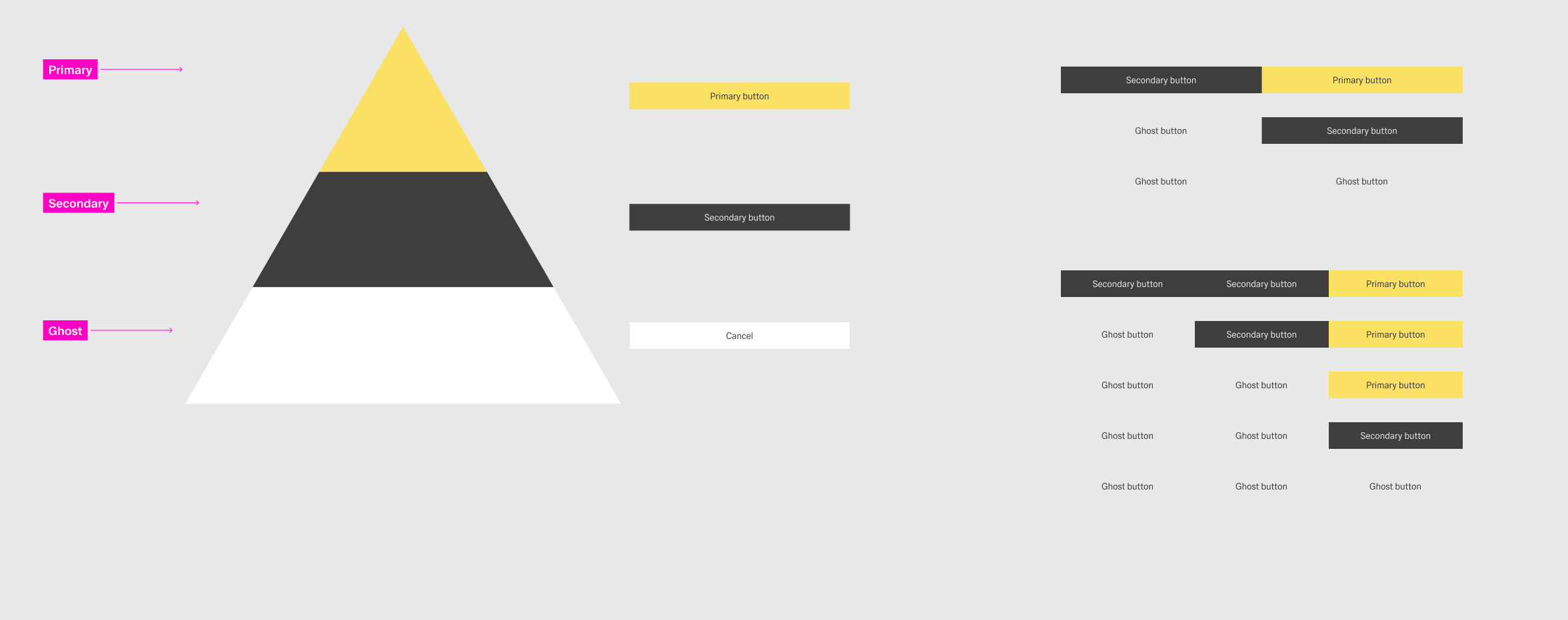
Types
to guide the user’s attention towards the desired user flow.
Foundational Concepts
In the western world, users tend to engage with a dashboard from left to right, top to bottom. Keep this in mind while arranging actions. For example, a finishing action like “Save” should be placed towards the right and bottom of the page if possible. This ensures that the user completes the process of the dashboard bevor naturally ending up at the final action.
[IMAGE PLACEHOLDER]
This reading flow can intentionally change with the help of visual emphasis. One of the most effective ways to do that is color. Attention tends to gravitate towards bright colors and high contrast. In Inspire, this could be the bright yellow of a primary action or the contrast-heavy black of a secondary action. This effect diminishes exponentially the more color is used within a dashboard. It therefore should be used in regulation.
[IMAGE PLACEHOLDER]
Implementation in Practice
Inspire Design has There are three types of buttons:
| Type | Definition | Examples | Styling |
|---|---|---|---|
 | |||
 | |||
 |
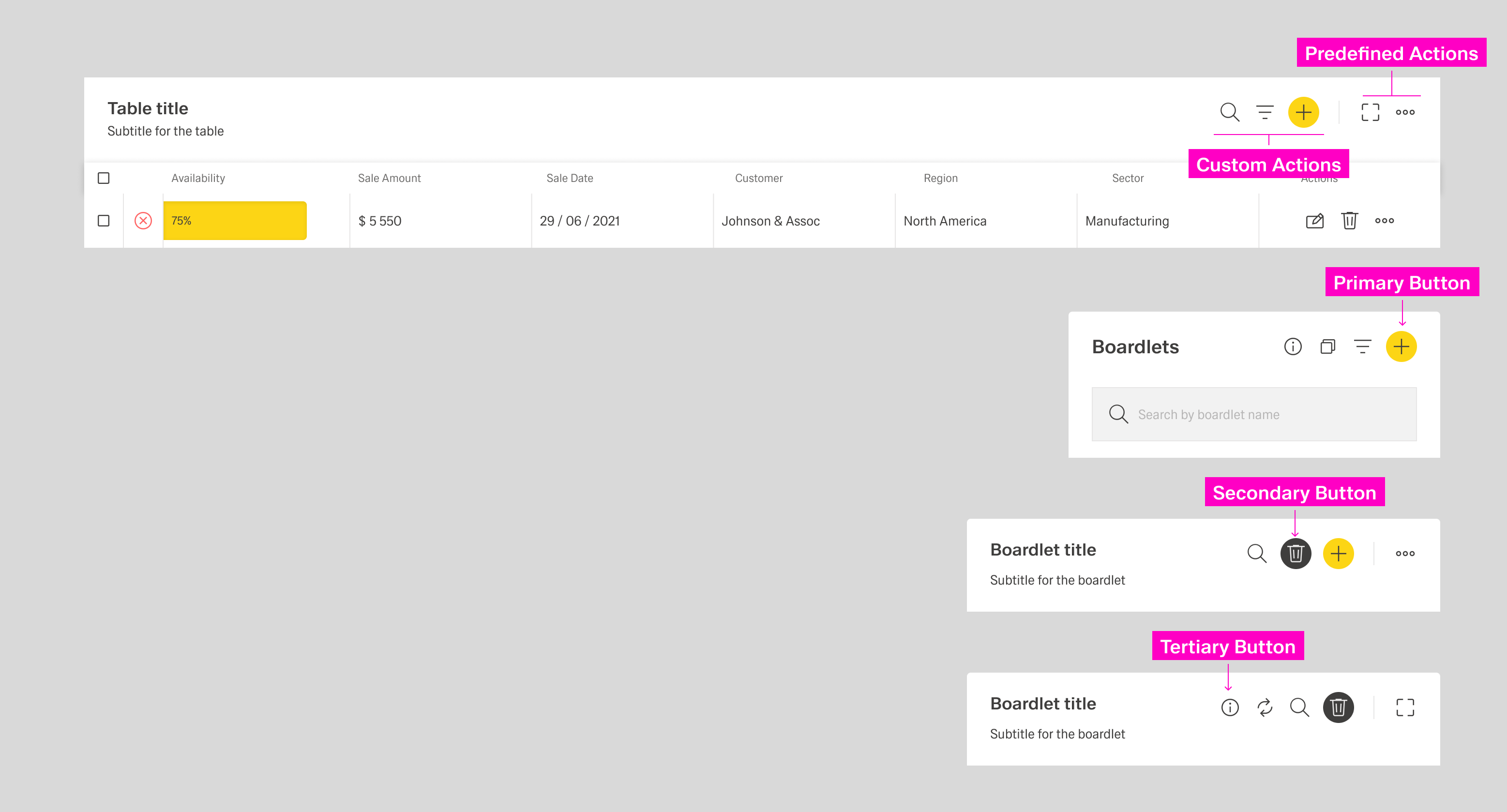
Primary Action
A dashboard can only ever have one primary action but also might have no primary action at all. The primary action should guide the user forward in the primary user flow. This flow is the main task the user is trying to achieve within a combination of dashboards. This could be among others:
- Creating a new element within the system.
- Completing a multi-step process across multiple dashboards.
- Navigating to the main workplace a user might use.
Secondary Action
A dashboard can have multiple secondary actions. These actions highlight secondary user flows within the dashboard. These flows are optional additions to the primary user flow or entire user flows of their ownThere is only one primary button per group of buttons. There can be multiple secondary and ghost buttons. An actions should retain its type of button throughout the application.
Layout
Depending on the context, a group of buttons can have two layouts: horizontal and vertical. Avoid conbining the two within one dashboard. The order for buttons is as follows:
...
