
Page History
...
| title | Overview |
|---|
The color concept.
Maintaining consistent and engaging digital experiences within Germanedge, whether applications or experiences, requires a sensitive use of color. The following color concepts form the basis for our efforts to create a unique user interface design. The color world of our user interface "Inspire" is clean and reduced.
The colour system is based on 2 main colours, the brand colour and the primary colour "Tokyo". The two colours together, because they are complementary to each other, result in a rounded colour picture. In addition, various alarm colours are added, but it should be noted that the alarm colours never resemble the brand- and primary colours.
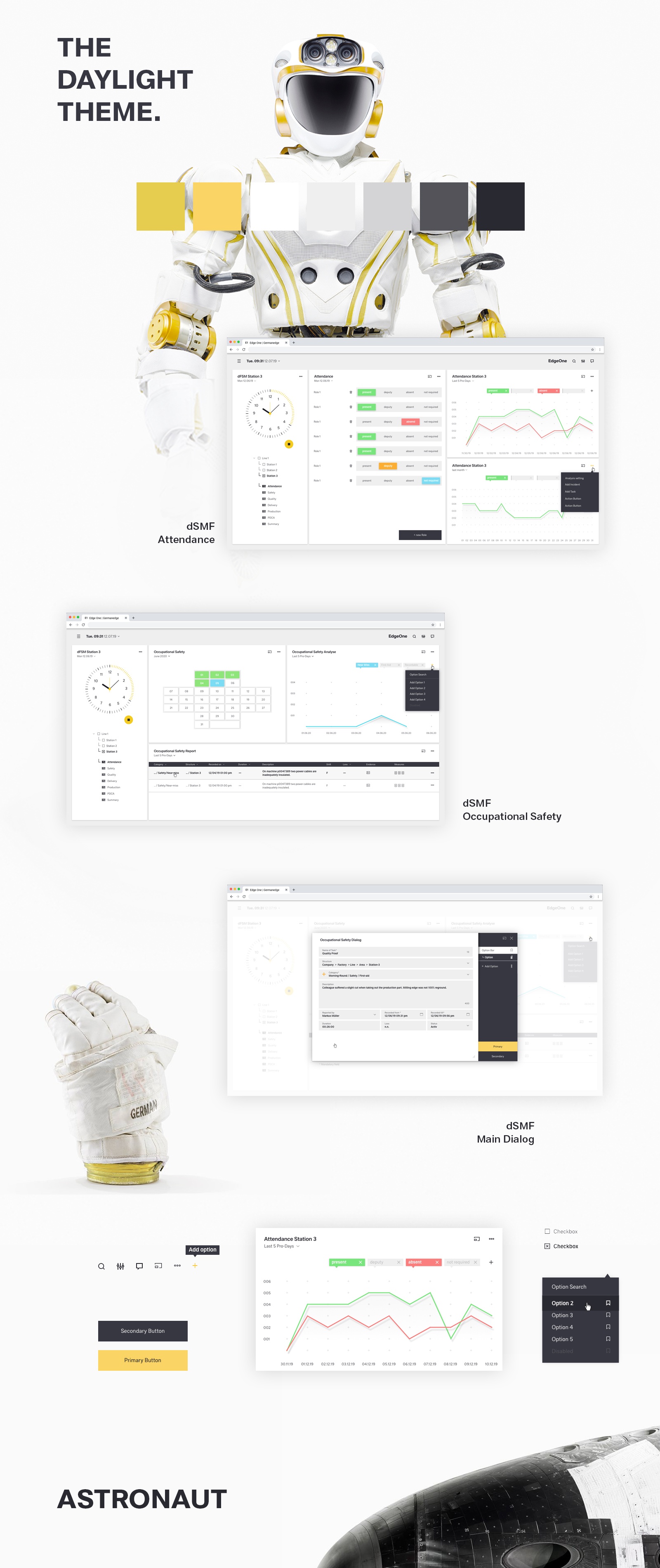
The color palette of Germanedge is basically divided into two different themes. The "Daylight" and "Nightshift" theme. The color palette of each theme brings a uniform and recognizable consistency to our interface.

The anatomy of the Germanedge colours.
As the basis for both themes, the neutral "Tokyo" colour family dominates, separating the contents with subtle nuances.
It is important that the nuances do not run into each other. The yellow brand colour is the primary action colour for all Germanedge products and experiences. Additional colours are used sparingly and purposefully.

The themes.
The themes serve as a framework for colour worlds within Inspire, with each theme based on a specific primary background colour. There are two standard themes. The Daylight theme "Astronaut" and the Nightshift theme"Tokyo at Night".
...

Highest Contrast
WCAG AA
WEB AIM
...
| title | Usage |
|---|
Usage of the Astronaut Theme Colors
(tbd)
Usage of Tokyo Theme Colors
(tbd)
...

...
...

...
Code
...
https://wasp2-dev.myapp.de:444/live-style-guide/theming
...
Brand
Colors
...
...

...

...

...

...

...
...

...

...

...

...

...

...

...

...

...

...

...

...

...

...

...

...

...

...

...

...

...

...

...

...

...

...

...

...

...

...

...

...

...

...

...

...

...
Brand
Colors
...
...
...
...
...
...
...
...
...
...
...
...
...
...
...
...
...
...
...
...
...
...
...
...
...
...
...
...
...
...
...
...
...
...
...
...
...

...
...
...
...
