
Page History
Zeplin Styleguide
| Zeplin Documentation | Layout example | ||
|---|---|---|---|
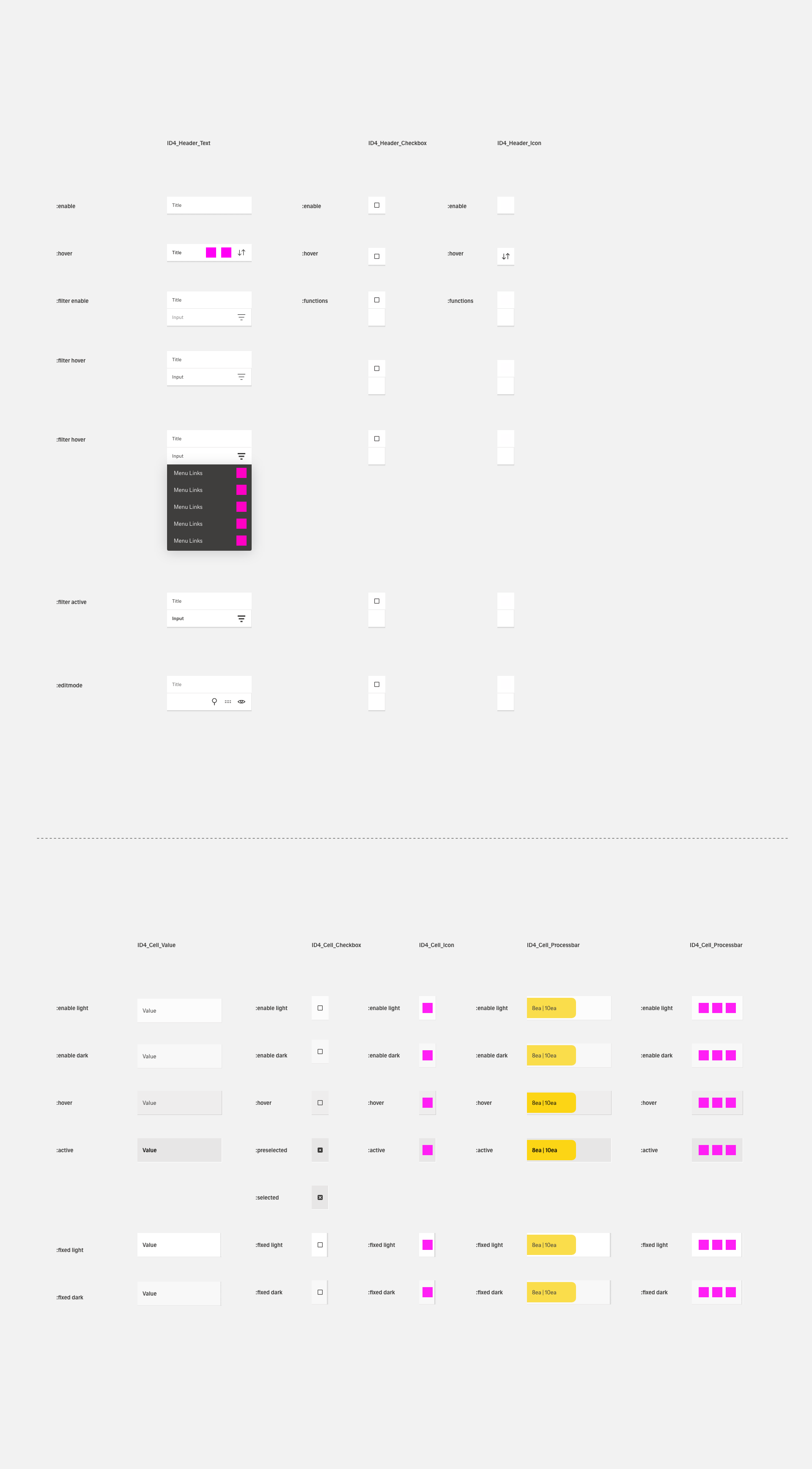
| 1 | ID4_Header_Text | coming soon | coming soon |
| 2 | ID4_Header_Filter | coming soon | coming soon |
| 3 | ID4_Header_Checkbox | coming soon | coming soon |
| 4 | ID4_Header_Icon | coming soon | coming soon |
| 5 | ID4_Cell_Value | coming soon | coming soon |
| 6 | ID4_Cell_Checkbox | coming soon | coming soon |
| 7 | ID4_Cell_Icon | coming soon | coming soon |
| 8 | ID4_Cell_Actionbar | coming soon | coming soon |
| 9 | ID4_Cell_Processbar | coming soon | coming soon |
| 10 | ID4_Table-Sandbox | coming soon | coming soon |
| 11 | ID4 Table-Scrollbar | coming soon | coming soon |
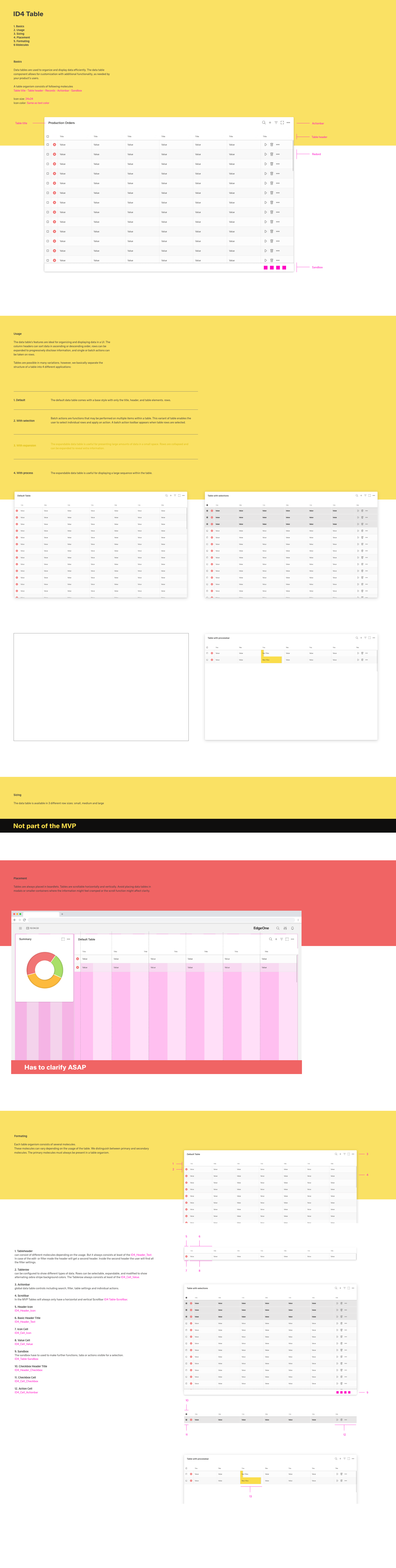
A table is a structured representation of various contents to create an overview that the user can grasp as quickly as possible.
Overview
The table bundles large amounts of data as compactly as possible. A headline line provides the user with a quick overview and allows him to quickly find the column with the data he needs.
Tables are also suitable for the fast and structured collection of data in almost any quantity. Thus tables are one of the most used elements within our software.
With the ability to sort and filter data, data can be narrowed down and thus transformed into information.
When to use:
- to organize big amounts of data
- to create an overview over data
- to summarize data compactly
- to collect data quickly
- to narrow down data and generate information
Formatting
Anatomy (work in progress)
Alignment (work in progress)
Ron Oemus do we have a complete table to show?
Placement
Tables can be placed inside of a container such as a boardlet, sidebar or overlay. Ron Oemus tbd
Grid placement (work in progress)
Content
Main elements
Table header
Every Element in the table header should be as brief as possible while still being clear and descriptive. Each Headline element should be clearliy distinguishable from the content.
Content
Table cells can contain text, numbers, icons or other graphic elements like thumbnails or even pictures.
The first column is called Introductory column or pre-column, if there's an explanation for the other columns in the same row.
Text should be aligned left (except in countries where the reading direction is from right to left - we should think about a setting for this).
The layout of the table guides the eye and supports a fast findability of the data.
Table cells can increase in the width, but never in the height. If there's not enough space for the content of a table cell, we have to shorten the content up with three dots "...".
Scrolling content
The content of a table can scroll vertically and horizontally if the content is longer (or wider) than the viewport.
Input
...
