
Page History
| UI Tabs | |||||||||||||||||||||||||||||||||||||||||||||||||||||||||||||||||||||||||||||||||||
|---|---|---|---|---|---|---|---|---|---|---|---|---|---|---|---|---|---|---|---|---|---|---|---|---|---|---|---|---|---|---|---|---|---|---|---|---|---|---|---|---|---|---|---|---|---|---|---|---|---|---|---|---|---|---|---|---|---|---|---|---|---|---|---|---|---|---|---|---|---|---|---|---|---|---|---|---|---|---|---|---|---|---|---|
| |||||||||||||||||||||||||||||||||||||||||||||||||||||||||||||||||||||||||||||||||||



| Table of Contents |
|---|
Why ID
The entire UI DesignKit is divided into different ID's These ID's serve as orientation. Each group of components has its own ID. This makes it easier to find the necessary component within the click dummy software "Adobe XD" and the handover software "Zeplin".
ID6
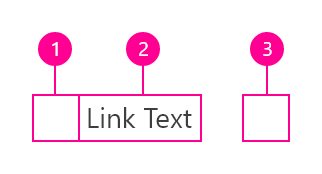
Within the ID6 you will find all link components, no matter which one.
-Explorer - links,
-Navigation - links,
-Overflow menu - links.
-Default links
Etc.
