
Page History
...
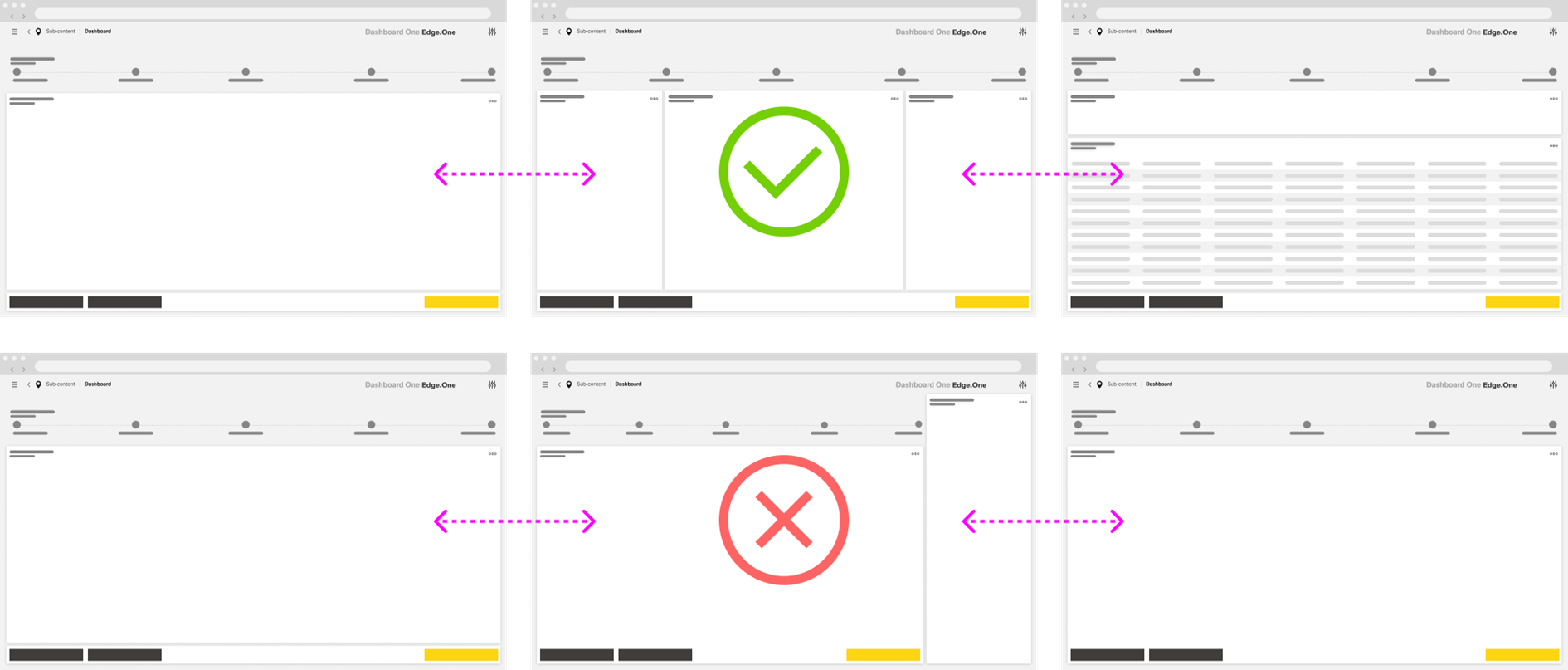
Its core structure consists of a Progress Indicator and a Main Content area. Depending on the needs of the workflow, the layout may also include a separate [Button Boardlet]( ), an optional Sidebar, split main content, or nested progress bars within a stepother elements. These elements should stay aligned with the dashboard grid and support the primary flow without changing the overall structure of the Wizard.
...
Maintain a predictable layout across steps. Keep the Progress Indicator at the top and preserve a comparable Main Content footprint throughout the process. Avoid major layout shifts that force users to reorient on every step.
Steps
Keep each step focused on one clear objective. A step should support a single decision, input task, or confirmation task. Break up dense or unrelated content rather than combining too much into one screen.
Show one clear primary action per step. The primary action should always represent the next logical move forward, and its label should clearly reflect the result of the action.
...
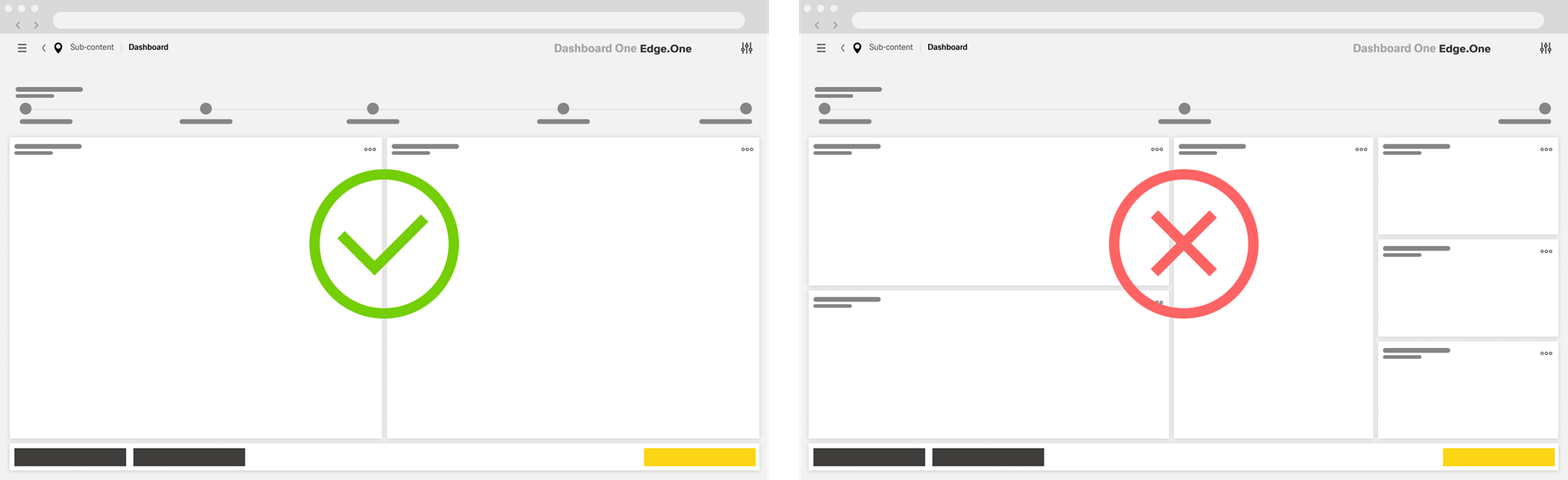
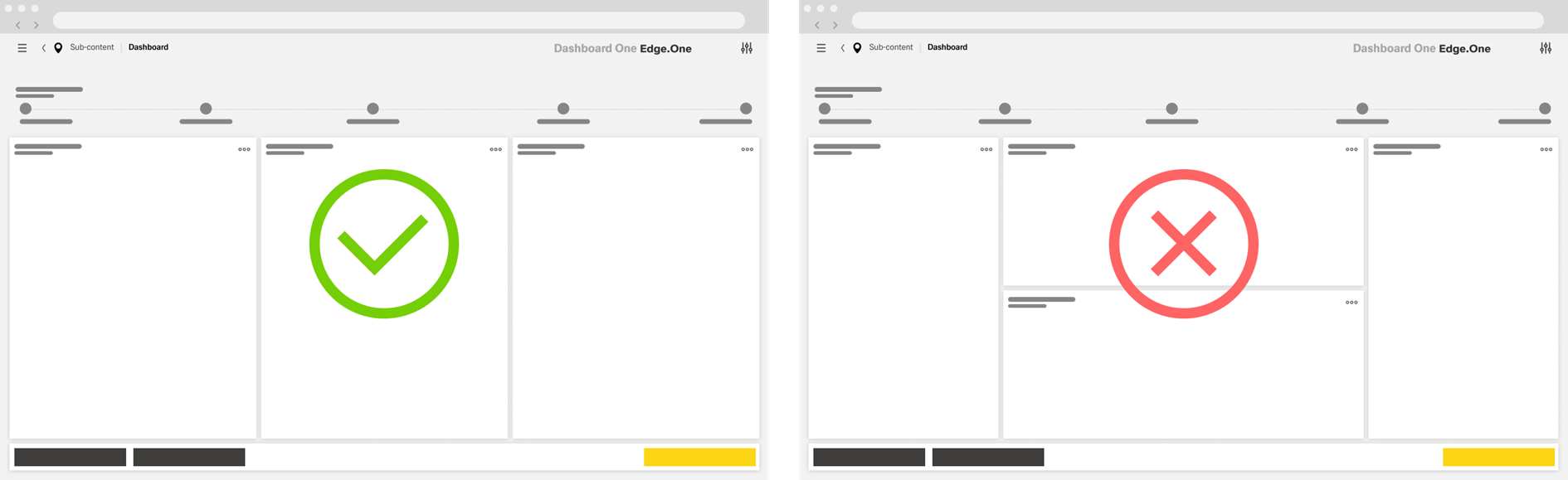
Use split layouts only when the step genuinely requires them. Split Main Content should support closely related tasks within the same step and should not exceed three coordinated sections. Avoid combining horizontal and vertical splits within the same step unless there is a clear need.
Treat the Sidebar as supporting content. A Sidebar may provide context, reference information, or related actions, but it should not compete with the main task or introduce a second primary workflow.
...
