
Page History
...
In case a dialog has a sidebar, the first actionbar must be placed in the outer right area of the sidebar. This ensures that the user notices the difference between dialog functions and content functions.
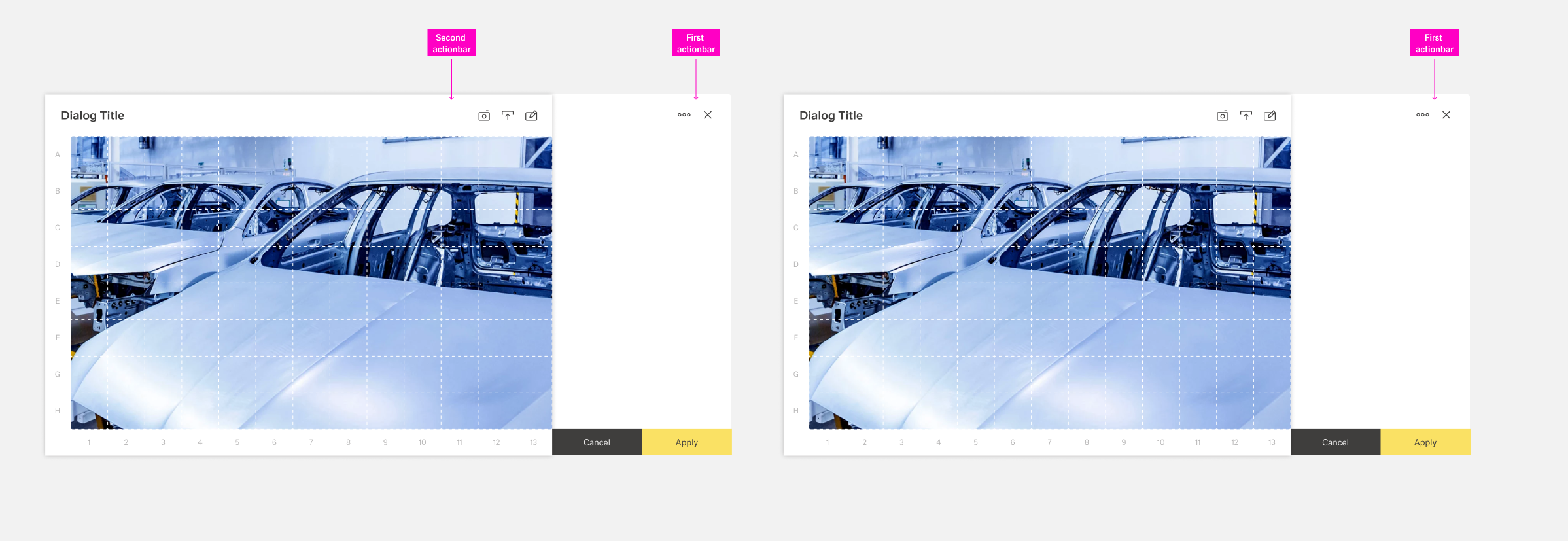
Table Row Toolbars
Actions affection a specific row of a table are placed inside a table row toolbar in the form of action icons. The toolbar is a seperat column inside the table with the title "Actions" and located at the far right side.
There are two predefined action: updating and deleting. Additional actions can be placed in the toolbar or a "more" action inside the toolbar. Custom actions inside the toolbar are placed to the right of predefined actions. They have a custom action icon, a label custom visibility and custom activation.
To enhance clarity, there should never be more than 5 items inside the action toolbar. If more actions are needed, they should be placed inside the overflow menu of the more action.
Best Practices
Placement and Alignment
...
