Spacing is an important, and often underestimated, part of the visual design within Inspire. The Spacing serves to make all distances within the modules look the same. The different spacings allow for flexible arrangement within the system.
The distances are divided into two applications.
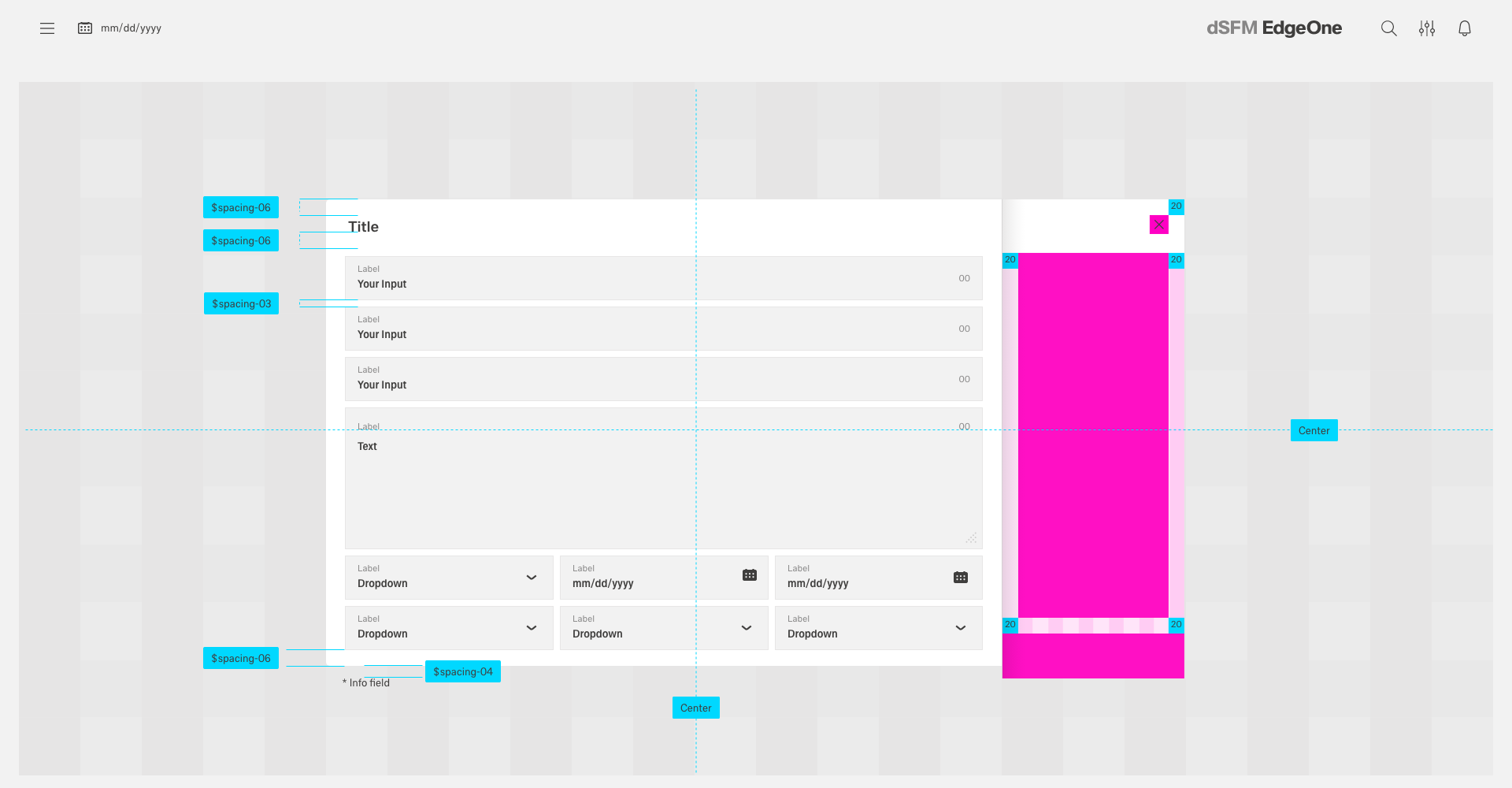
1. The "Spacing Scale" can be used horizontally and vertically. It refers to padding, margin and space between the elements.
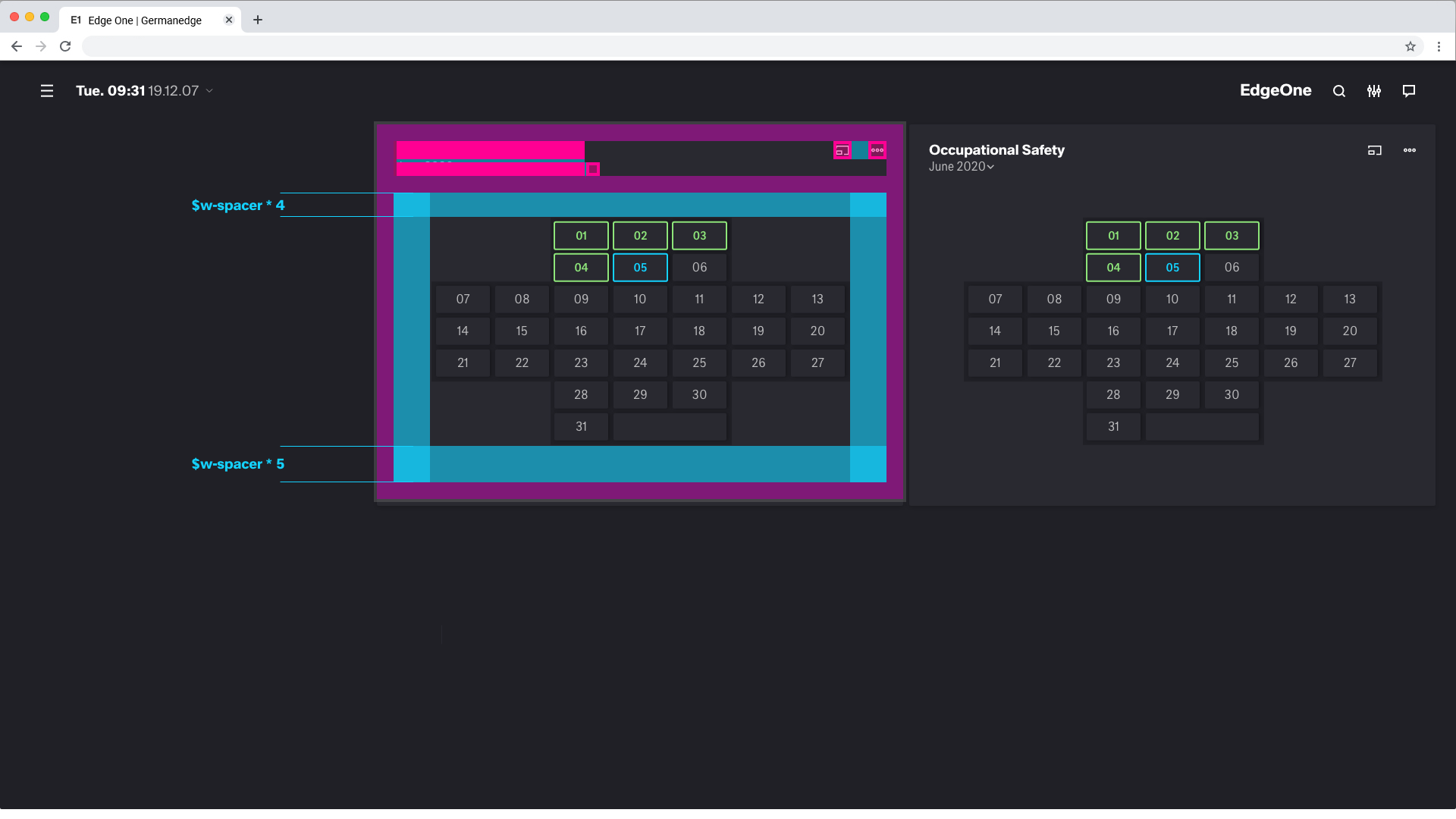
2. The "White Scale" can also be used horizontally and vertically. It is used as a design element to create hierarchies with spacing, to create focus and to give the overall design a sense of calm. Within the "White Scale" no data may be visualized.
Spacing Scale
Spacing utilities that apply to all breakpoints, from .col-sm- to .col-xxl-, have no breakpoint abbreviation in them. This is because those classes are applied from min-width: 0 and up, and thus are not bound by a media query. The remaining breakpoints, however, do include a breakpoint abbreviation.
| Where property is one of: | |
|---|---|
| m - | for classes that set margin |
| p - | for classes that set padding |
| Where sides is one of: | |
| t - | for classes that set margin-top or padding-top |
| b - | for classes that set margin-bottom or padding-bottom |
| l - | for classes that set margin-left or padding-left |
| r - | for classes that set margin-right or padding-right |
| x - | for classes that set both *-left and *-right |
| y - | for classes that set both *-top and *-bottom |
| blank - | for classes that set a margin or padding on all 4 sides of the element |
| Where size is one of: | rem | px |
|---|---|---|
$spacer * 0 | 0 | 0 |
$spacer * 1 | 0.125 | 2 |
$spacer * 2 | 0.25 | 4 |
$spacer * 3 | 0.5 | 8 |
$spacer * 4 | 0.75 | 12 |
$spacer * 5 | 1 | 16 |
$spacer * 6 | 1.25 | 20 |
$spacer * 7 | 1.5 | 24 |
Spacing Scale Example
Here are some representative examples of these classes:
Other Spacing
Additionally, Inspire also includes an .mx-auto class for horizontally centering fixed-width block level content—that is, content that has display: block and a width set by setting the horizontal margins to auto.
White Scale
Spacing utilities that apply to all breakpoints, from .col-sm- to .col-xxl-, have no breakpoint abbreviation in them. This is because those classes are applied from min-width: 0 and up, and thus are not bound by a media query. The remaining breakpoints, however, do include a breakpoint abbreviation.
| Where size is one of: | rem | px |
|---|---|---|
$w-spacer * 1 | 1 | 16 |
$w-spacer * 2 | 1.25 | 20 |
$w-spacer * 3 | 1.5 | 24 |
$w-spacer * 4 | 2 | 32 |
$w-spacer * 5 | 3 | 48 |
$w-spacer * 6 | 4 | 64 |
$w-spacer * 7 | 5 | 80 |
$w-spacer * 8 | 6 | 96 |
$w-spacer * 9 | 7 | 112 |
$w-spacer * 10 | 8 | 128 |
Spacing Scale Example
Here are some representative examples of these classes:
Using White Scale with the grid (Copycat from IBM)
The Inspire grid is the encouraged way to horizontally space UI elements. The White Scale is most commonly used for vertical spacing, but it can also be applied for horizontal spacing when appropriate, especially in the case of fixed spacing.
Designing with space (Copycat from IBM)
Every part of a UI should be intentional including the empty space between elements. The amount of space between items creates relationships and hierarchy.
Creating relationships (Copycat from IBM)
Elements in a design that are near each other are seen as being meaningfully related. As more space is added between elements, their perceived relationship weakens.
Patterns created through spacing can also create relationships. Elements arranged in the same spacing pattern are seen as related pieces that have equal weight.
Space can also be used to denote groups of associated information. This creates content sections on a page without having to use lines or other graphical elements as a divider.