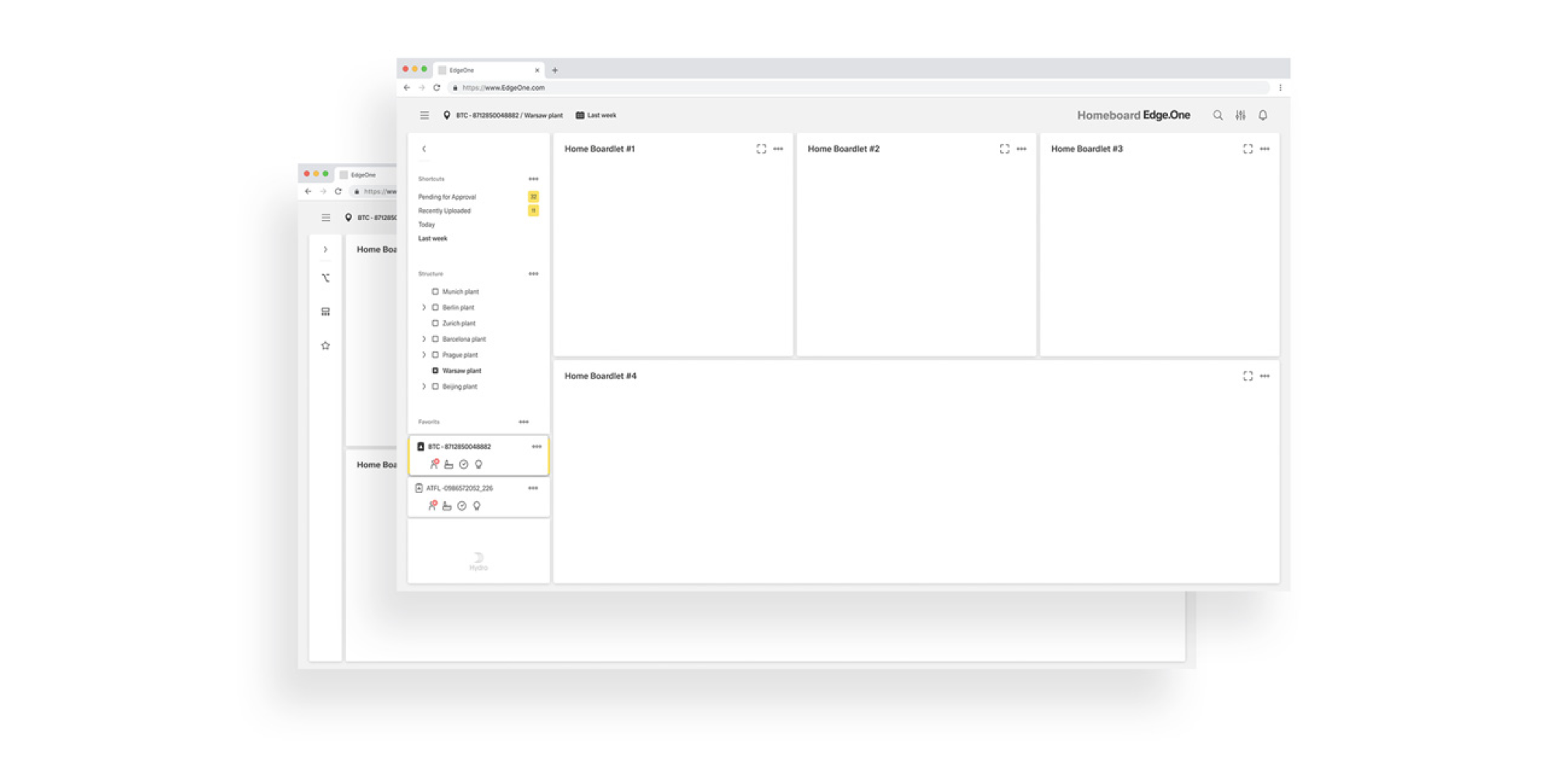
The navigation boardlet is a special type of boardlet. It houses several links to other dashboards and is part of the grander patterns of [Local Navigation]().
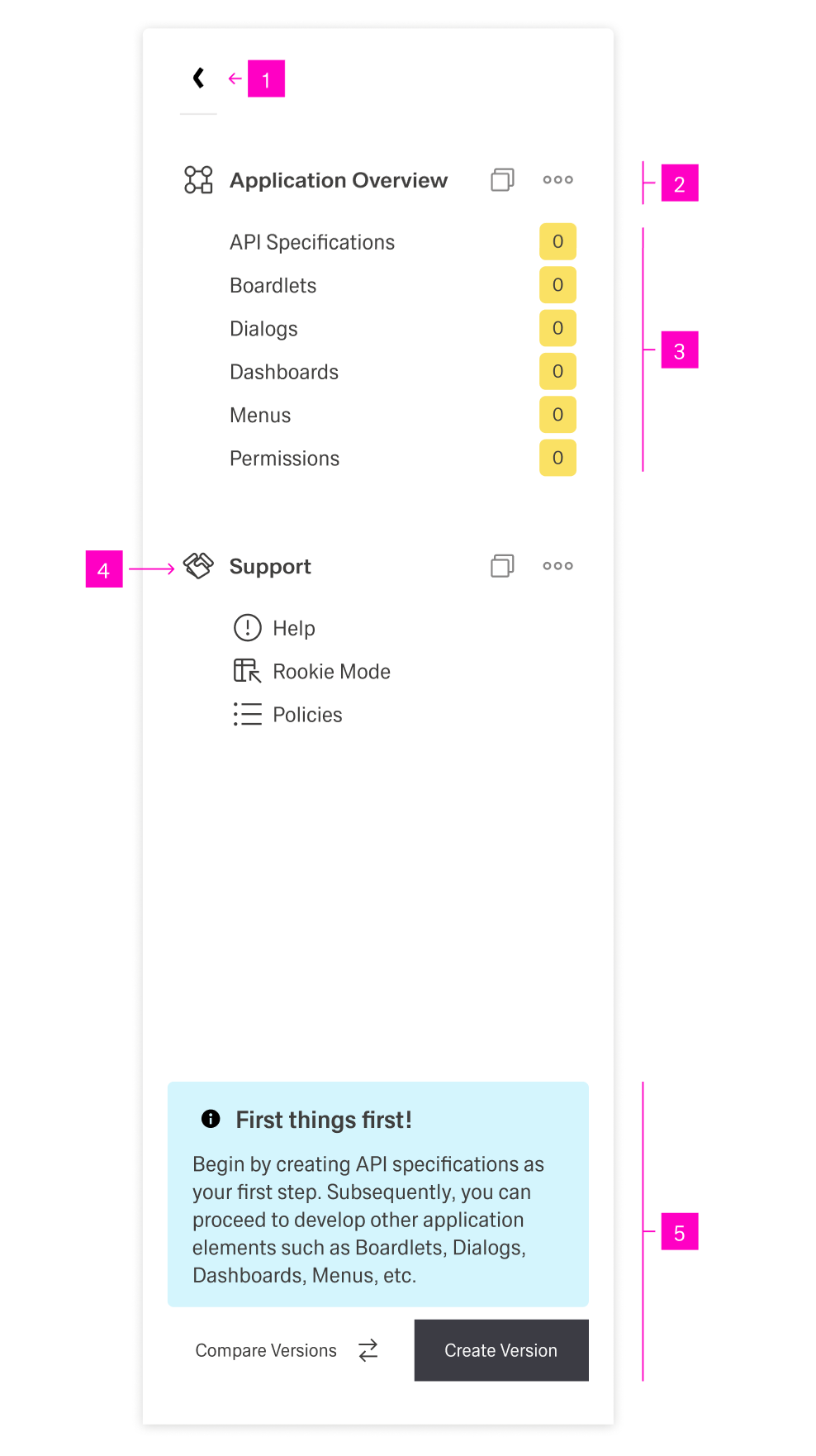
The boardlet has two states: collapsed and expanded. It can toggle between the two through a "Collapse/Expand" action icon.
The dashboard navigation boardlet has two display options, Collapsed and Extended. This is necessary to keep the focus on the content of the dashboard. Shape and presentation within a breakpoint are always the same and must not be changed.
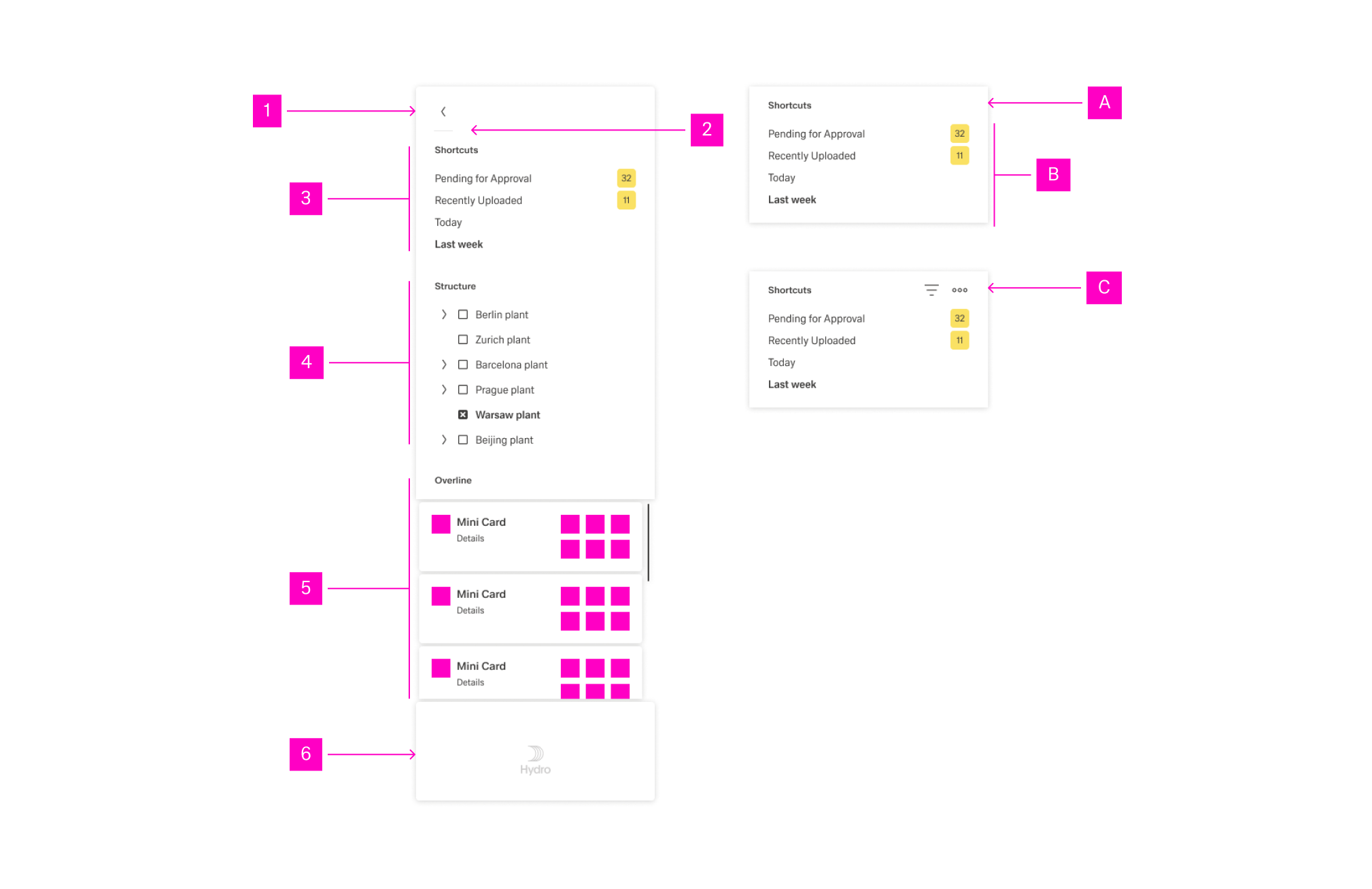
In its expanded stage, the navigation boardlet shows the entirety of its content. It consists of any number of Navigation Items grouped under a Navigation Overline. In addition, the boardlet can have a Footer that can include a brand logo, action buttons and a system information text.
Any combination and ordering is supported. However, using more than three assets simultaneously is not recommended due to space constraints.
Possible navigation items include but are not limited to:
| Asset | Purpose & Behavior |
|---|---|
| Link List | Scrollable collection of links. Use for quick movement in content and to surface favorites. |
| Node List | Scrollable collection of nodes. Enables fast navigation across node hierarchies. |
| Card List | Scrollable mini-cards providing additional detail. It supports navigation into related content. |
| Conflict List | Scrollable conflict cards showing current issues; supports filtering and prioritization. |
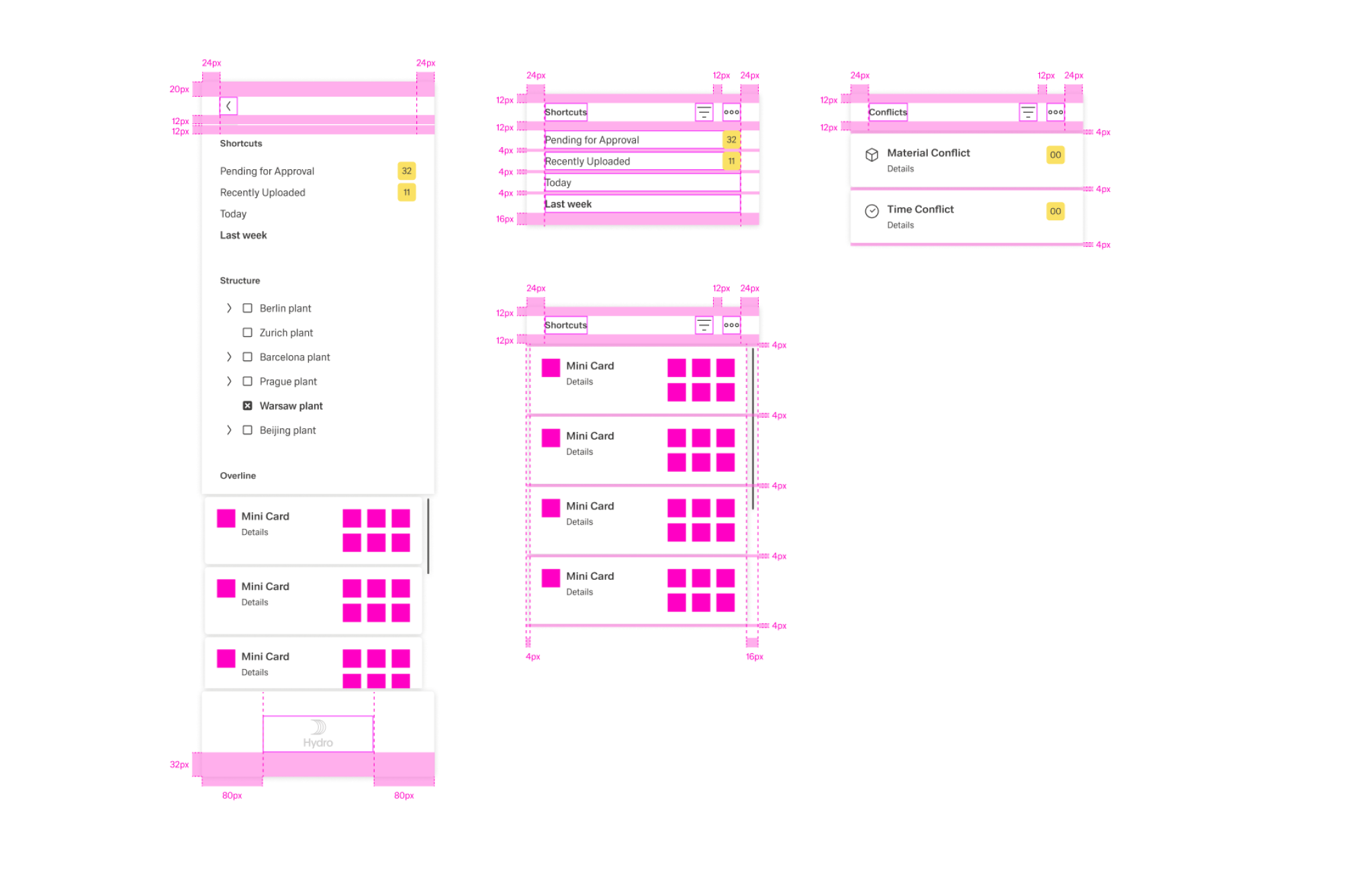
The following image shows the alignment of navigation items.
In this state, the menu is only 1 column wide. A compact rail of action icons (with dividers) representing the available navigation content. Each icon opens an overflow menu listing thematic actions. If a customer logo is required inside Edge.One, it is placed only in the Navigation Boardlet.
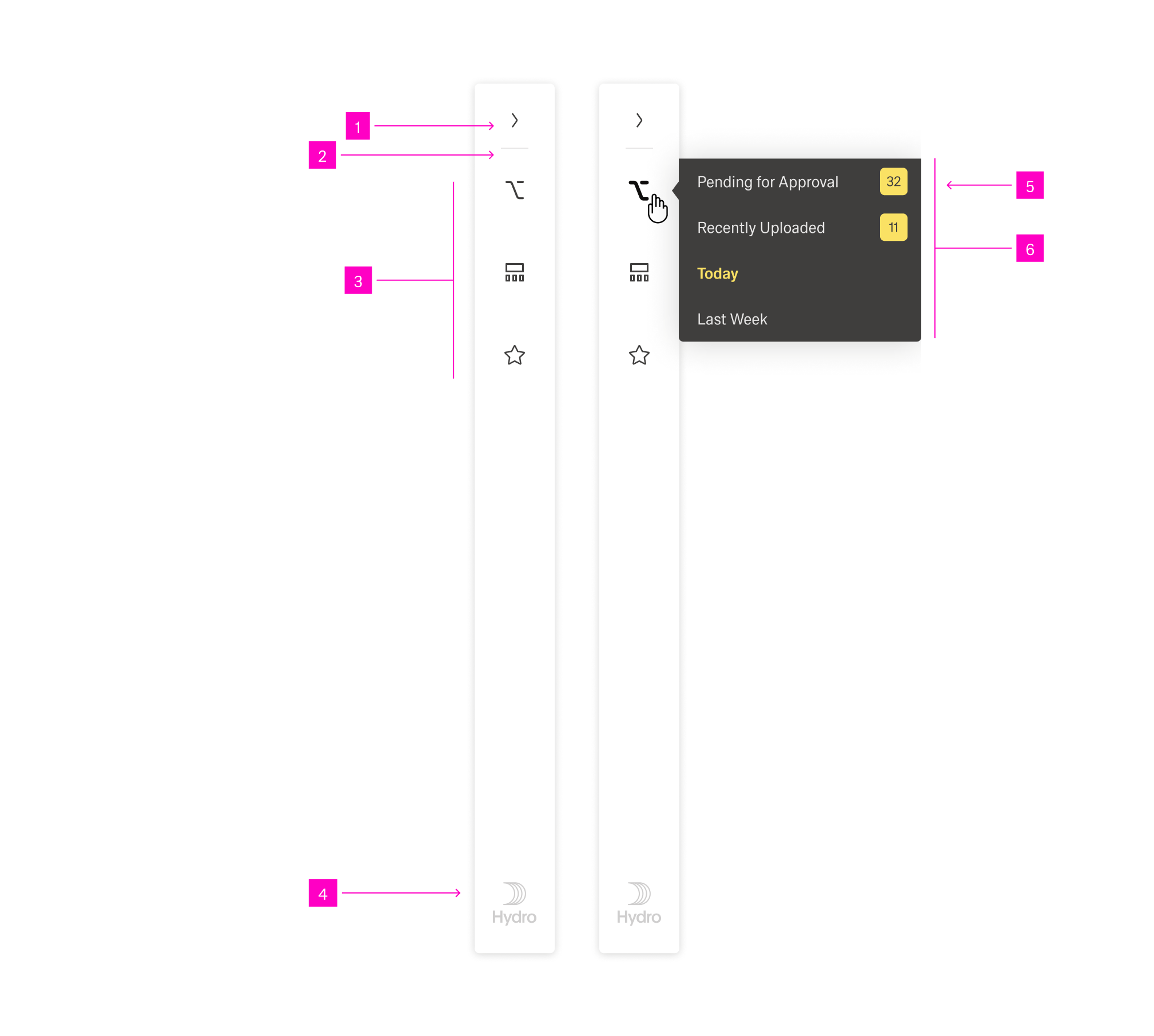
The following image shows the alignment of elements.
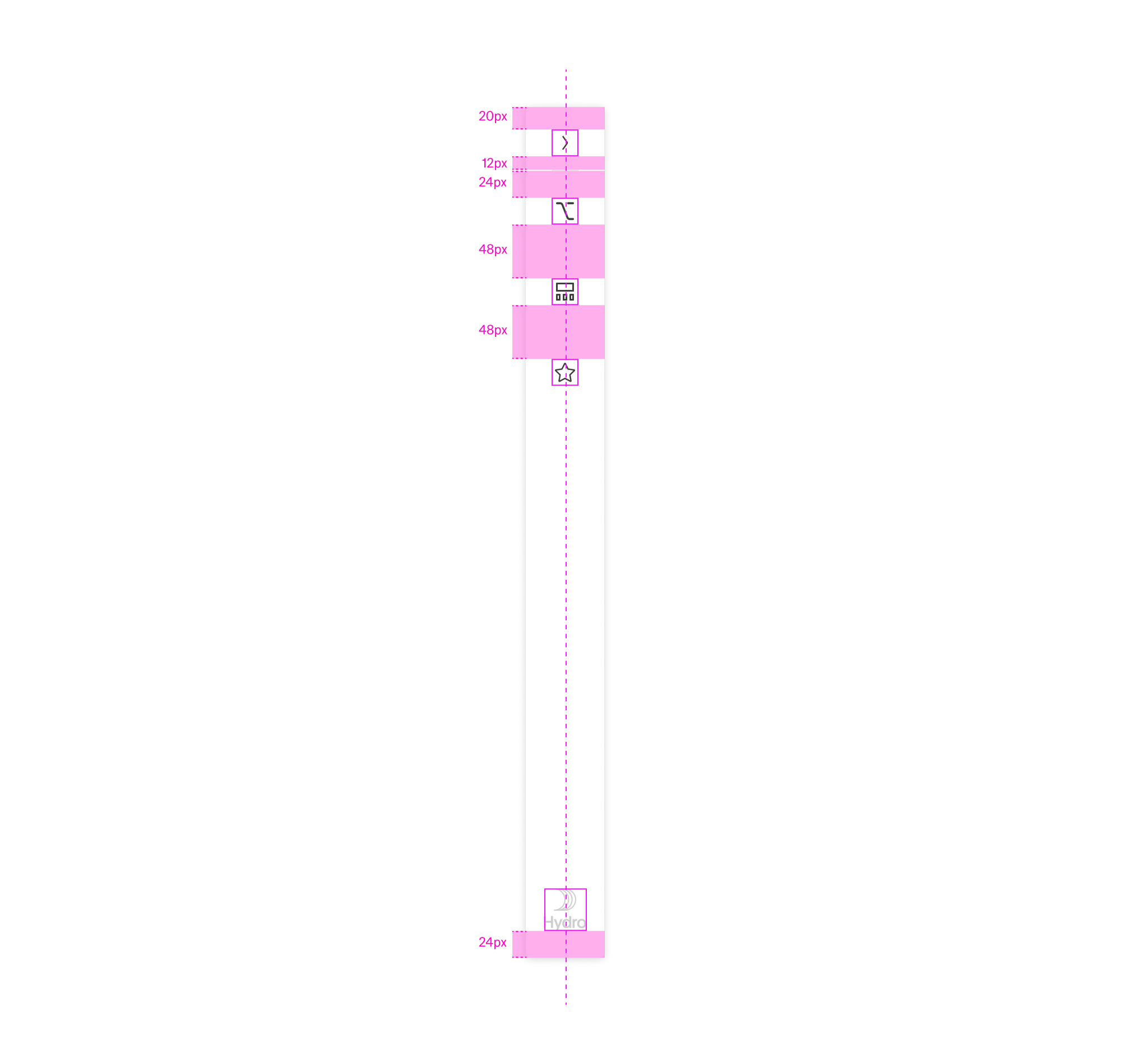
Local navigation is optional in Edge.One. Simple applications do not require it. Use the Nnavigation boardlet only when a dashboard needs local navigation (e.g., nodes, dependencies, favorites, sub-dashboards). Keep it off simple dashboards to preserve focus.
Default to collapsed on content-dense dashboards; expand on demand when navigation is the user’s next likely step.
In extended, use at most three assets (Link, Node, Card, Conflict) at once to avoid vertical crowding and nested scroll traps.
Local navigation controls only the current dashboard; don’t mix cross-dashboard items here.
Order assets and items by user intent: first what’s used most, then by task flow, then alphabetically.
Prefer fewer, clearer entries to exhaustive lists; encourage favorites/pinning in Link Lists.
Prefer no internal scrolling. If content overflows, switch to the extended state or split into multiple assets/tabs.
Accept scrolling when:
Use independent scrolling for each asset and never create horizontal scrolling.