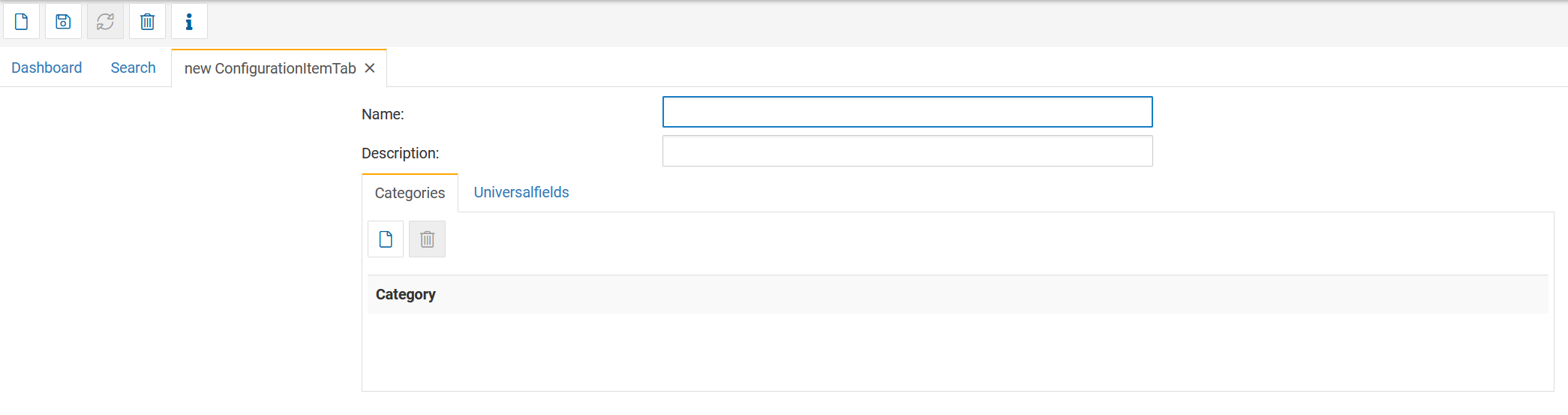
Tabs and Universal Fields enable flexible extension of object structures in Finito.
They allow organizations to add custom information sections, create new data entry forms, and adapt asset records to any operational need without development effort.
This modular approach makes object structures fully customizable and scalable.
New tabs are created via:
Search → Tab → New
Each tab consists of:
The title of the tab that will be displayed in the object.
An internal description or documentation of the purpose of the tab.
Defines where the tab should appear:
Object (most common)
Shiftbooks
Work items
Or other modules depending on customer setup
Selecting Object ensures the tab appears within object views.
This section defines which custom fields (Universal Fields) belong to this tab.
Actions available:
Add new Universal Fields
Remove fields
Reorder fields (Up / Down buttons)
Once saved, the tab can be assigned to an Object Type.
Only tabs assigned to the Object Type will appear in objects of that type.
Universal Fields are the building blocks of custom tabs.
They define individual data fields such as text, numbers, dropdowns, yes/no fields, search dialogs, and more.
To create one:
Search → Universalfield → New
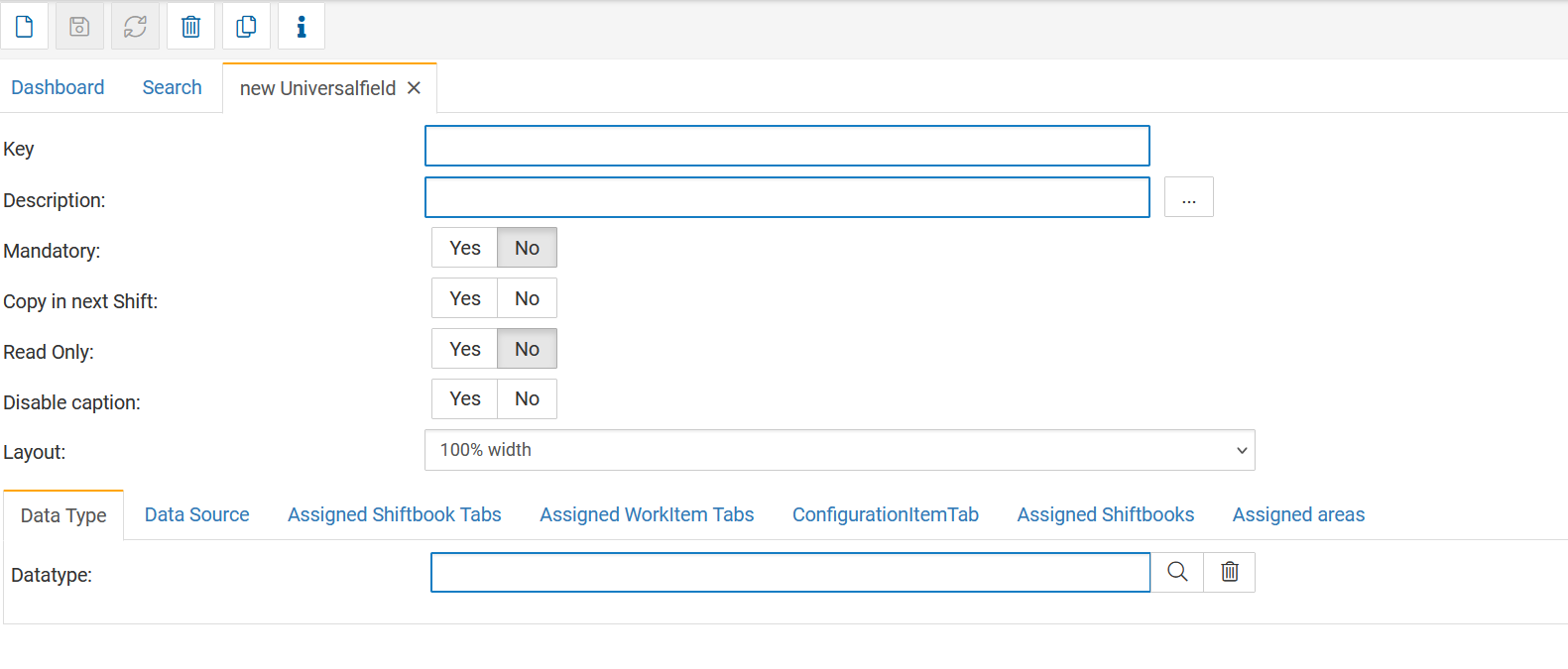
A Universal Field contains the following settings:
A unique identifier.
Must be system-wide unique.
Not shown to the user.
The label displayed to the user inside the tab.
Required field.
If set to Yes:
The field must be filled out before saving the object.
Useful for critical information.
Relevant only for shiftbooks (ignored for objects).
Copies the field value into the next shift entry.
The field becomes non-editable for users.
Hides the description label and only shows the input field.
Defines how wide the field should be displayed:
100%
50%
33%
etc.
This helps build clean multi-column forms.
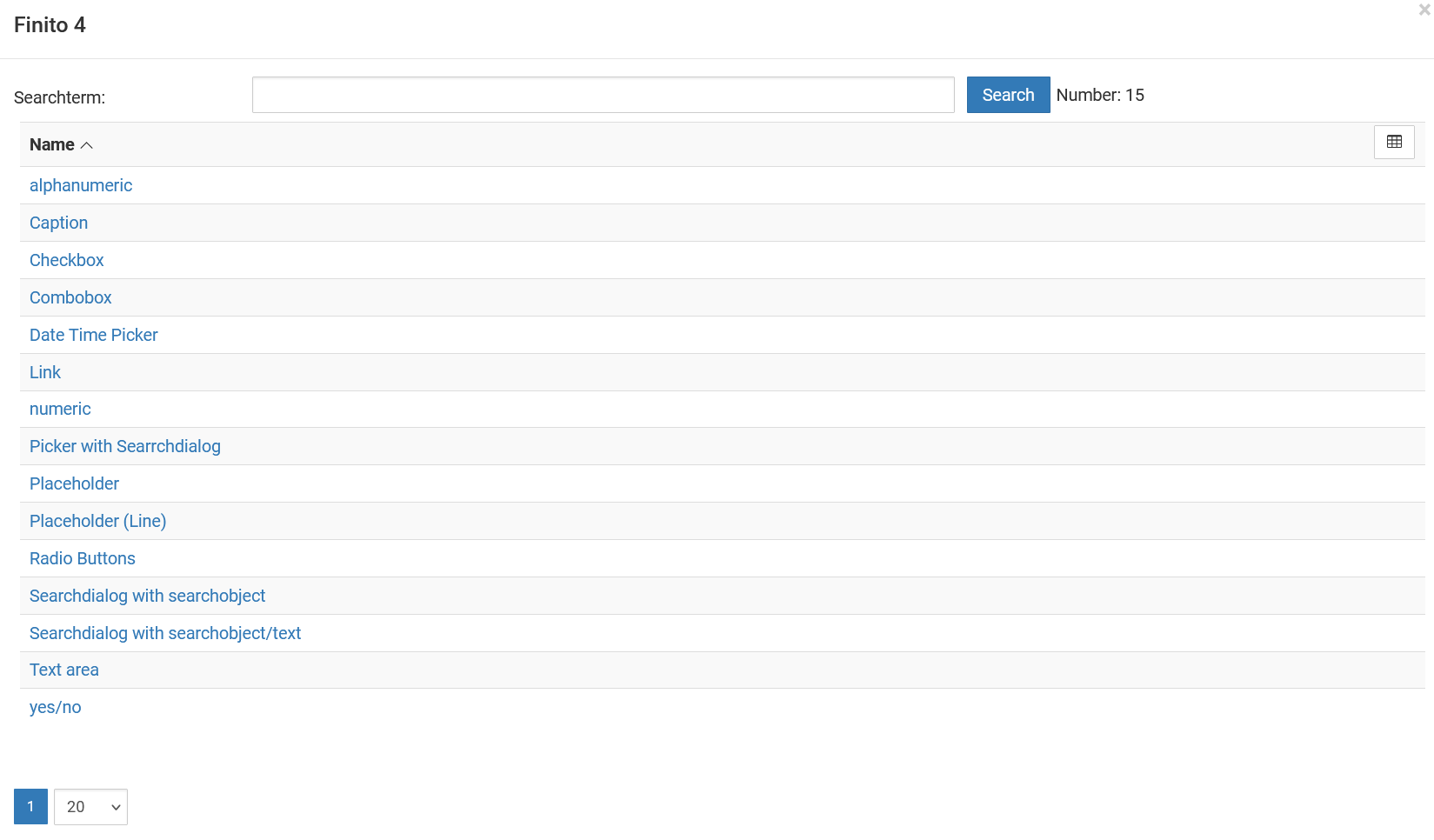
The datatype defines how the field behaves and what input is allowed.
Selecting a datatype opens additional configuration options depending on the field type.
Common datatypes include:
| Datatype | Purpose |
|---|---|
| alphanumeric | Free text |
| numeric | Numbers, quantities, measurements |
| checkbox | Boolean true/false |
| yes/no | Two-choice boolean |
| combobox | Dropdown selection |
| radio buttons | Selection of multiple predefined options |
| date time picker | Date or date/time values |
| link | Hyperlinks |
| text area | Multi-line text |
| Picker | Select objects from a search dialog |
| Searchdialog with searchobject | Select objects with filtering |
| Placeholder fields | Display-only fields for layout |
Each datatype may include additional settings such as:
tolerances (for numerical fields)
min/max values
object linking
rows/columns for text areas
Universal Fields contain multiple configuration tabs beyond the basic data field setup:
Used to fetch values from external systems via connectors.
Examples:
AVEVA PI (process historian)
AspenTech IP.21
DCS values
ERP reference data
This allows real-time or periodic value synchronization.
Only relevant for shiftbooks.
Defines in which shiftbook tabs the Universal Field is displayed.
Only relevant for tasks.
If activated, the Universal Field becomes available inside a specific Work Item tab, allowing:
Additional task metadata
Specialized instructions
Custom audit fields
This creates extremely flexible workflows.
Defines which object tab the field belongs to.
This is mandatory for Objects.
Only for shiftbooks — can be ignored for object configuration.
Optional and rarely needed.
Used when a Universal Field should only appear for specific equipment in a shiftbook area.
Can be ignored for Object Types.
For Universal Fields used in Objects, the minimum required settings are:
Key
Description
Datatype
(Assigning the Universal Field to a Tab → which is then assigned to an Object Type)
Everything else is optional and depends on process requirements.
Search → Universalfield → New
Configure key, description, datatype, and optional settings.
Search → Tab → New
Add Universal Fields to the tab and order them.
Open Object Type → Tab
Add the new tab so it appears in objects.
Create or edit an object and fill the custom fields in the new tab.
Custom tabs and Universal Fields are perfect for:
Equipment master data
Maintenance-critical parameters
Calibration values
Warranty information
Installation details
Safety and compliance metadata
Regulatory documentation
Customer-specific asset info
IT/OT hybrid asset structures