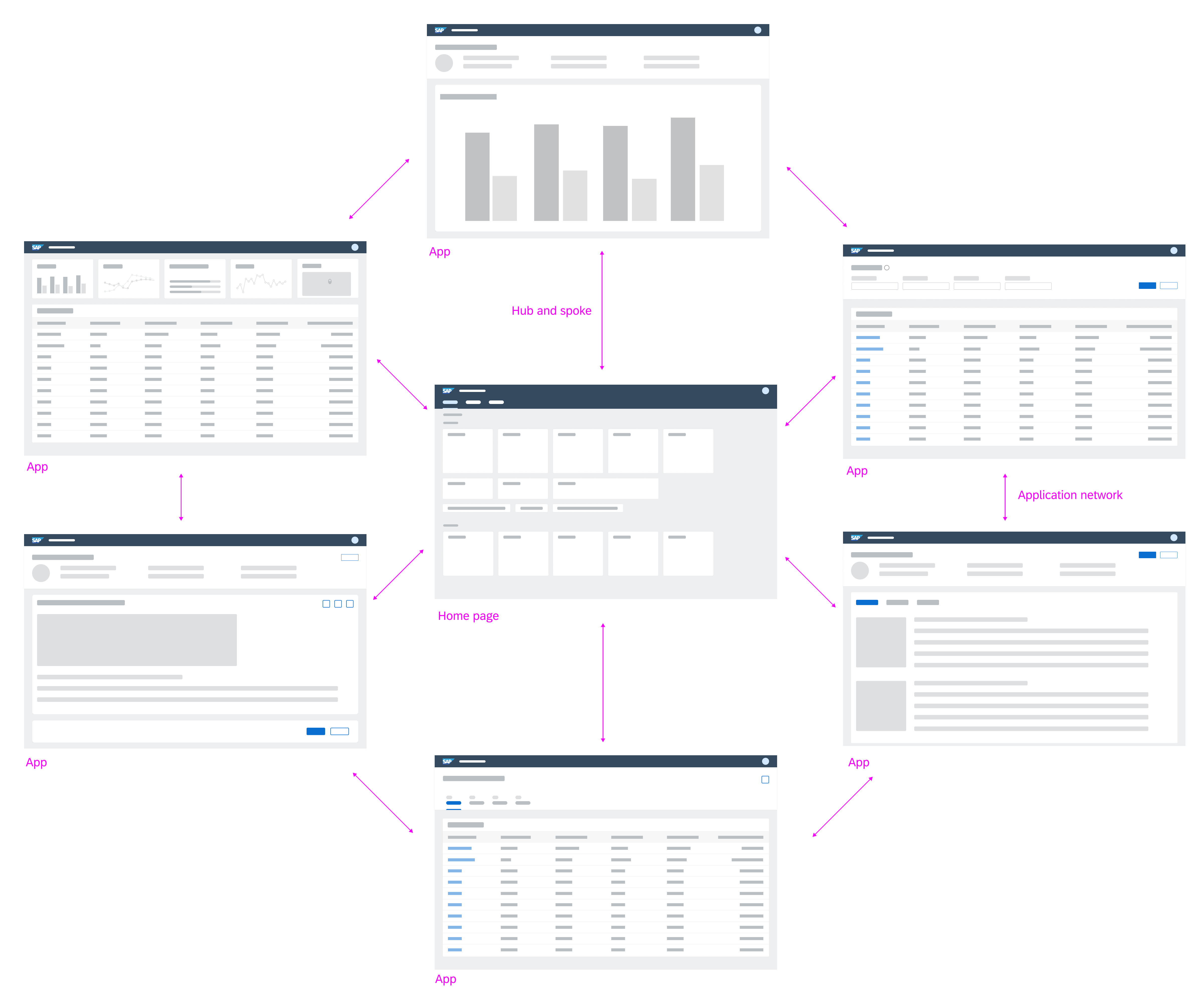
Navigation in Inspire applications follows standard navigation paradigms of various web applications. When a user navigates to a new dashboard, the user’s system default navigation is in place.
EdgeOne Inspire combines the hub-and-spoke navigation model with an application network model. A central dashboard in UPW (unified production workplace) is the center of all navigation paths. The user starts from the home dashboard and navigates forward into the apps through multiple dashboards. Multiple apps can form a process. The ubiquitous back navigation function allows the user to go back to the previous dashboard. The user can always navigate back to the home dashboard via logo.
EdgeOne X-series applications are also linked in the home dashboard. They open per default in a new web browser tab.
Application navigation model
The cards (insert link) on the home dashboard represent navigation anchors to the individual apps/ dashboards. By selecting a card, the user navigates to the corresponding app/ dashboard. It is also possible to integrate legacy UI technology through these cards. EdgeOne X-Series technologies open in a new tab or window (for supported desktop operating systems only).
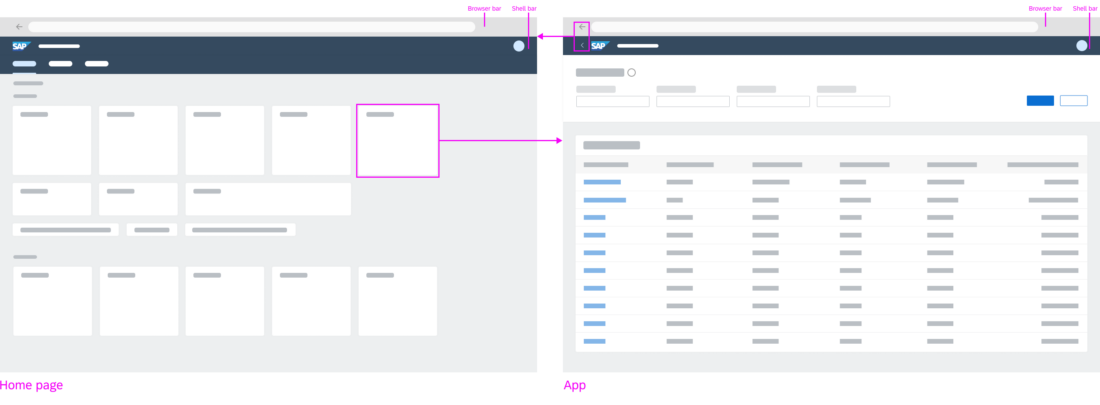
The home dashboard features cards as navigation anchors to the individual apps
Individual apps can be connected to build up navigation flows. There are different ways to build a connection:
By transferring context between apps, one modular app can build on the input of the previous app(s). This way, individual apps can be reused in different contexts. More complex functionality can be combined using individual modules or apps. After each navigation step, the user can always navigate back using the browser’s back button or the back arrow icon in the header bar (insert link).
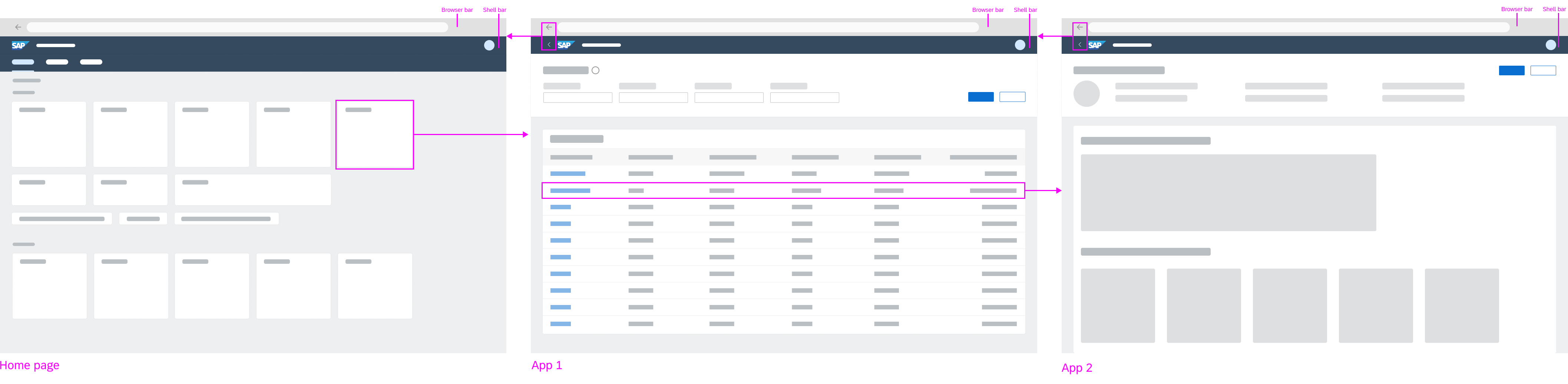
Forward navigation flow
The ID2 header is always located at the top of each app. It displays the logo, which triggers navigation to the home dashboard, and back button, which triggers navigation to the previously visited page. An exception is made when a deep link to an application is called and there are no EdgeOne Inspire entries in the browser history. No back button should be displayed.

Forward navigation to other dashboards of the app or other apps is triggered by links, line items, buttons, or other UI elements. No distinction is made between navigation targets located within the same app or those located in other apps.
Clicking a link can either trigger direct navigation, or open a popover. With the popover, further navigation targets can be reached. This behavior should be consistent within an app. For example, links in a table should consistently either open a popover or navigate to another dashboard.
EdgeOne X-Series apps are always opened in a new tab/window from the EdgeOne Inspire home dashboard. The same applies to any URL that opens a X-Series app.