
Zeplin Styleguide
| Zeplin Documentation | Layout example | ||
|---|---|---|---|
| 1 | ID2 Web max header | https://zpl.io/2Zl8LLE | coming soon |
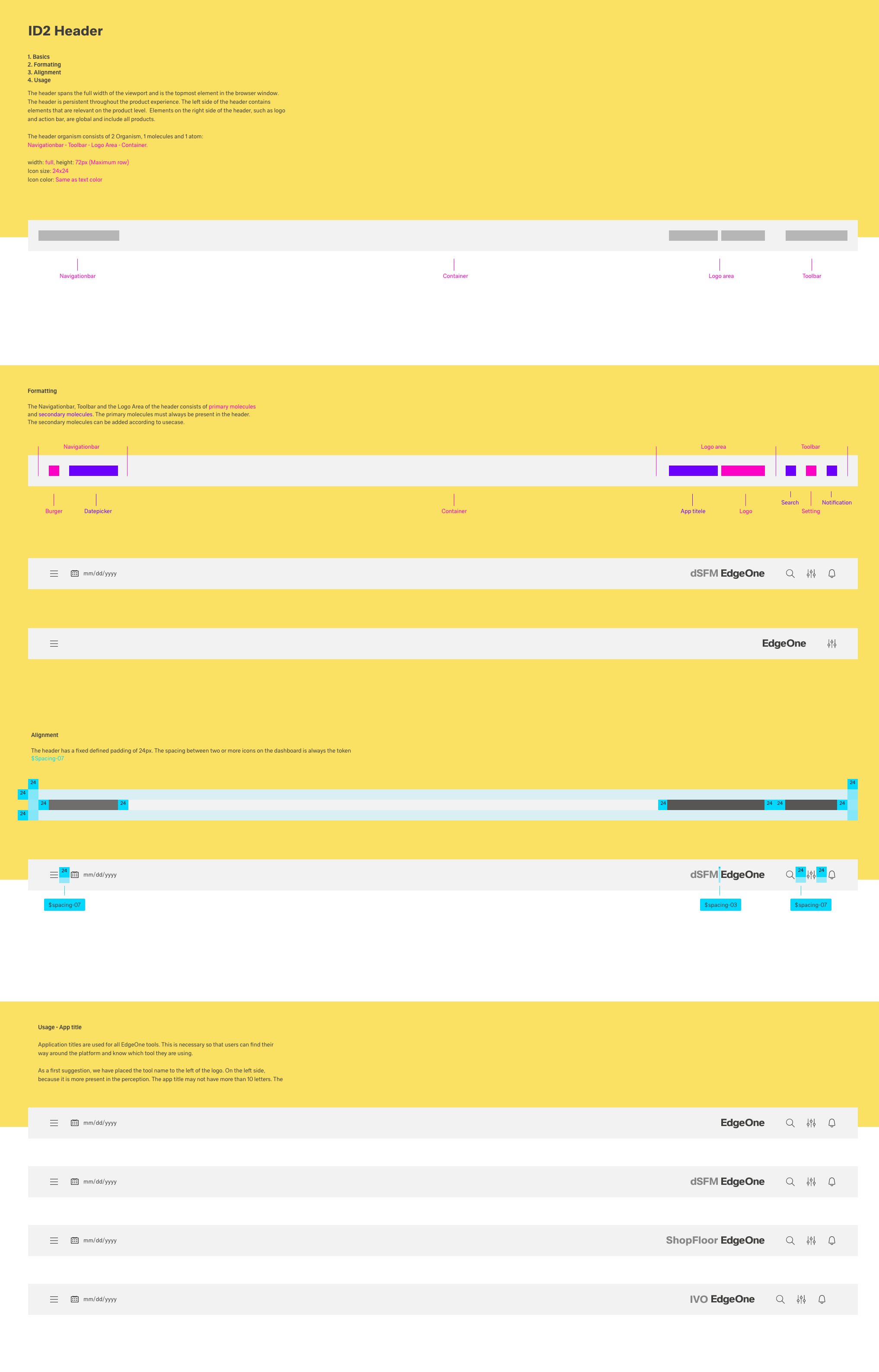
Basics
The Header Overview is the uppermost section of the EdgeOne/ X-Series App.
The header is firmly anchored and fixed in the upper part. The head is fixed while scrolling, so that all functions are visible and selectable. The header-Organism always consists of 3 molecules.
1. Navigation molecules,
2. Logo molecules
3. Toolbar molecules.

1920 The header-organism

1920 The header-molecules

1920 The header-atoms
Header breakpoints
All Headers are divided into different breakpoints. The breakpoints define the visual division and distance of organisms, molecules and atoms from each other in all possible digital formats. This UI design kit considers the Web_Max breakpoint as default, all other breakpoints are located in the category subcategories.
Kiosk Header
Web_Max Header
Web_Min Header
Tablet Header
Mobile Header
Header theming
All molecules and atoms of the Header exist in two themes, the Astronaut(light) and the Tokyo at Night Theme(dark).
 1920 Astronaut theme

1920 Tokyo at night theme
Header variation inside EgdeOne and X-Series
The atoms of each molecule may differ within the X-Series and EdgeOne.
1920 EgdeOne header-atoms
 1920 X-series header-atoms
1920 EdgeOne astronaut header

1920 X-series astronaut header
