
Page History
...
Local Navigation is composed of reusable navigation surfaces that appear within a dashboard. The set of surfaces depends on the complexity of the area: some dashboards only need lightweight navigation, while others benefit from a persistent structure such as a Navigation Boardlet. Together, these surfaces should support both vertical navigation (drilldowns) and horizontal navigation (step-based flows).
Navigation Boardlet
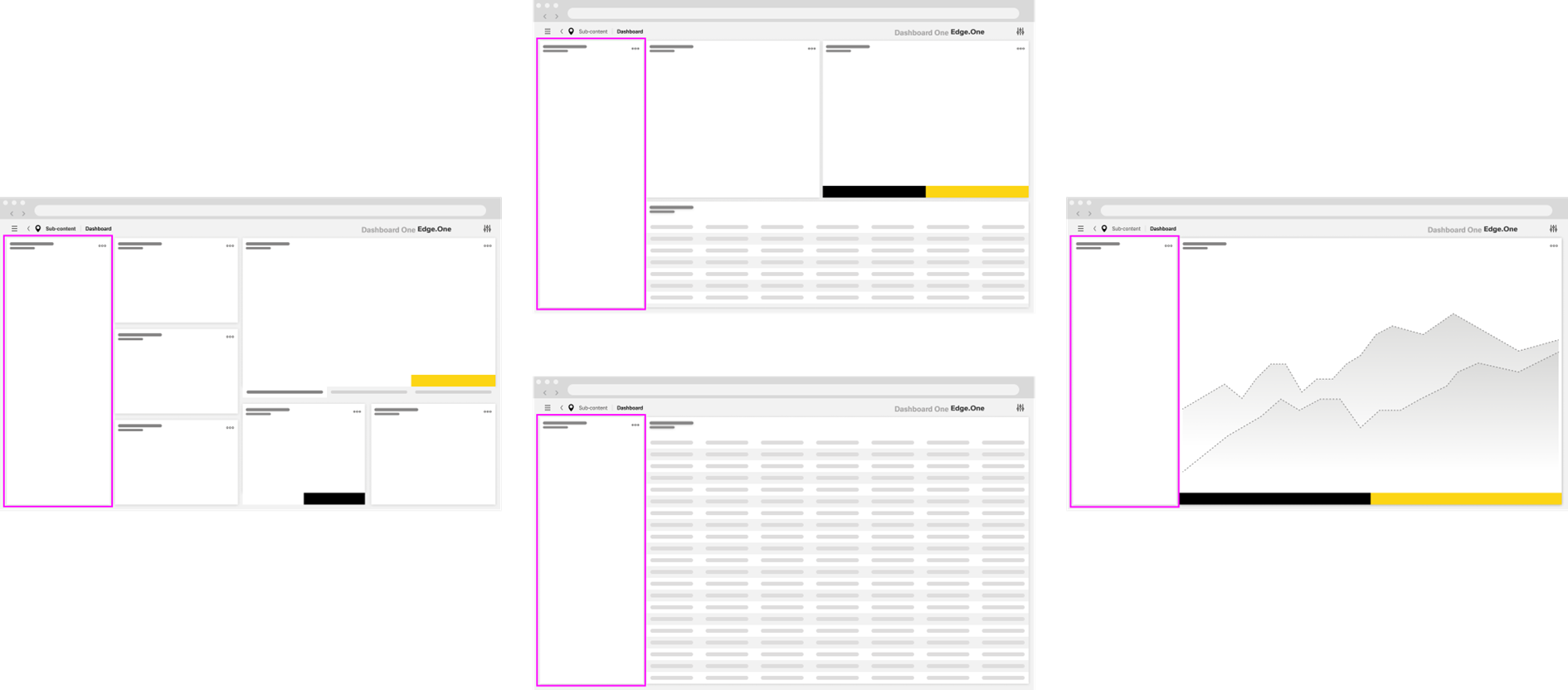
The Navigation Boardlet is an expandable and collapsible navigation element. It sits on the far left of the dashboard and spans from top to bottom. It provides links and tools for navigating within the current product area, typically presented as a list or a tree.
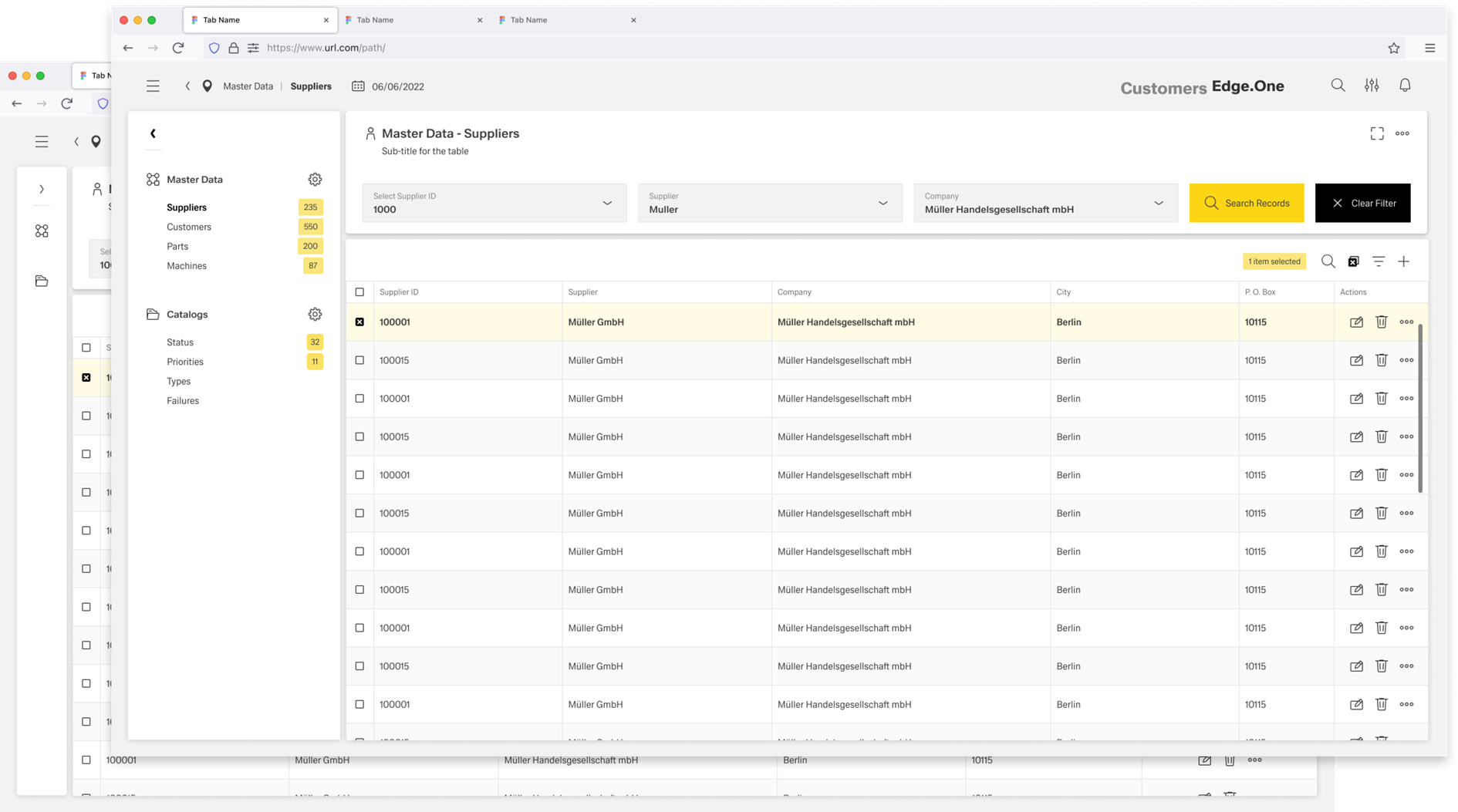
Navigation items are usually grouped to improve scanning and to reflect the information architecture. Each group should have a clear heading and a distinct icon so users can quickly understand what belongs together.
The boardlet can include dynamic elements that update based on context. For example, counters to the right of links can indicate the number of items in a library behind that link. When a boardlet contains many items, it should support independent scrolling so the dashboard content remains usable.
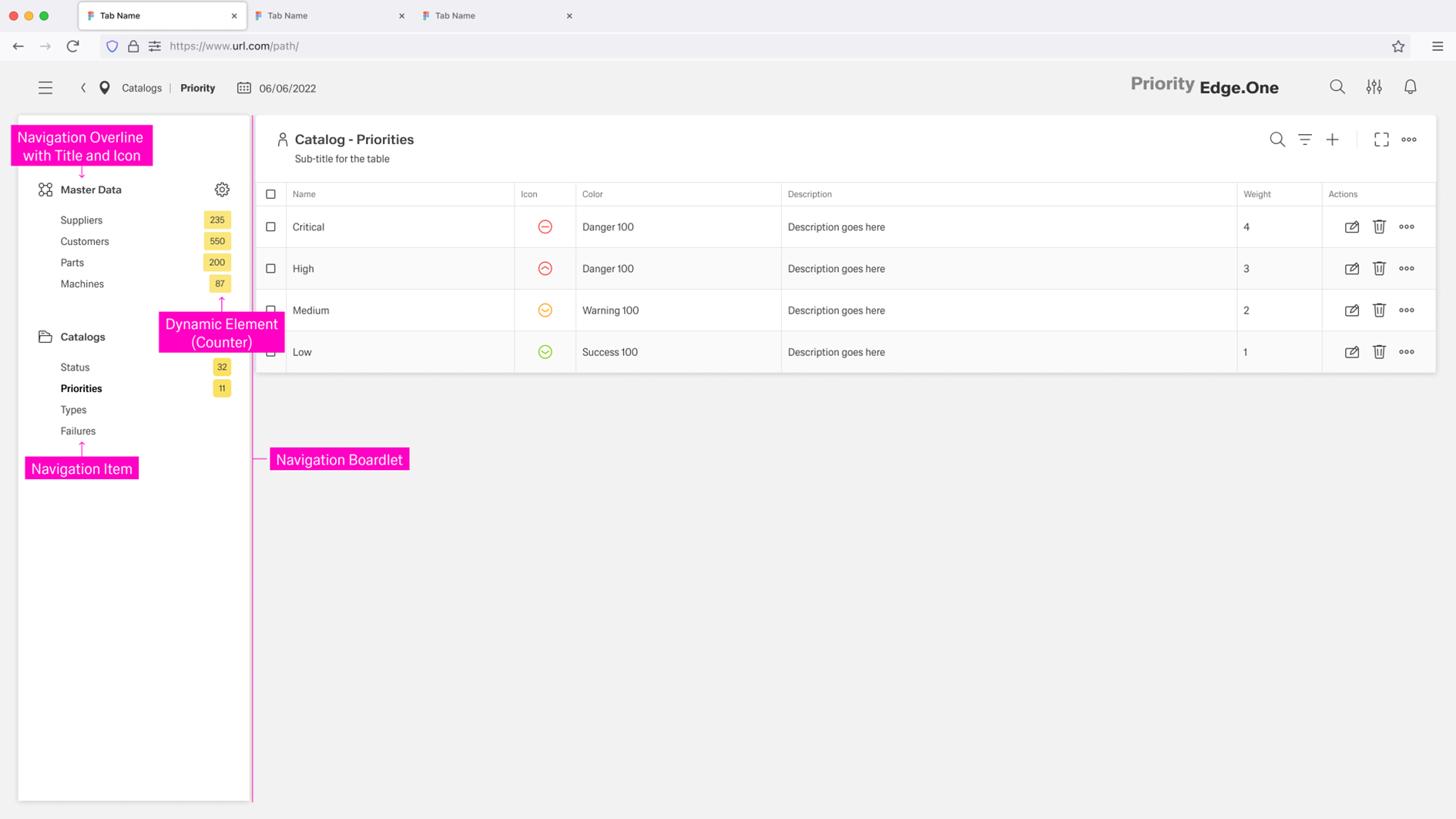
By combining hierarchical structures with direct links, the Navigation Boardlet supports both horizontal navigation (moving between peer areas or steps) and vertical navigation (drilling down into deeper levels of detail).
Click here for more information on the Navigation Boardlet.
Breadcrumbs
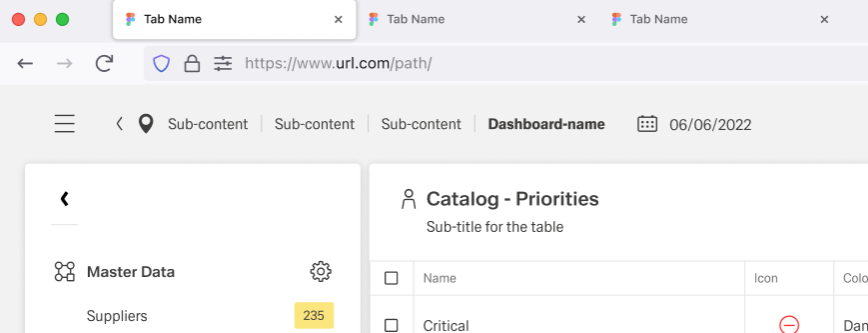
Breadcrumbs show users their current location relative to the information architecture. They enable users to quickly move up to a parent level or return to a previous step.
Breadcrumbs are always located in the left part of the header. All page items in the breadcrumb component are interactive and link to the corresponding pages. The go-back icon moves back one step at a time within the page structure.
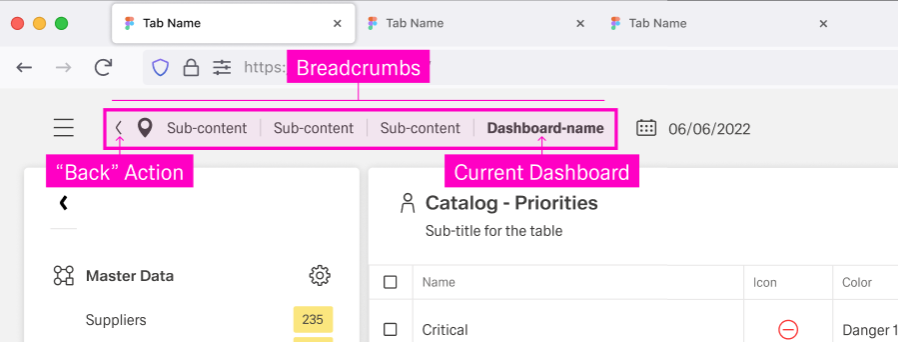
They support vertical navigation inside drilldowns and adjust based on the user’s current position in the structure.
...
