DMS audit trail
The audit trail logs the activities in the Document Management System.
This menu shows a table giving information. The table can be sorted or searched in a column using the toggle filter [ ].
].
The information shown is entered automatically by the system.
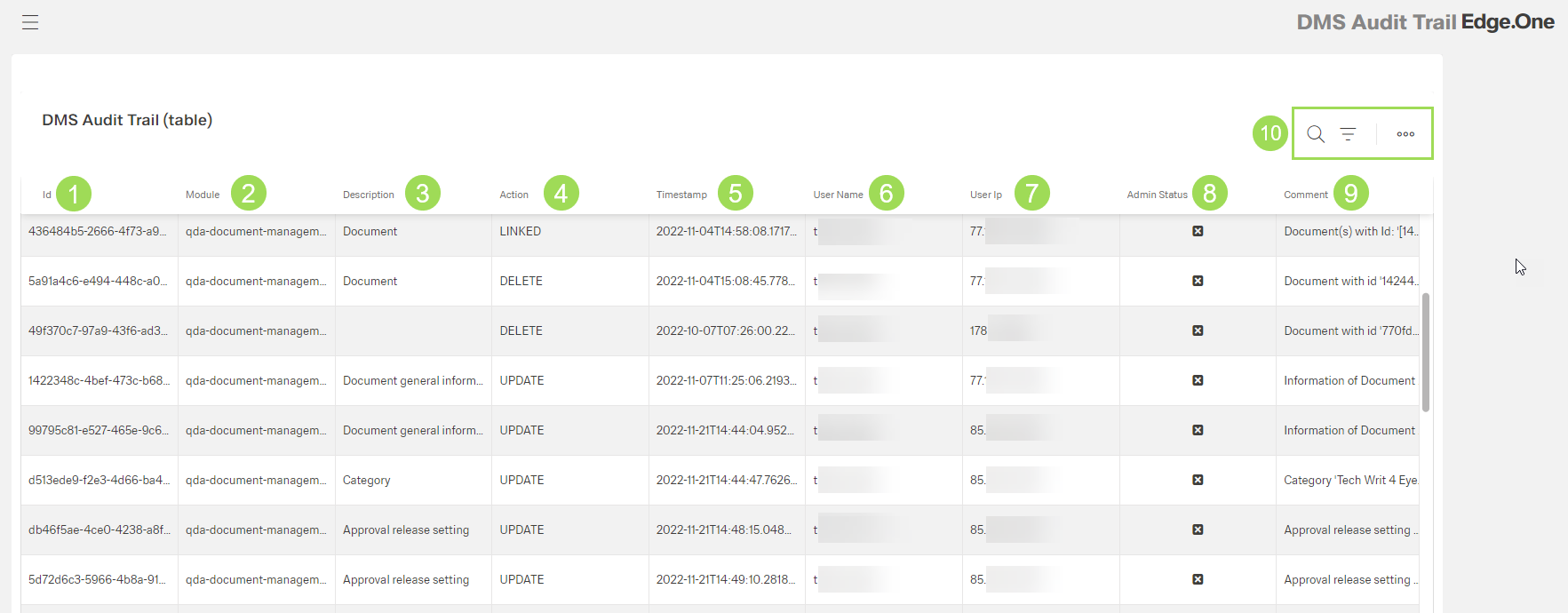
The illustration shows the table with log information: (1) column "id", (2) column "Module", (3) column "Description", (4) column "Action", (5) column "Timestamp", (6) column "User Name", (7) column "User ip", (8) column "Admin Status", (9) column "Comment", (10) standard action buttons to sort and group the table
| Column | Meaning | |
|---|---|---|
| 1 | id | internal document id |
| 2 | module | in what app was the action done? |
| 3 | description | in what module was the action done? |
| 4 | action | possible actions in the DMS
|
| 5 | timestamp | day and time of action |
| 6 | user name | who did the action? |
| 7 | user ip | |
| 8 | admin status | information if the user performing the action has admin rights or not |
| 9 | comment | description of action |