DMS start page
The start page of the documentation management system is a dashboard containing one or more boardlets (to edit the start page, you need the appropriate rights or someone with these rights like an administrator). One of the boardlets shows a process diagram. All processes are made as buttons that have target links. The target can be a folder, another boardlet, e.g. for a subprocess, or an external hyperlink.
Please note: a process diagram is saved as a process group. It's possible to link a process group to more than one dashboard. If this process group is changed to the needs of one dashboard, these changes are also done for the other dashboards. In this case, it's recommended to create a new process diagram as decribed here.
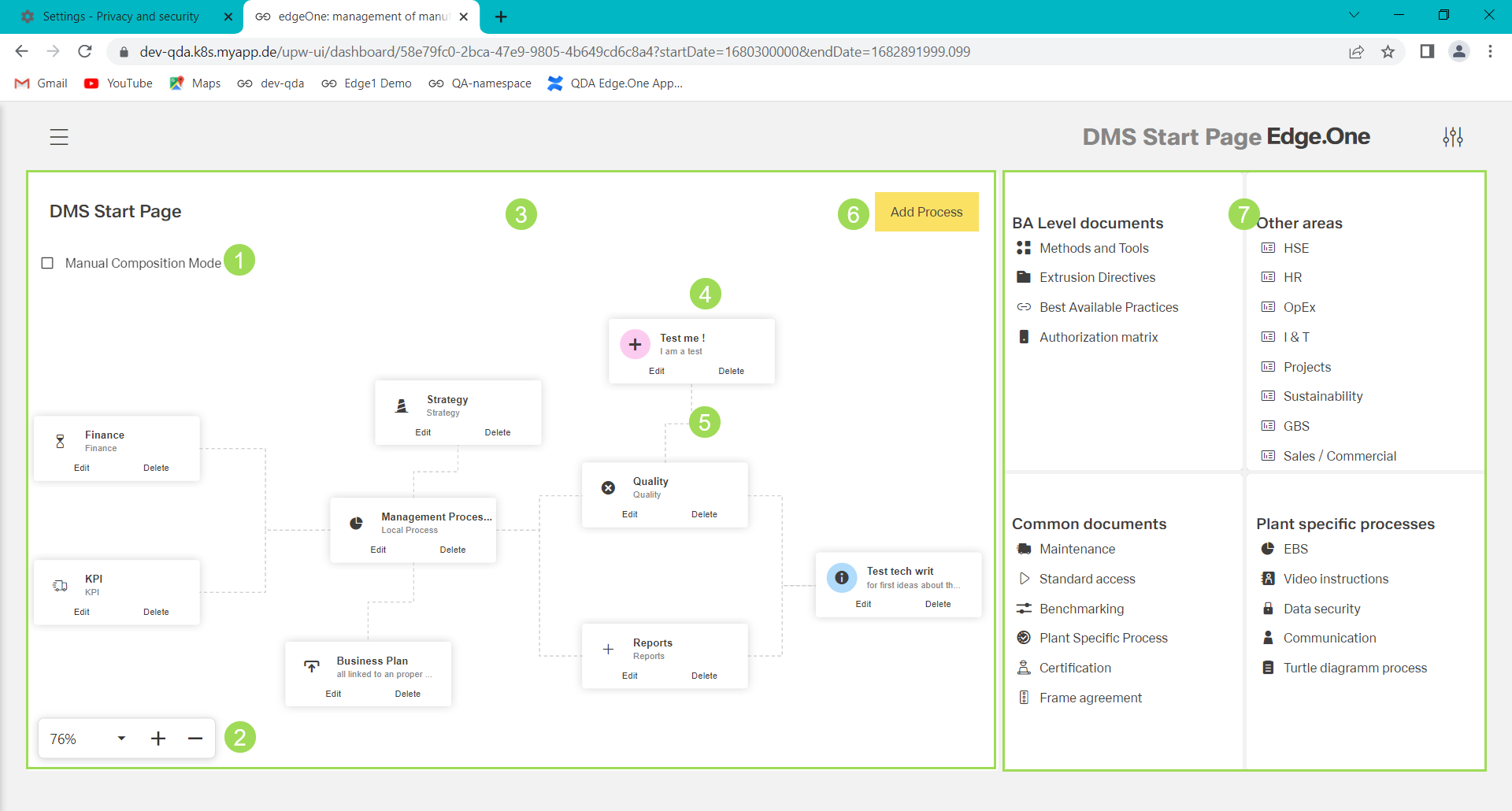
The illustration shows possible elements of the start page: (1) checkbox to enable editing the process diagram, (2) manual zoom for the process diagram, (3) process diagram boardlet, (4) process button, (5) connection between a process and its parent, (6) button
Add Process, (7) further boardlets
To edit the start page, the following tasks are possible: