Add a user field schema to DMS (step by step)
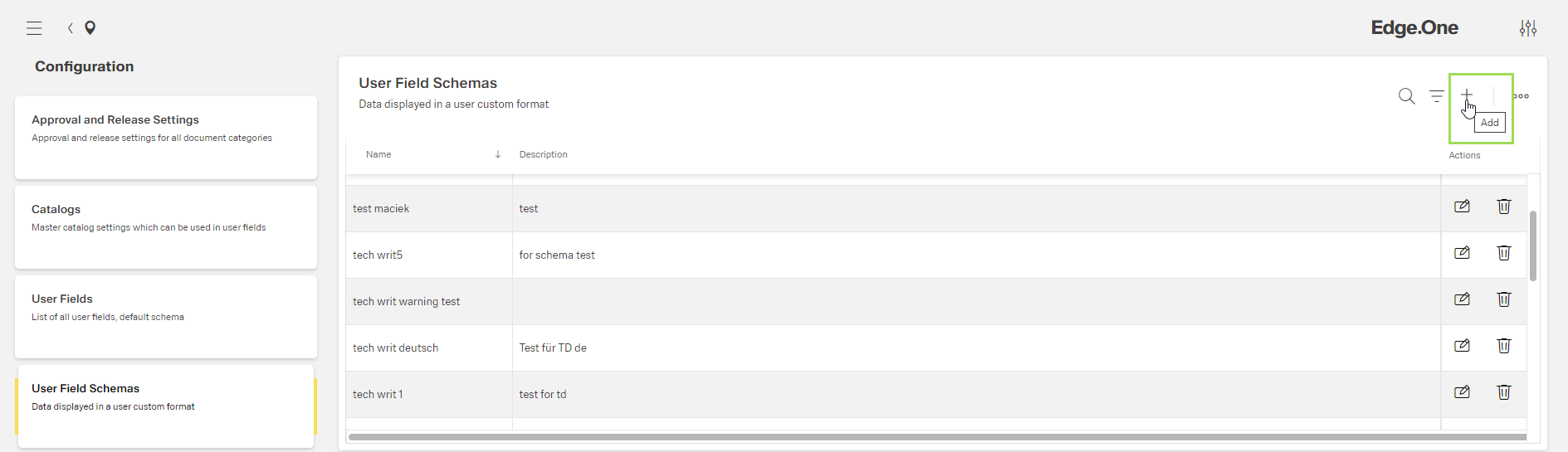
Click the button [ ]
]
The following window appears:
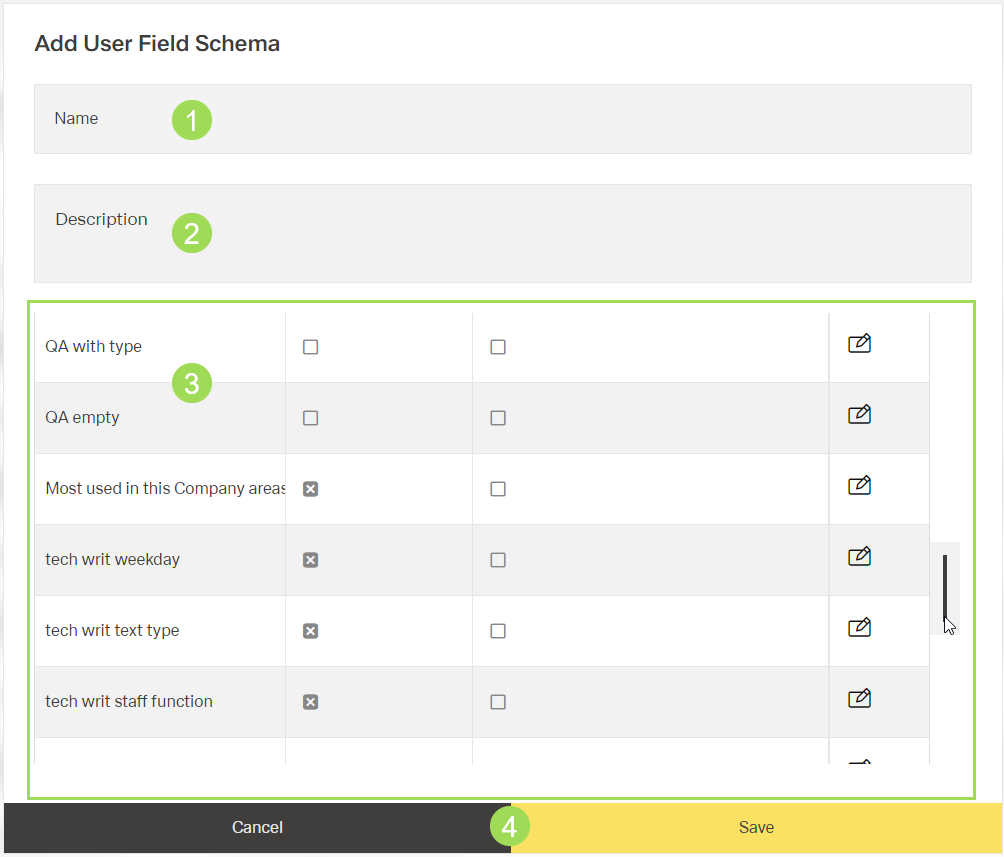
Enter a name for the user field schema <1> (mandatory field)
Enter a description for the user field <2>
Select the for each user field if it is displayed in the new schema by clicking the button [ ] when the "Visible" checkbox state needs to be changed <3>
Select the for each user field if it is mandatory in the new schema by clicking the button [] when the "Required" checkbox state needs to be changed <3>
Click the button Save (or Cancel)
A message about the successful action appears at the top of the screen.