DMS configuration
Introduction
After clicking "Configuration" in the menu, the following screen appears:
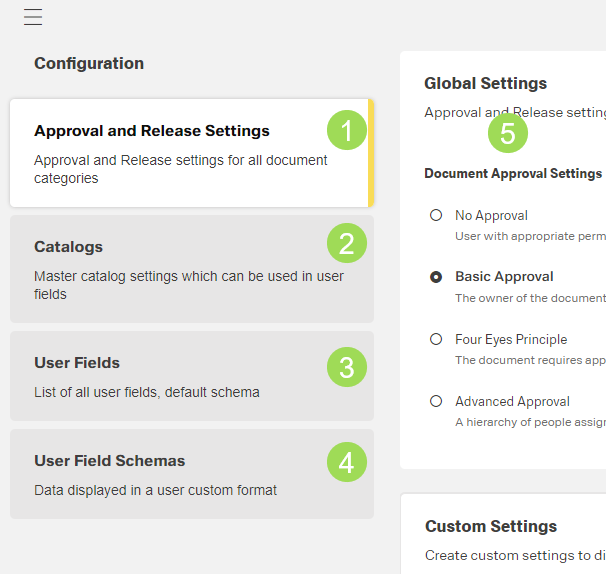
(1) approval and release settings, (2) catalogs, (3) user fields, (4) user field schema, (5) element of the submenu "Approval and Release Settings"
Approval and release settings
In this menu, the approval and release setting for documents are done. It is possible to set general settings and custom settings.
Further details are available here.
Catalogs
Catalogs offer additional information on documents, often as lists. They can be used in user fields as selectable information instead of manually entered information.
Further details are available here.
User fields
User fields can contain additional information on documents, e.g. in which factory the document is needed. The information can be added manually or selected from a list available in a catalog.
Further details are available here.
User field schemas
Customized additional information on the document with the option of making fields visible or hidden. The customer can define mandatory fields. Schemas are connected to folders.
Further details are available here.