Show qualification statuses
This menu shows a table giving information only.
The information shown is entered automatically by the system.
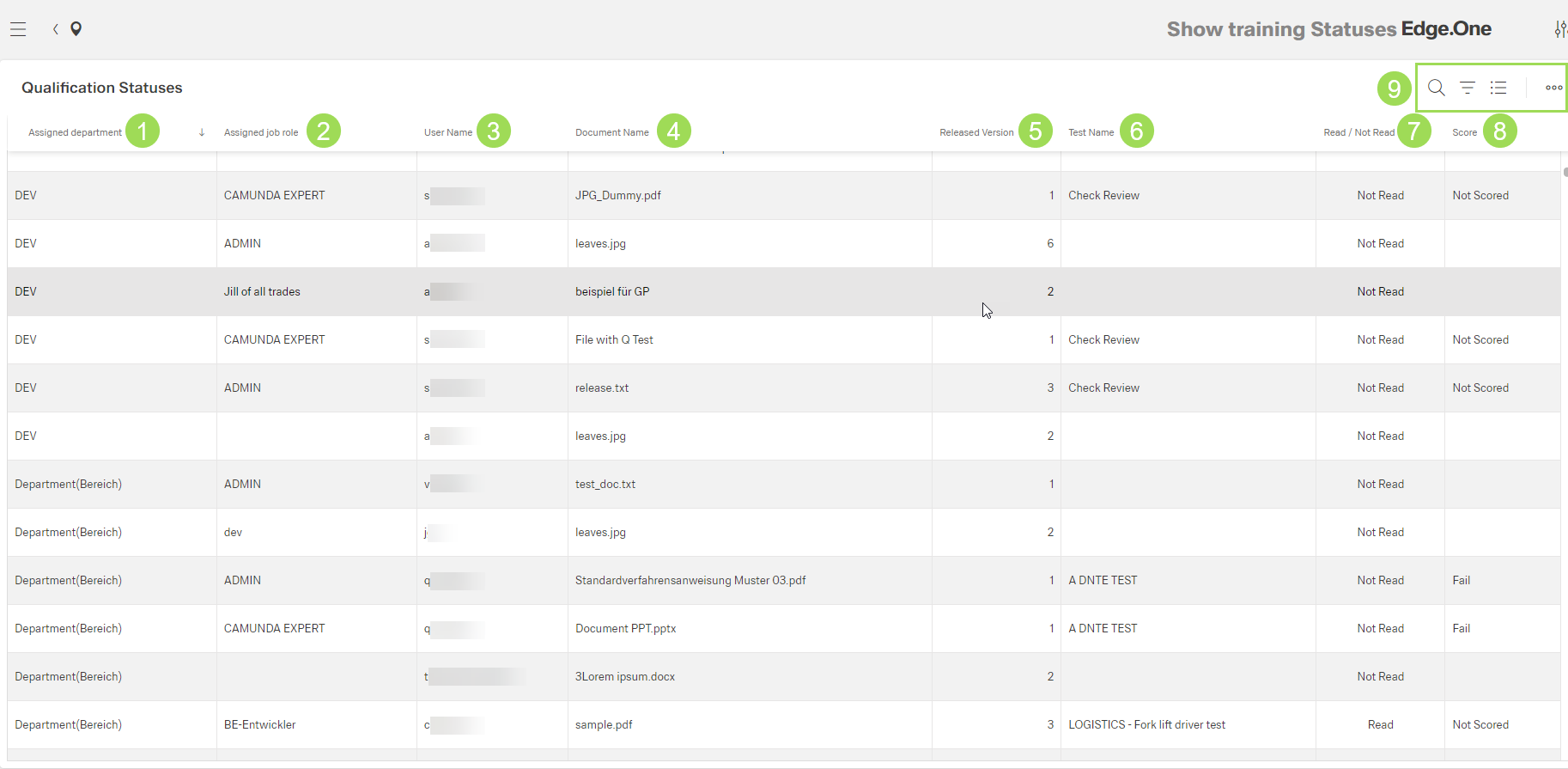
The illustration shows the table with information on the qualification statuses: (1) column "Assigned Department", (2) column "Assigned Job Role", (3) column "User Name", (4) column "Document Name", (5) column "Released Version", (6) column "Test Name", (7) column "Read/Not Read", (8) column "Score", (9) standard action buttons to sort and group the table
| Column name | Source | |
|---|---|---|
| 1 | department | user administration |
| 2 | job role | user administration |
| 3 | user name | user administration |
| 4 | document name | document general information |
| 5 | released version (of the document) | document general information |
| 6 | test name | end user portal / qualification test |
| 7 | read/not read information if assigned user has read the document yet or not | end user portal |
| 8 | score | result of qualification test |