View test result
This submenu shows the results of one selected test for all participants who submitted or at least started the test.
The evaluation process is described here.
In the qualification test table, click the button [ ] of the test result to be viewed
The following selection appears:
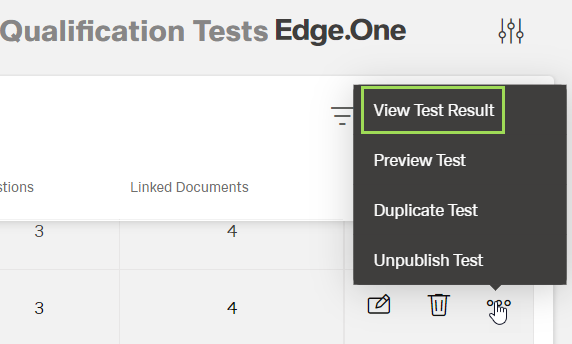
Select "View Test Result"
The following window appears:
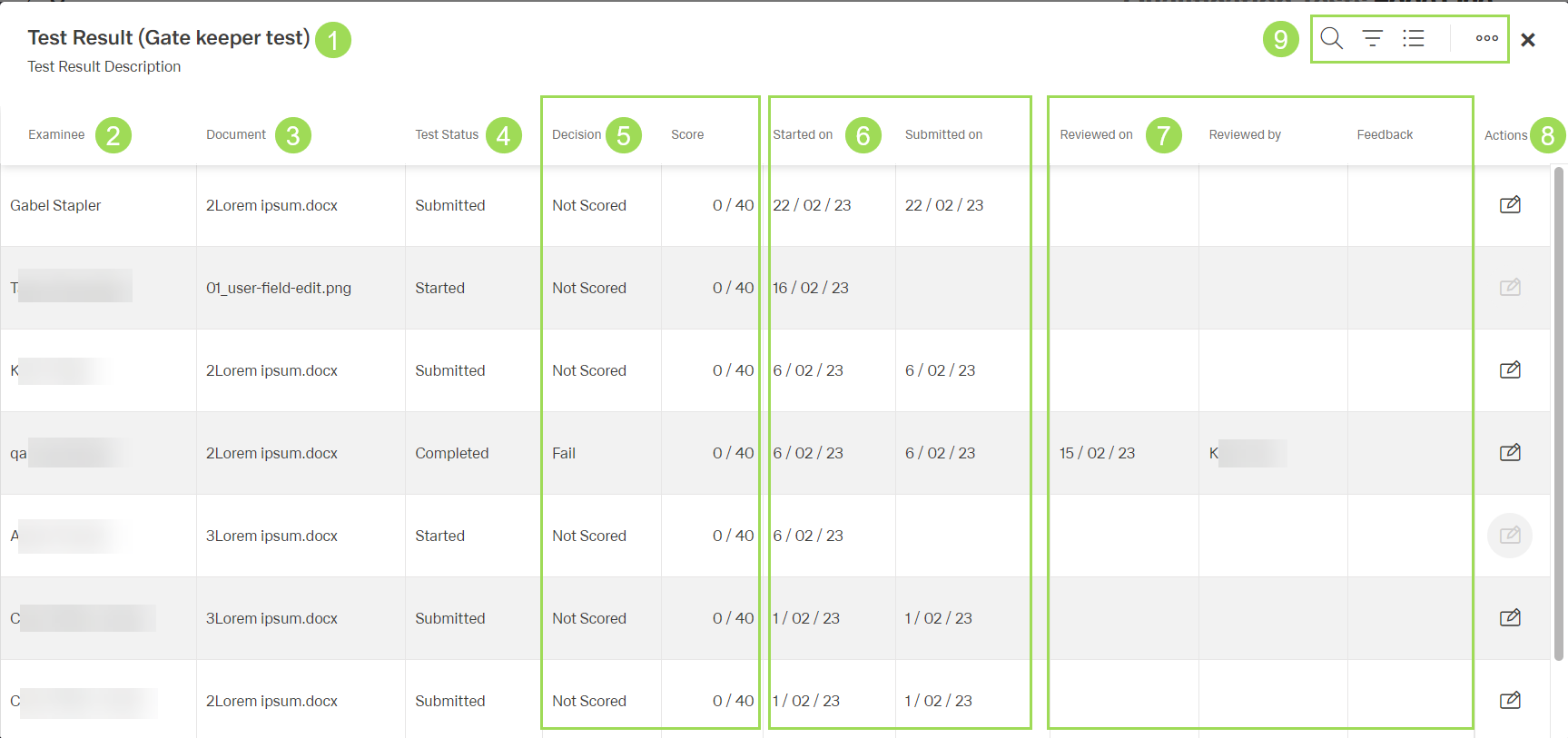
The illustration shows the table: (1) brackets contain test name, (2) user who started/made the test, (3) document assigned to the test, (4) test status, (5) information on test result, (6) information on start and submission of the test, (7) information of evaluation / review of the answers, (8) action button (inactive for unfinished tests), (9) standard action buttons to sort and group the table
Click the button [X] to the right of the standard action buttons <9> to close the table
The window returns to the qualification test table
The following statuses <4> are possible:
- new
- started
- submitted
- under review
- completed
The following scores <5> are possible:
| Score | Meaning |
|---|---|
| not scored | test is not submitted |
| pass | total test result is above minimum achievement value |
| fail | total test result is less than minimum achievement value |