Edit a process diagram (step by step)
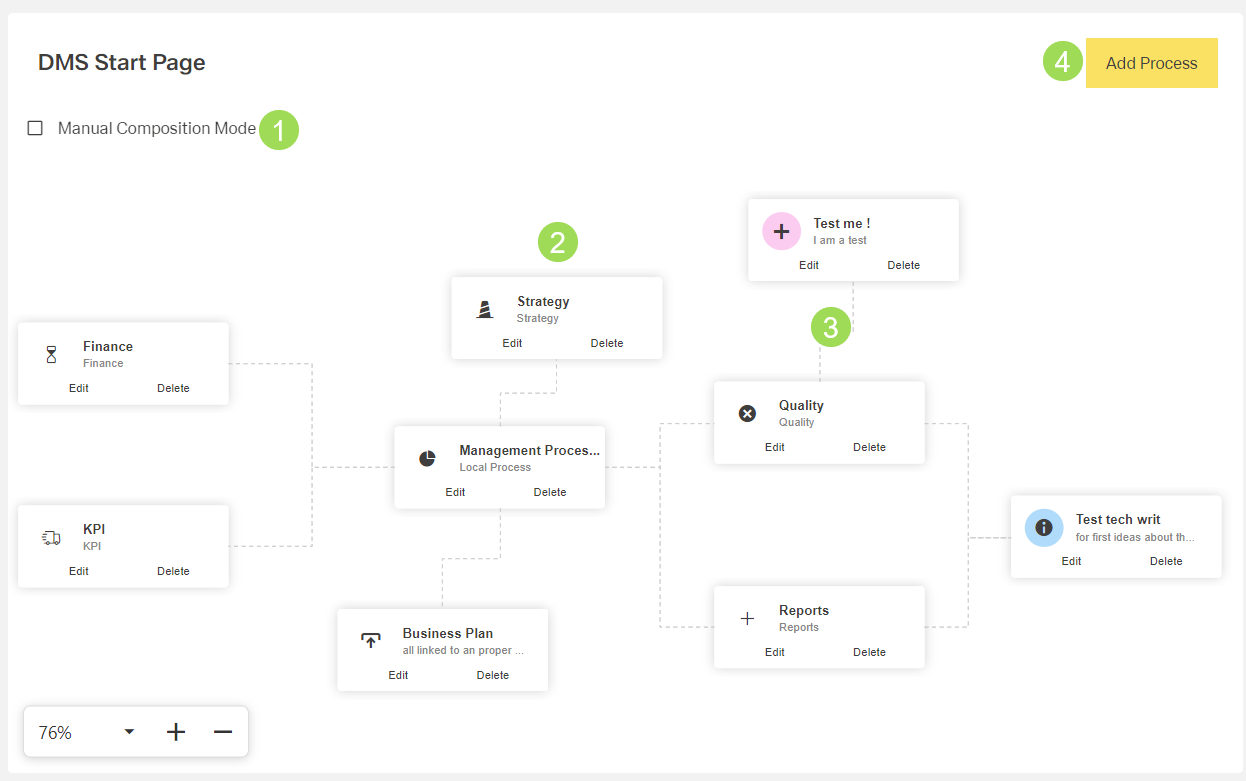
The illustration shows a process diagram: (1) checkbox to enable editing the process diagram, (2) process button, (3) connection between a process and its parent process, (4) button to add a new process button
It is possible to
Please note: this process diagram is saved as a process group. When changing this diagram, it is also changed wherever this process group is also assigned. If editing this process diagram can be considered as majorly changing it, it is recommended to create a new process diagram as described here. Major changes may also affect new target links.
Edit the process diagram composition
Enable the checkbox <1> Manual Composition Mode
The process buttons are "disabled" as links. They can now be moved as tiles. The links on the buttons to "edit" or "delete" are active.
Drag & drop the process button(s) that need to be rearranged
To add connection lines, the process needs to be edited by adding parent processes.
Disable the checkbox <1> Manual Composition Mode
The buttons return to clickable buttons.