Edit a user field schema in DMS (step by step)
After clicking the button [ ] of the selected user field schema, the following window appears:
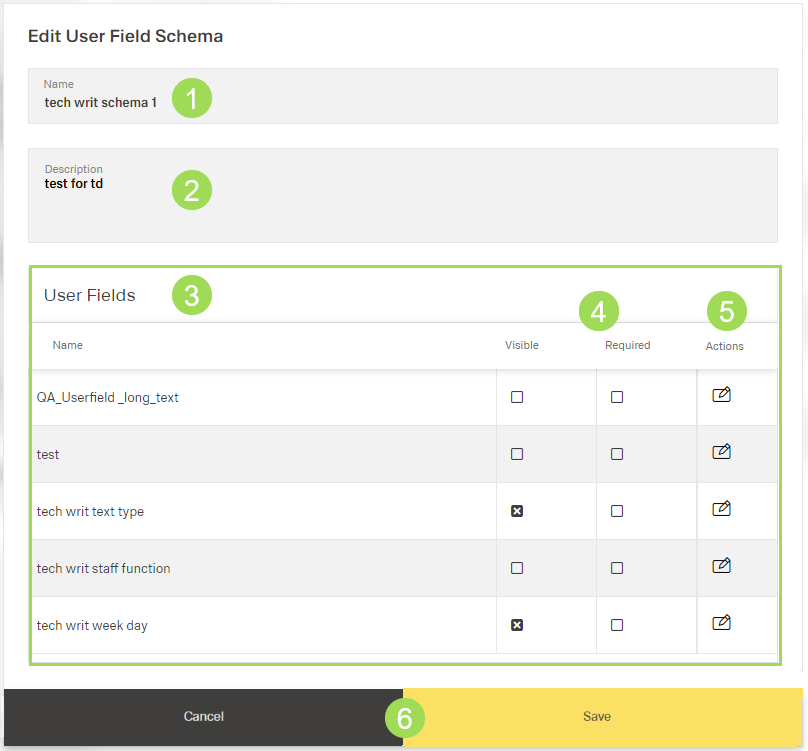
The illustration shows the edit dialog: (1) name of the user field schema, (2) description of the user field schema, (3) table with information overview on user fields, (4) check box states if user field is visible and/or mandatory, (5) button [
Click the button [] of the selected user field
The following window appears:
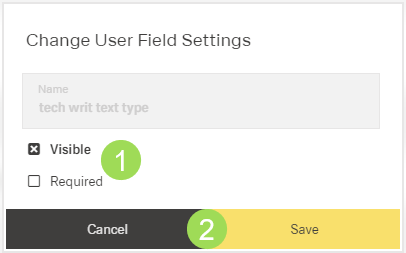
Activate/deactivate the check boxes as needed <1>
Click the button Save (or Cancel) <2>
The window returns to the edit dialog.
Click the button Save (or Cancel)
A message about the successful action appears at the top of the screen.