Add a qualification test to DMS (step by step)
Click the button [ ]
]
The following window appears:
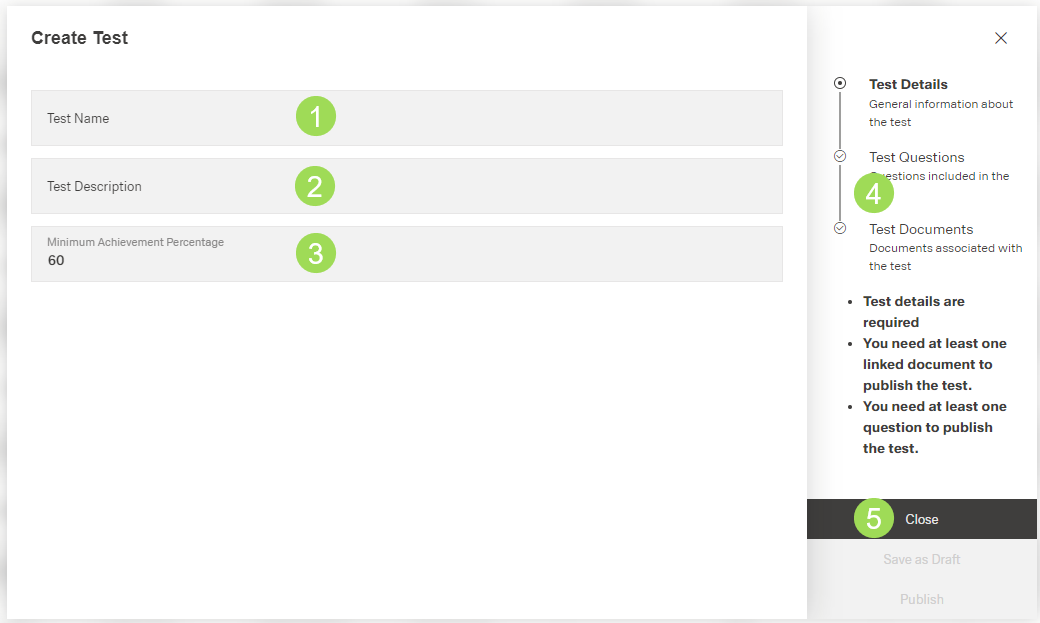
Enter the test name <1> (mandatory field)
Enter the test description <2> (mandatory field)
Check and update the minimum achievement percentage <3> if needed (mandatory field)
The "60" is the default value.
Click the button Save as Draft (or Close) <5> to finish adding a qualification test
A message about the successful action appears at the top of the screen.
The window returns to the qualification tests table.
Test Questions and Test Documents can be added by clicking the second step "Test Questions" <4> or later by editing the qualification test.