Qualification tests
This menu is about managing qualification tests. Taking part in a test is done in the End User Portal as described here.
General overview
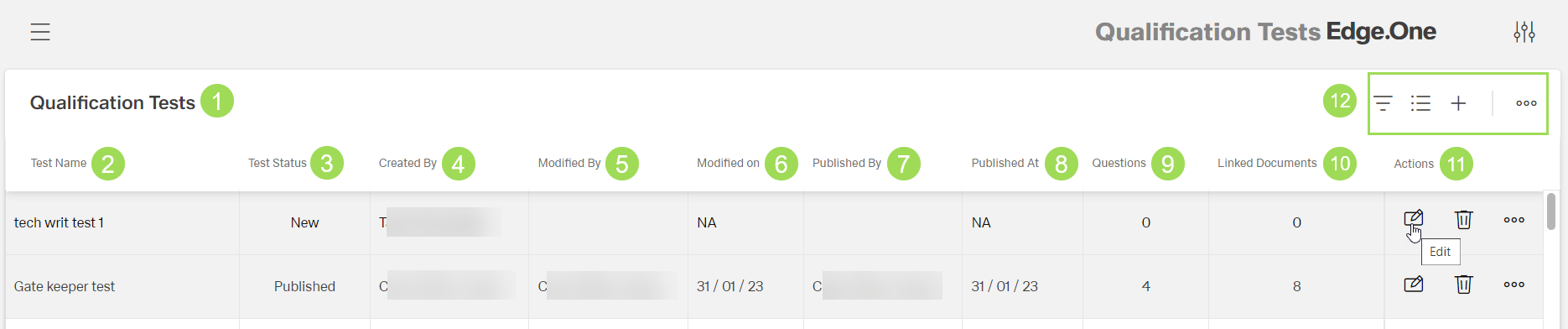
The illustration shows the start screen after opening "Qualification Tests": (1) header with module name, (2) column "Test Name", (3) column "Test Status", (4) column "Created by", (5) column "Modified by", (6) column "Modified on", (7) column "Published by", (8) column "Published on", (9) column (number of) "Questions", (10) column (number of) "Linked Documents", (11) column "Actions", (12) standard action buttons to sort and group the table
Qualifcation tests can be
The test evaluation is described here. The result can be viewed.
Test status
Possible test statuses are:
| Status | Meaning | Editable? |
|---|---|---|
| new | newly added test | yes changes automatically to status "editing" |
| editing | test that is edited/updated | yes |
| published | test ready to be taken by users test details and questions and can't be changed anymore | no |
| unpublished | change the status of a published test not yet taken | yes |
| archived | "deleted" published test that has been taken by at least one user | no |
Set a published test to unpublished
In the qualification test table, click the button [ ] of the test to unpublish
The following selection appears:
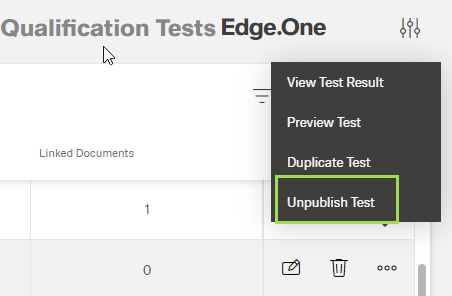
Select "Unpublish"
The following window appears:
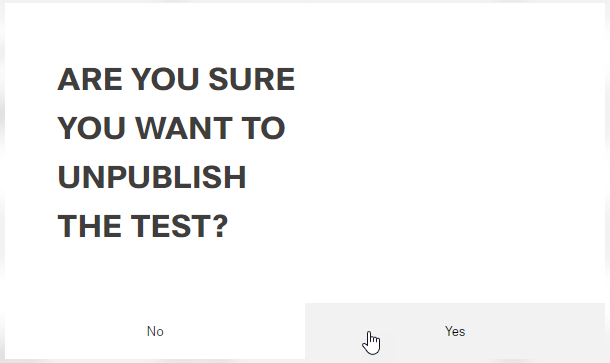
Click the button Yes? (or No)
A message about the successful action appears at the top of the screen. The window returns to the qualification tests table.
The status of the test changed to unpublished.