Change the user field schema of a folder in DMS (step by step)
Select folder:
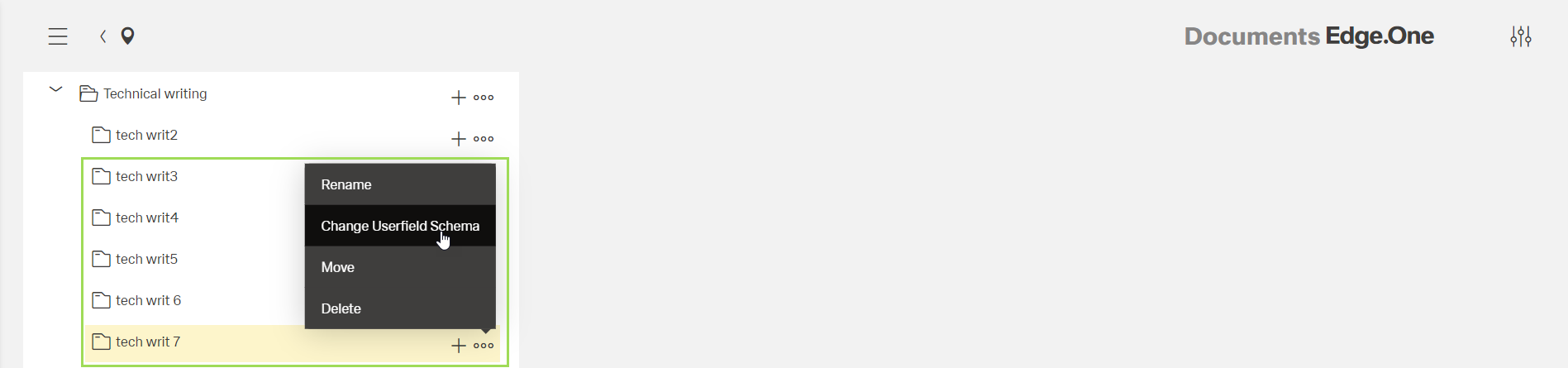
Click the button [ ] and select "Change User Field Schema"
This window appears:
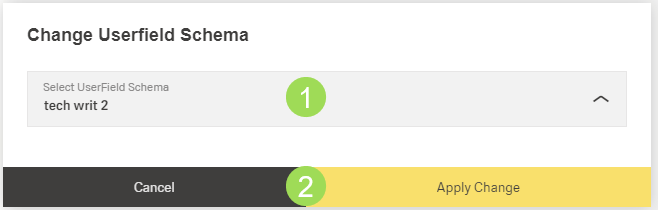
User field schema configuration is done here.
Select the new user field schema <1> and click the button Apply Change <2> (or Cancel)
A message about the successful action appears at the top of the screen.