Rename a folder in DMS (step by step)
Click the button [ ] <1> and select "Rename" <2>
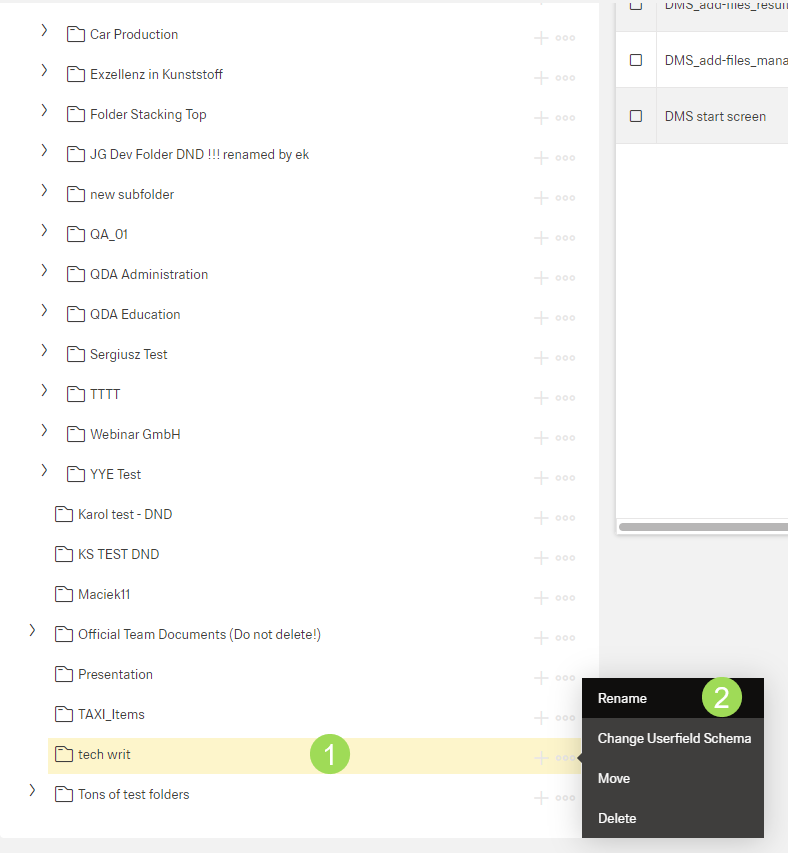
The following windows appears:
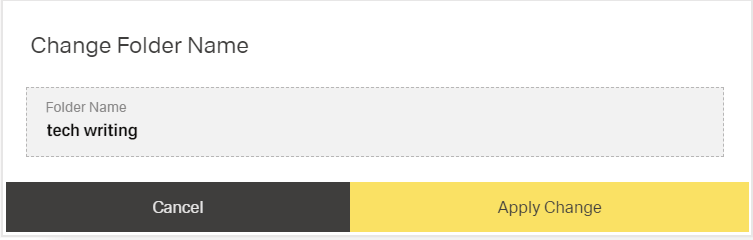
Edit "Folder Name"
Click the button Apply Change (or Cancel)
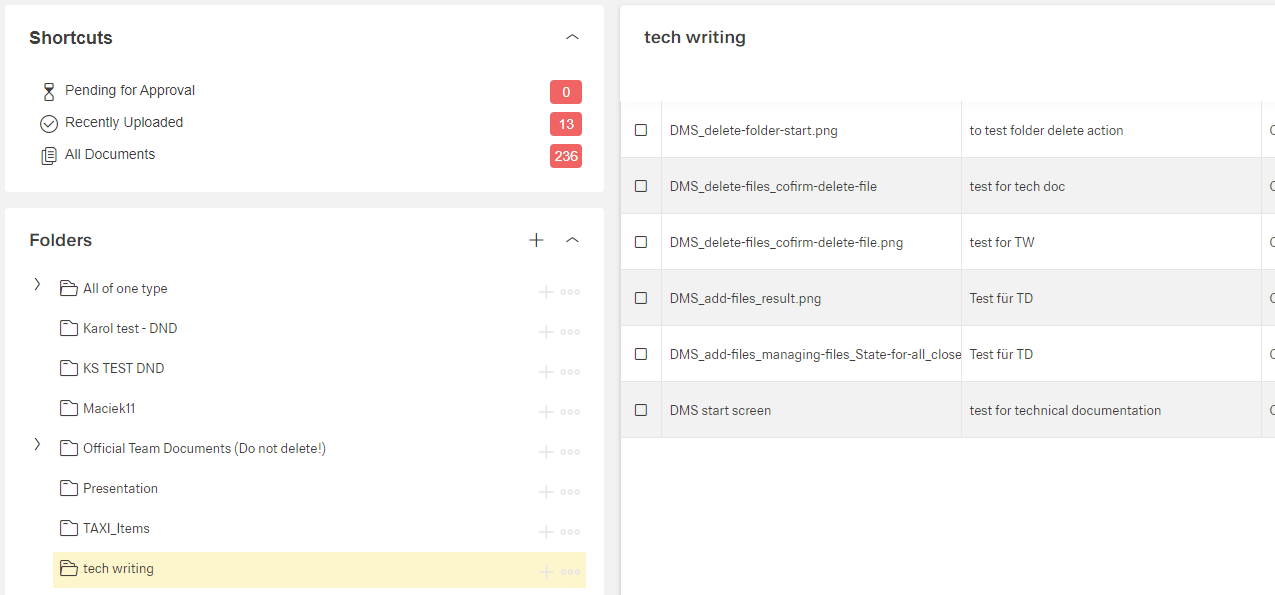
Result of renaming a folder:
Click the button [] <1> and select "Rename" <2>
The following windows appears:
Edit "Folder Name"
Click the button Apply Change (or Cancel)
Result of renaming a folder: