Add / copy documents to folders in DMS (step by step)
Select document <1> and click the button [ ] <2>
] <2>
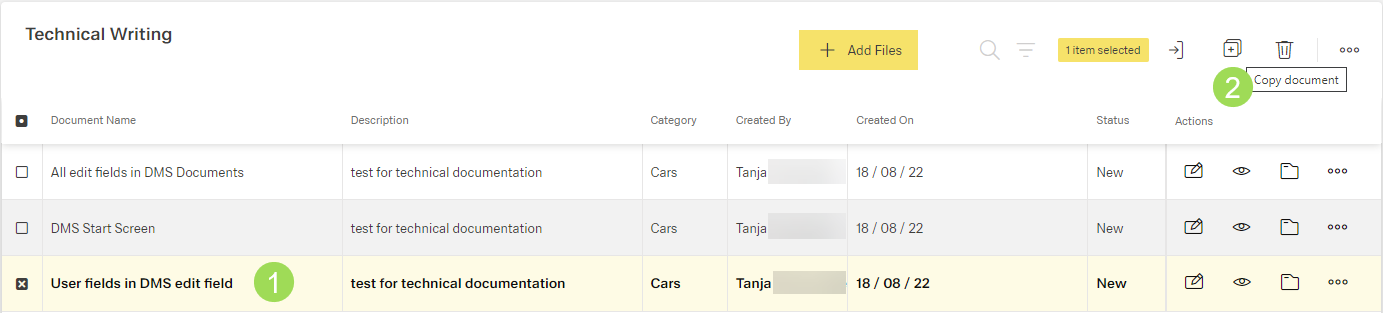
The following windows appears:
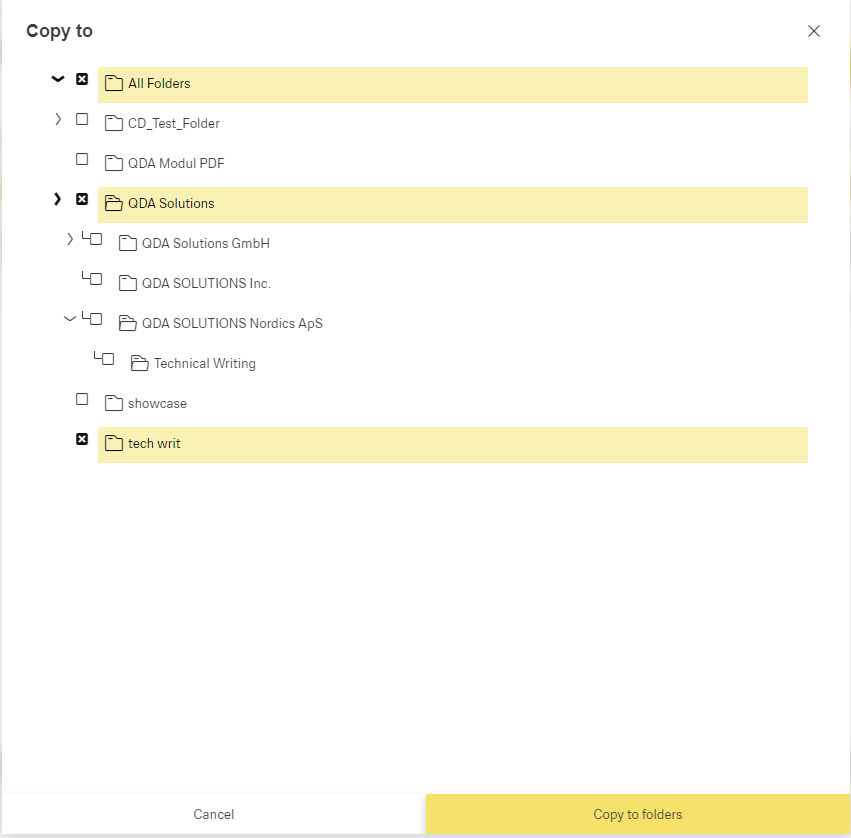
Select the target folder(s) and click the button Copy to Folders
The following windows appears:
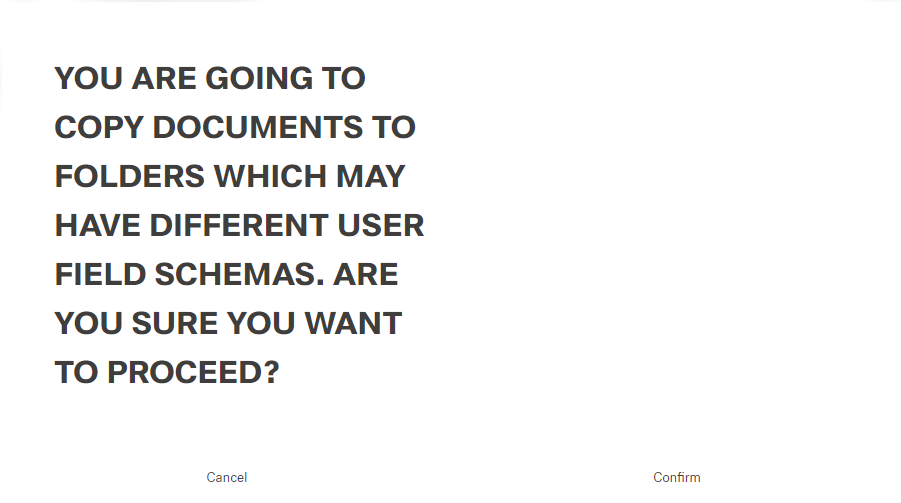
Click the button Confirm (or Cancel)
A message about the successful action appears at the top of the screen.
Result of copying the document(s):
The folder "All Documents" is displayed. The copied document is highlighted.
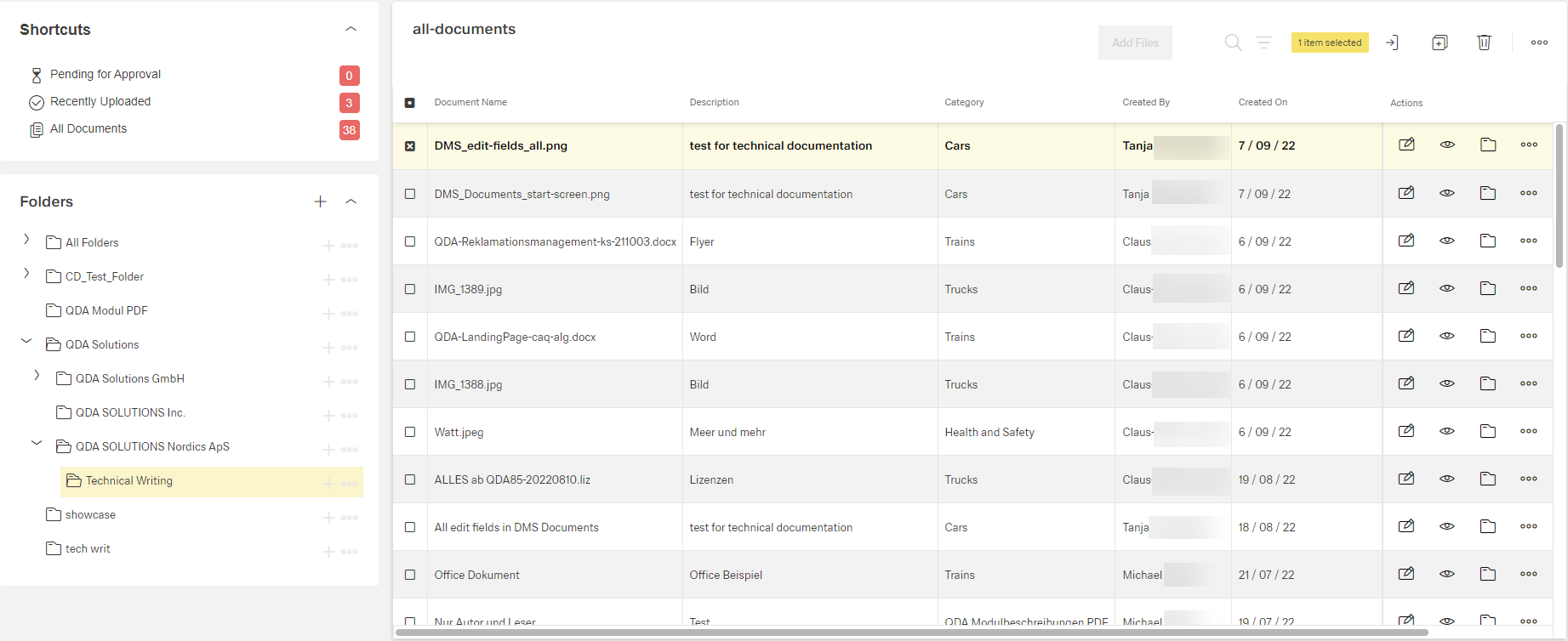
Click the button [ ] to see all folders containing this document