DMS documents
General overview
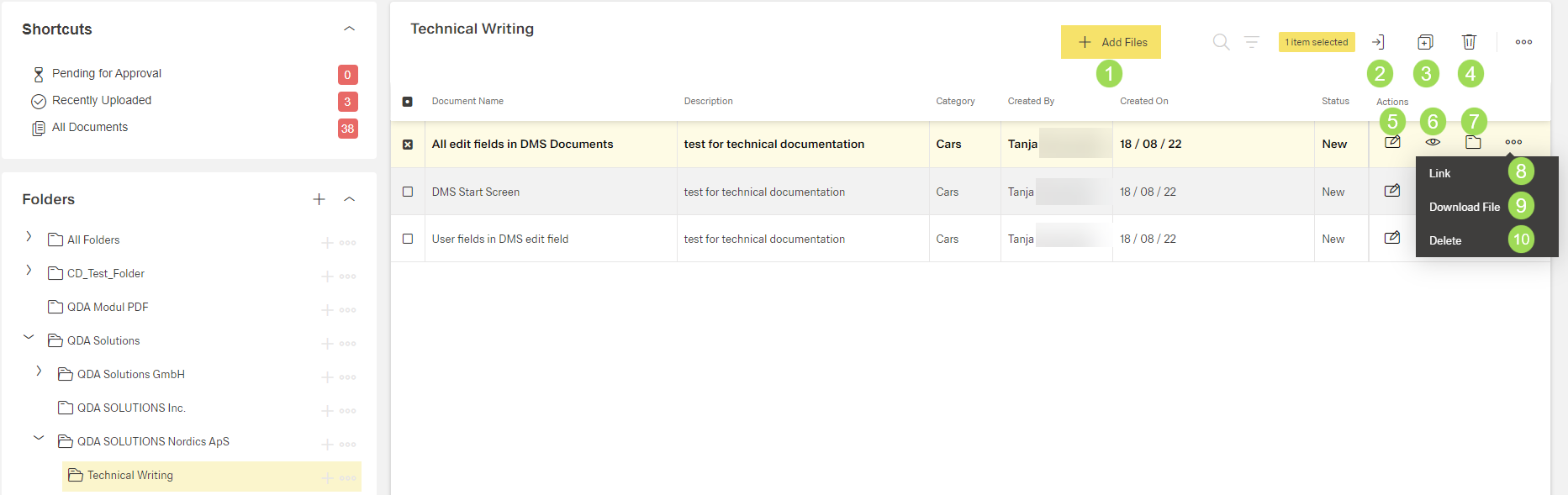
The illustration shows the different elements of the document dashboard: (1) add files, (2) move document, (3) copy document to other folders, (4) delete document, (5) edit document, (6) display document, (7) indicates all folders where the document is included (see below), (8) copy document link to clipboard, (9) download document, (10) delete document
The table contains columns with all information included under <5> ( Edit Document Fields).
Documents can be
- added <1>
- moved <2>
- added to other folders <3>
- deleted <4>, <10> (completely delete docment from the data base and all folders where it is included)
- replaced or edited <5> (under Edit Document Fields)
- tagged <5> (under Edit Document Fields)
- linked/assigned to users <5> (under Edit Document Fields)
- approved <5> (under Edit Document Fields)
- released <5> (under Edit Document Fields)
- displayed in a popup window <6>
- downloaded <9>.
The link to the document can be copied to a clipboard <8>. When opening this link, the document details are opened.
Indication in which folder(s) a document is included
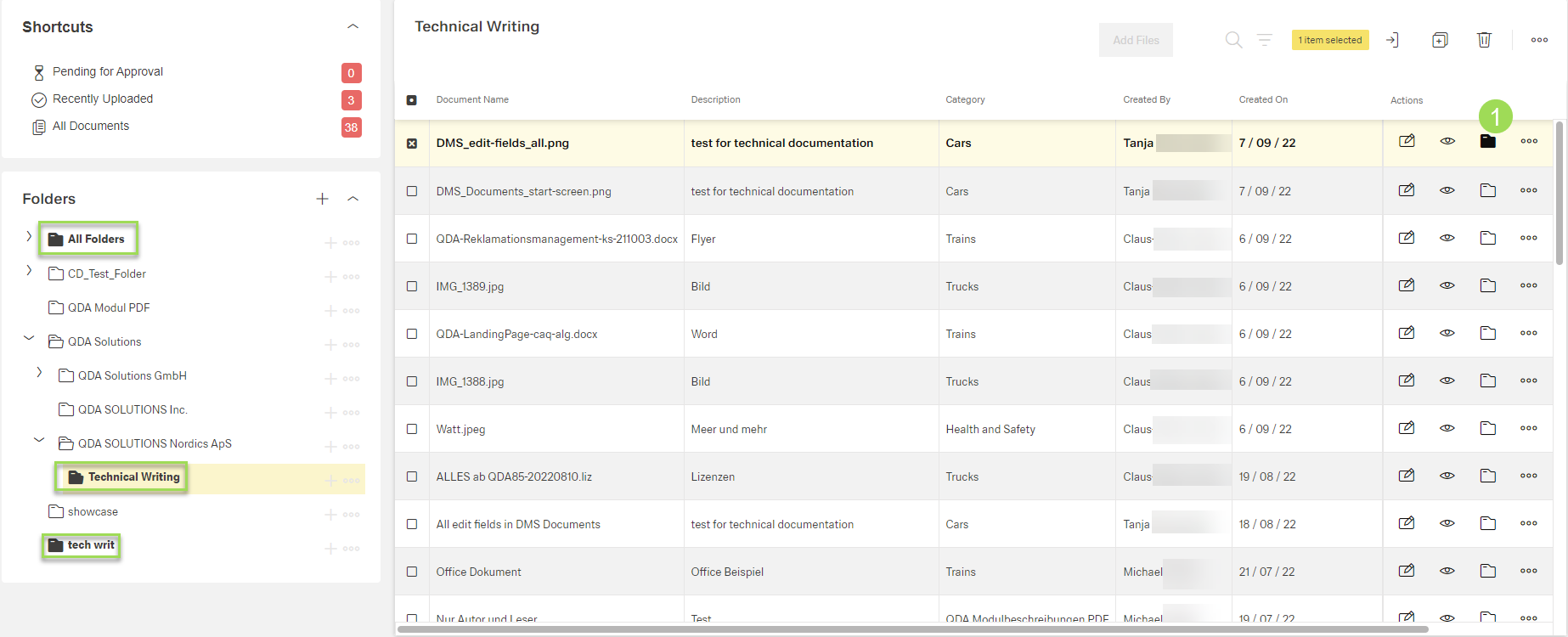
After clicking the button [ ] <1>, the corresponding folders are indicated as black icons (green frames).