Comments for edit fields in DMS
After clicking the button [ ] of a document and clicking the button
 Comments, the following screen appears:
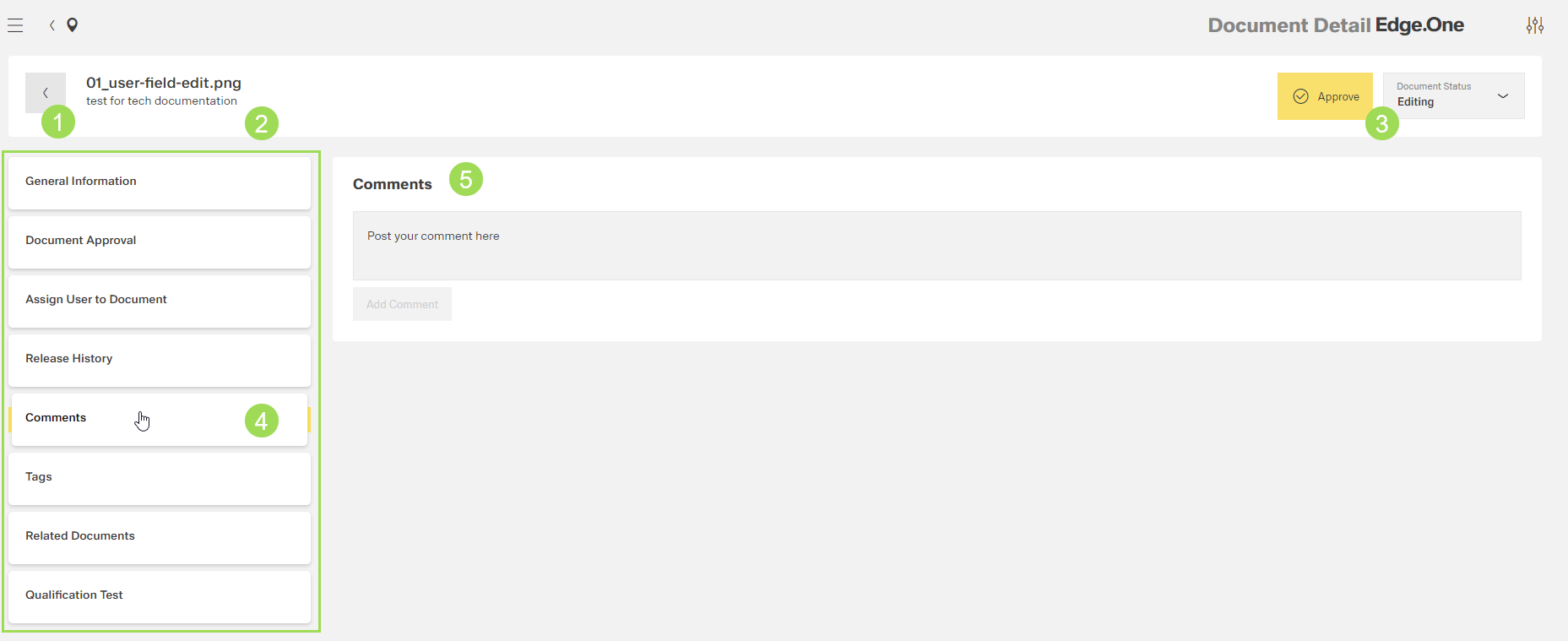
The illstration shows the general screen and its main elements: (1) button to return to the document list, (2) document name and description, (3) information on document status, (4) main navigation, (5) comments area with edit field
Additional information on the current document can be written in its comments field. An example for a comment could be a change suggestion. This comment can be read by all users with the appropriate rights to open the edit fields.
Comments can be added by users with the following user rights:
- key user
- approver
Comments can be