DMS end user portal
The end user portal is the platform for all published documents.
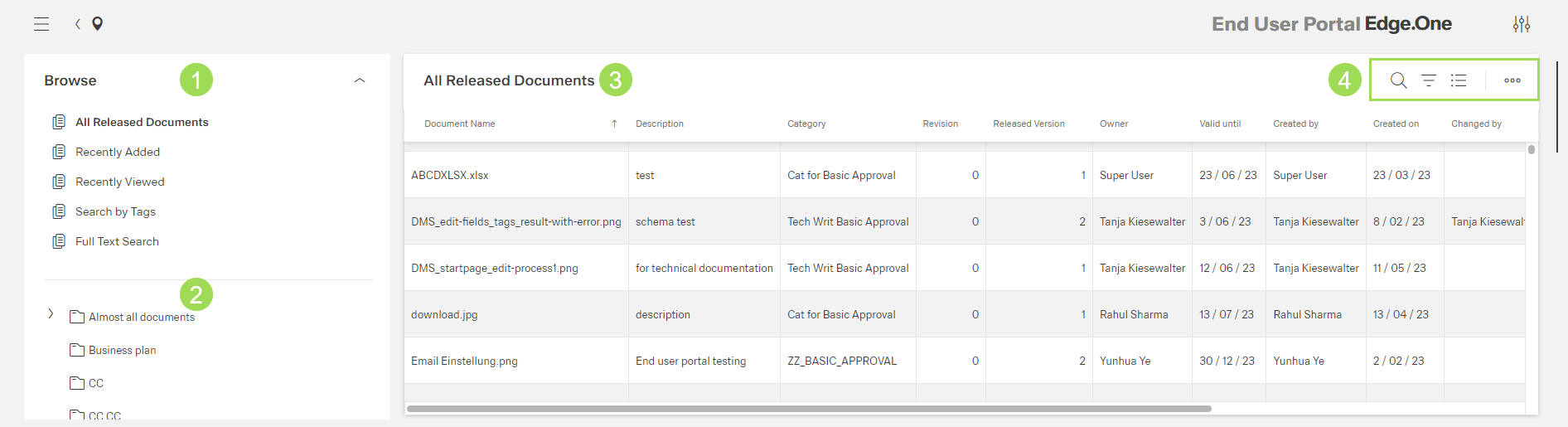
The illustration shows the start screen of the End User Portal. The main areas are (1) browse, (2) folders, (3) published documents of the selected folder, (4) standard action buttons to sort and group the table
Dashboard elements
- browse
- folders
- documents
Browse <1>
This area of the screen serves as overview and offers information and links to certain documents:
- direct access to a table of all released documents. The table can be sorted in many ways.
- direct access to a table of recently released documents. The table can be sorted in many ways.
- direct access to a table of recently viewed documents. The table can be sorted in many ways.
- search documents by tags
Folders <2>
In this area of the screen, folders with published documents are shown. It is possible to select a folder to see the released documents in this folder.
Documents <3>
The table contains the following columns to sort and filter the table:
- document name
- description
- category
- revision
- released version
- owner
- valid until (after this date, the document status changes to "locked" automatically)
- created by / created on
- changed by / changed on
- approved by / approved on
- released by / released on
In this area of the screen, all documents contained in the selected folder are displayed. Clicking on a document opens a preview window:
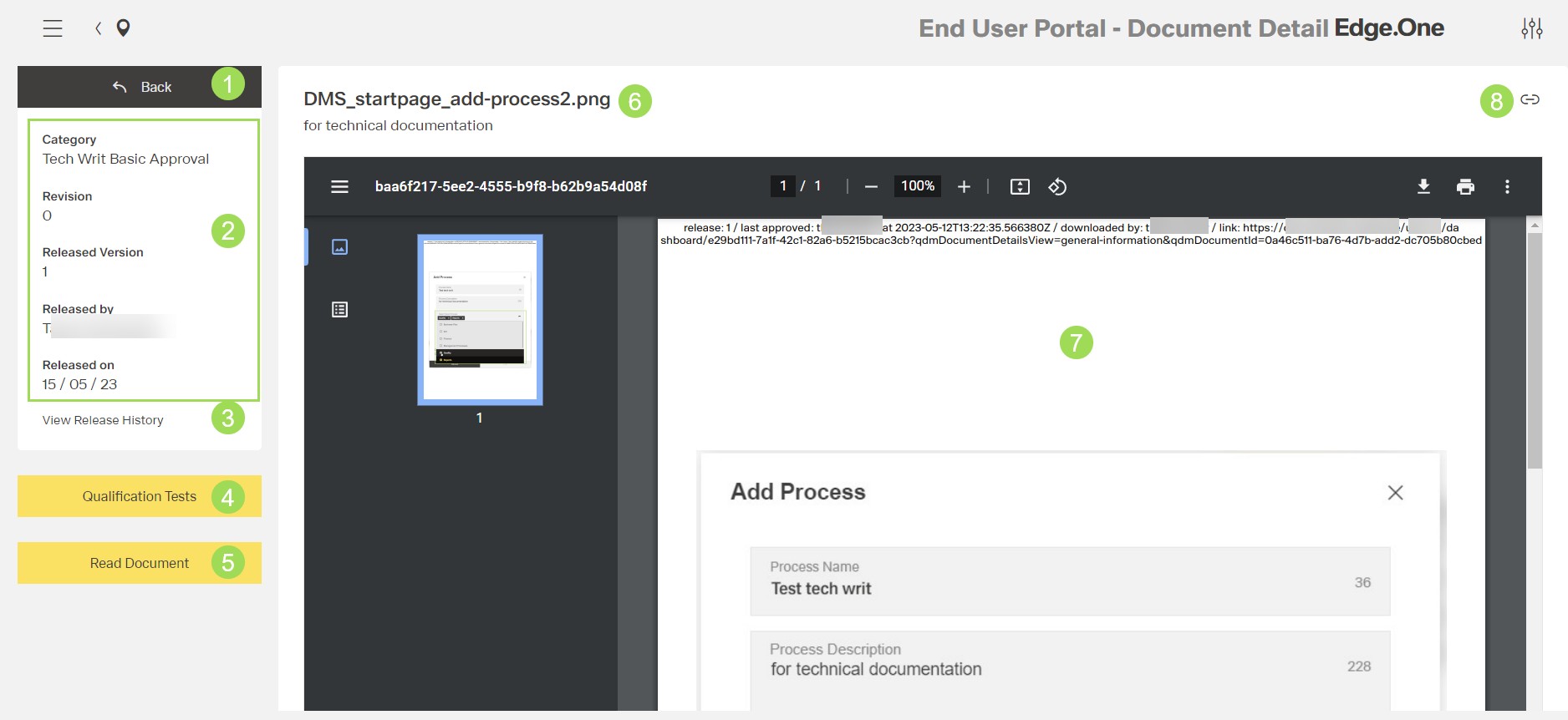
The illustration shows the opened document in a chrome browser: (1) button to go back to document list, (2) information on the document, (3) button
View Release History, (4) buttonQualification Test(to open qualification tests attached to this document), (5) buttonRead Document, (6) document name and description, (7) opened document in pdf viewer of the chrome browser, (8) button [] to copy the hyperlink to the clipboard
| Button | Visibility | Comment |
|---|---|---|
| Qualification Tests <4> | always visible | opens another dialog to see if you are assigned to test(s) concerning this document |
| Read Document <5> | only visible when document is opened for the first time |
T