Edit a tag (step by step)
Click the button [ ] of the tag
The following window appears:
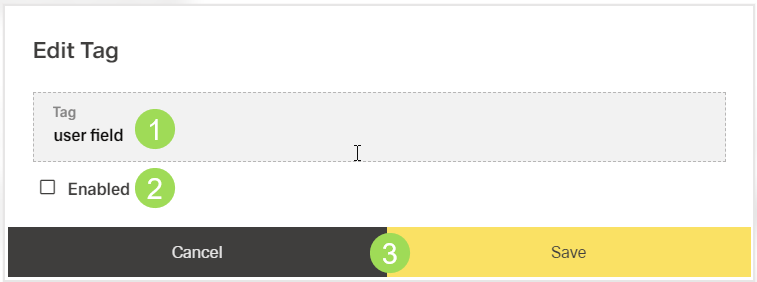
Edit tag field <1>
Select / Deselect "Enabled" <2>
An enabled tag is used for "Search by Tags" in the End User Portal. When Enabled is activated, the tag is not yet removed from the document but the document will also not be found via this tag.
Click the button Save <3> (or Cancel)
A message about the successful action appears at the top of the screen.