Release history
The menu release history shows a sortable table. The release note is displayed in this table. The menu is linked to the document fields and linked to the document in the "end user portal".
After clicking the button [ ] of a document and clicking the button
 Release History, the following screen appears:
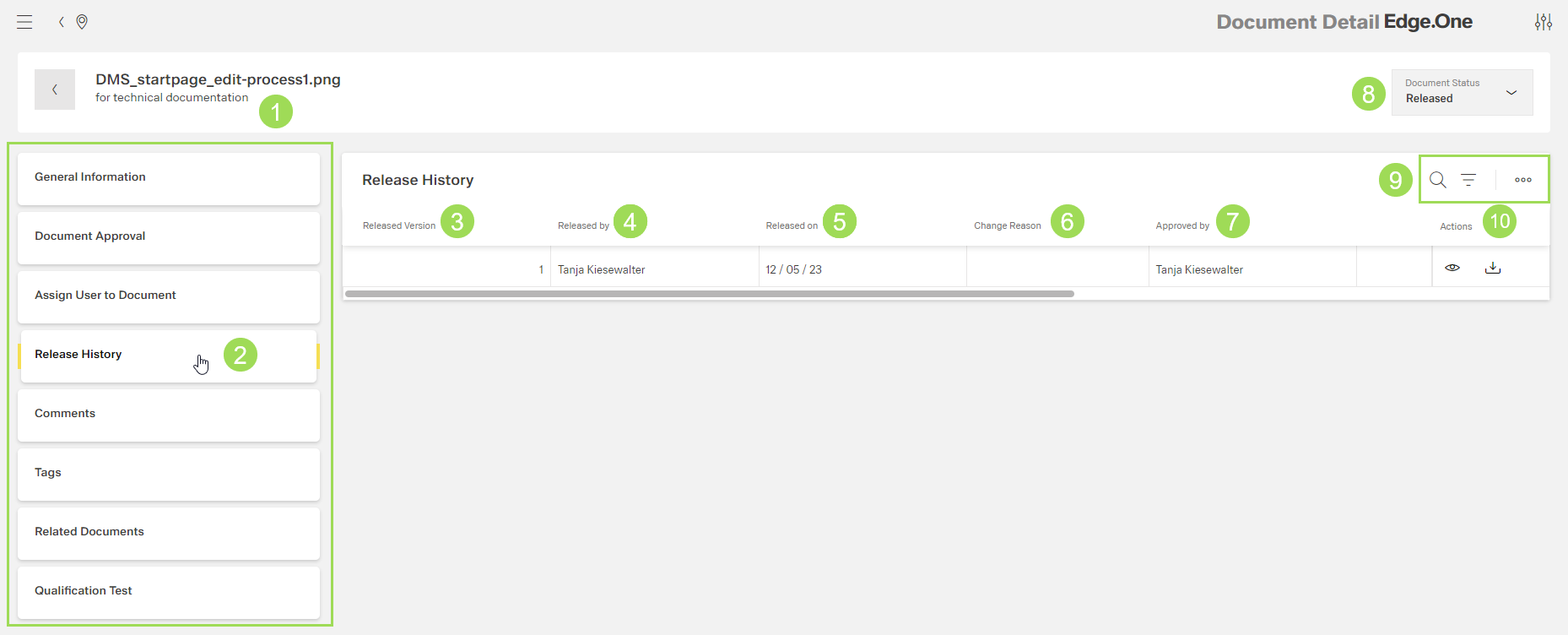
The illustration shows an example of a document release history: (1) document name and description, (2) main navigation in edit fields, (3) column "version", (4) column "released by", (5) column "released on", (6) column "change reason" / release note, (7) column "inspected by", (8) document state, (9) standard action buttons to sort and group the table, (10) action buttons for the document (view and download)