Related documents
Related documents to the currently used document can be
- linked externally
- linked internally
- removed from the link list.
Menu overview
After clicking the button [ ] of a document and clicking the button
 Related Documents, the following screen appears:
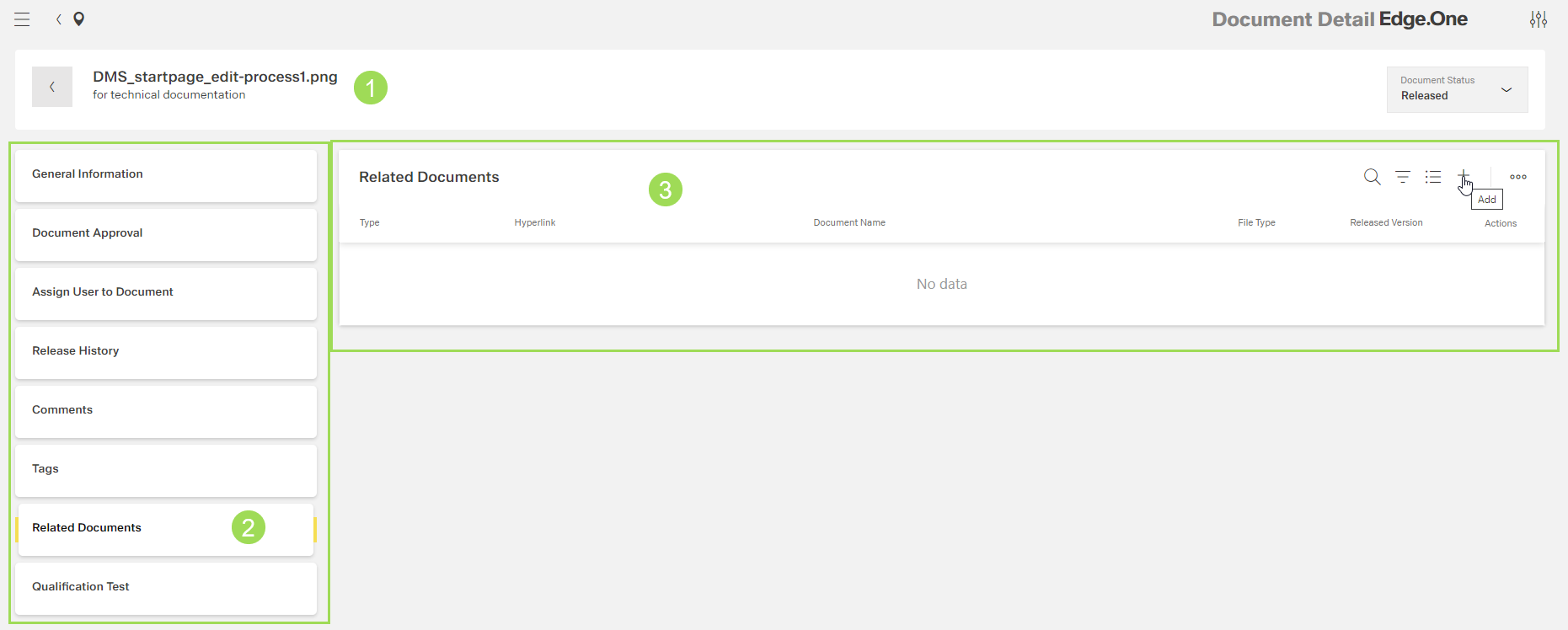
The illustration shows the submenu "Related Documents" without a linked document: (1) header with document name and information, (2) main submenu bar, (3) table for related document(s)
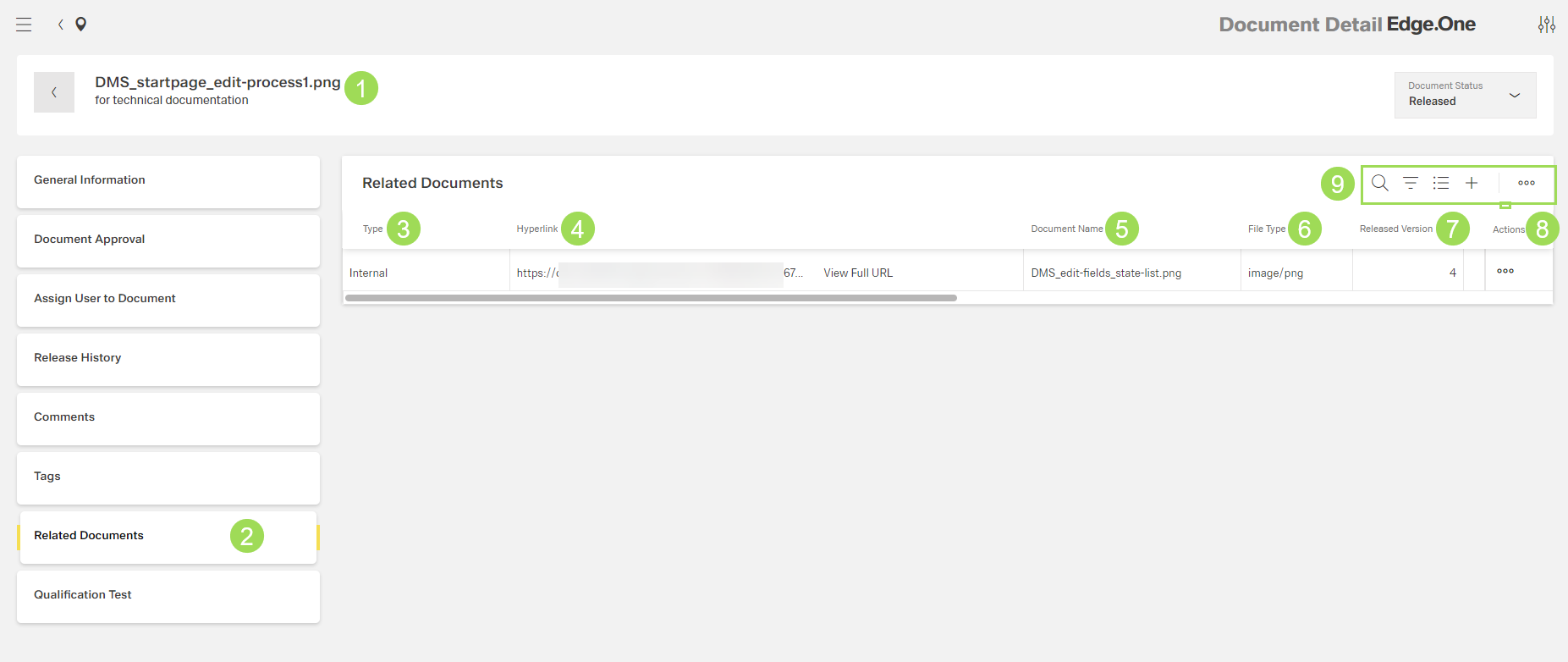
The illustration shows the submenu "Related Documents" with a linked document: (1) header with document name and information, (2) main submenu bar, (3) column "Type", (4) column "Hyperlink", (5) column "Document Name", (6) column "File Type", (7) column "Released Version", (8) column "Actions", (9) standard action buttons to sort and group the table
| Column | Meaning | |
|---|---|---|
| 3 | type | internally or externally linked document |
| 4 | hyperlink | where to find the linked doc, useful for internal links |
| 5 | document name | |
| 6 | file | e.g. png, docx |
| 7 | released version | current version of the linked document |
| 8 | actions | link: copy hyperlink to clipboard delete: document is no longer related / linked |