Assign individual users (step by step)
Click the button [ ]
]
The following window appears:
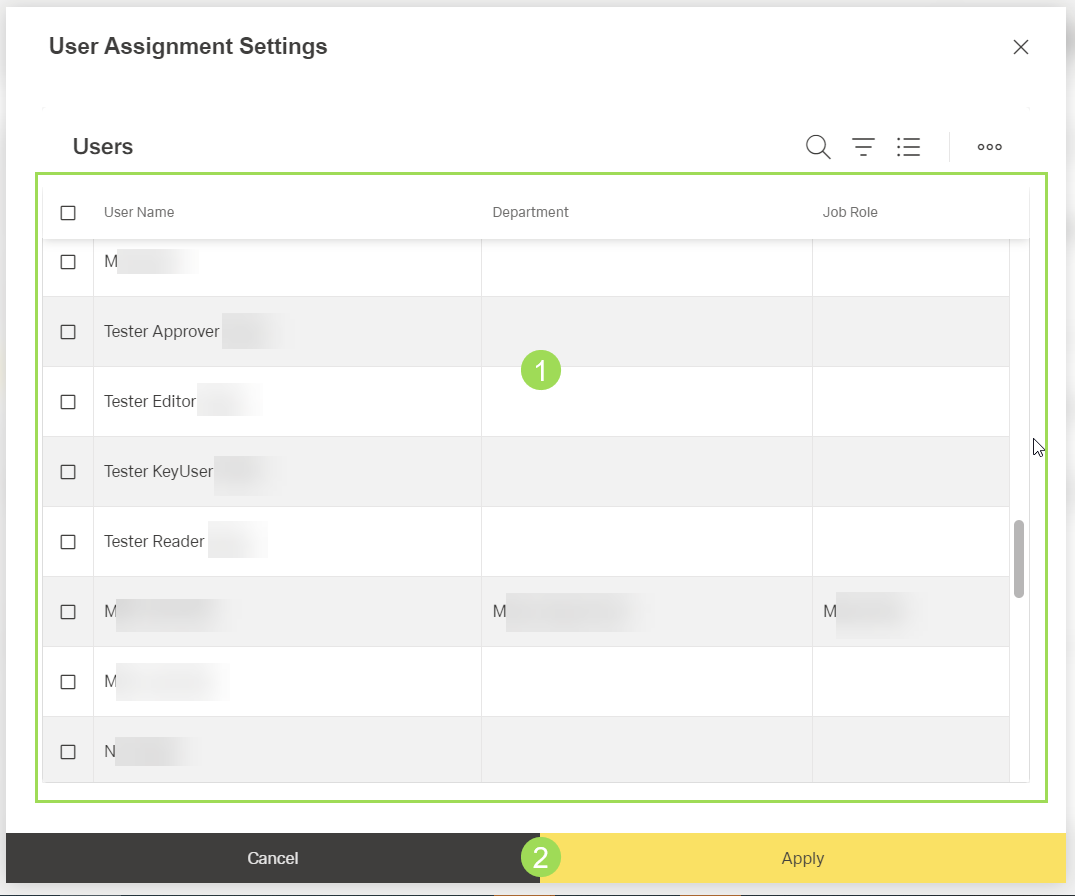
The illustration shows the selection of individual users: (1) list of users including checkboxes to select one or more users, (2) buttons
Select one or more users by activating the corresponding checkbox(es)
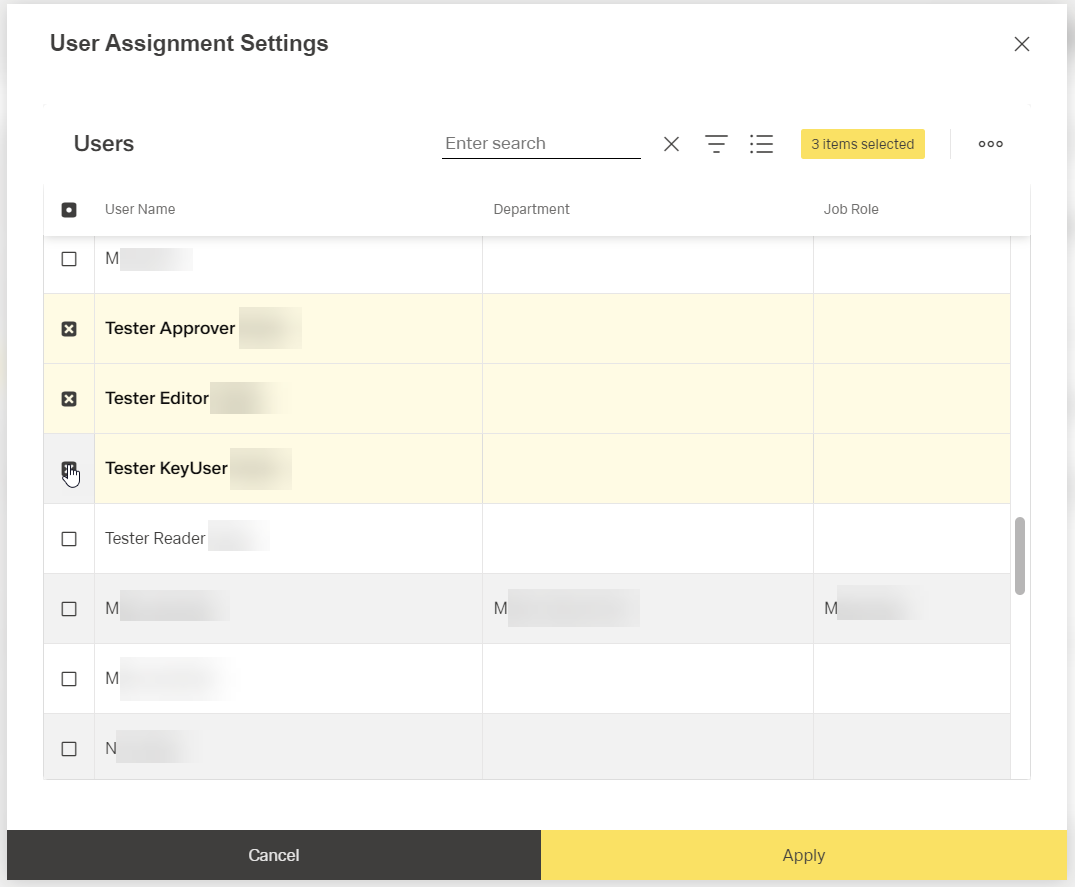
The selected users are highlighted.
Click the button Apply <2> (or Cancel)
A message about the successful action appears at the top of the screen.
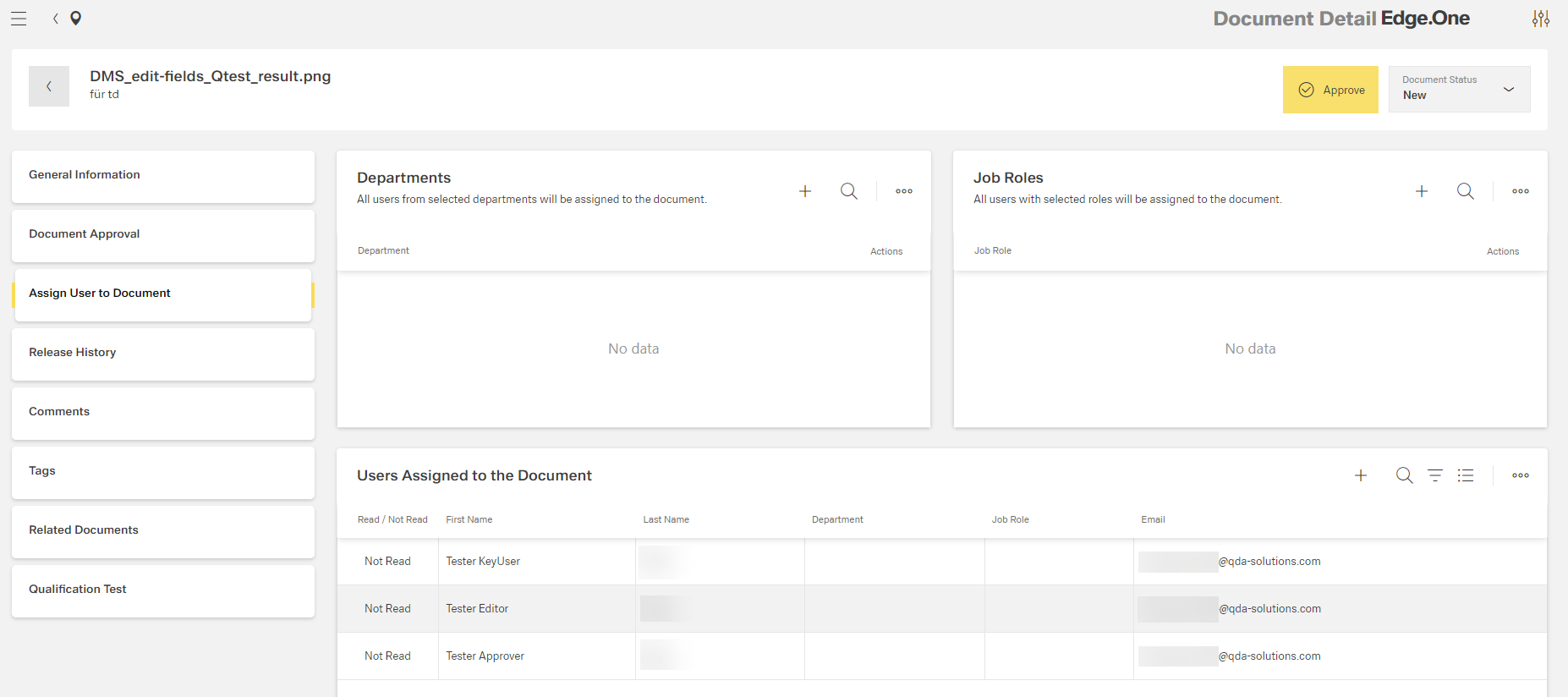
All selected users are added to the list "Users assigned to the document":
Please note: the general user management as adding users, assign them to job roles and departments is described here.