Assign a user to document
After clicking the button [ ] of a document and clicking the button
 Assign User to Document, the following screen appears:
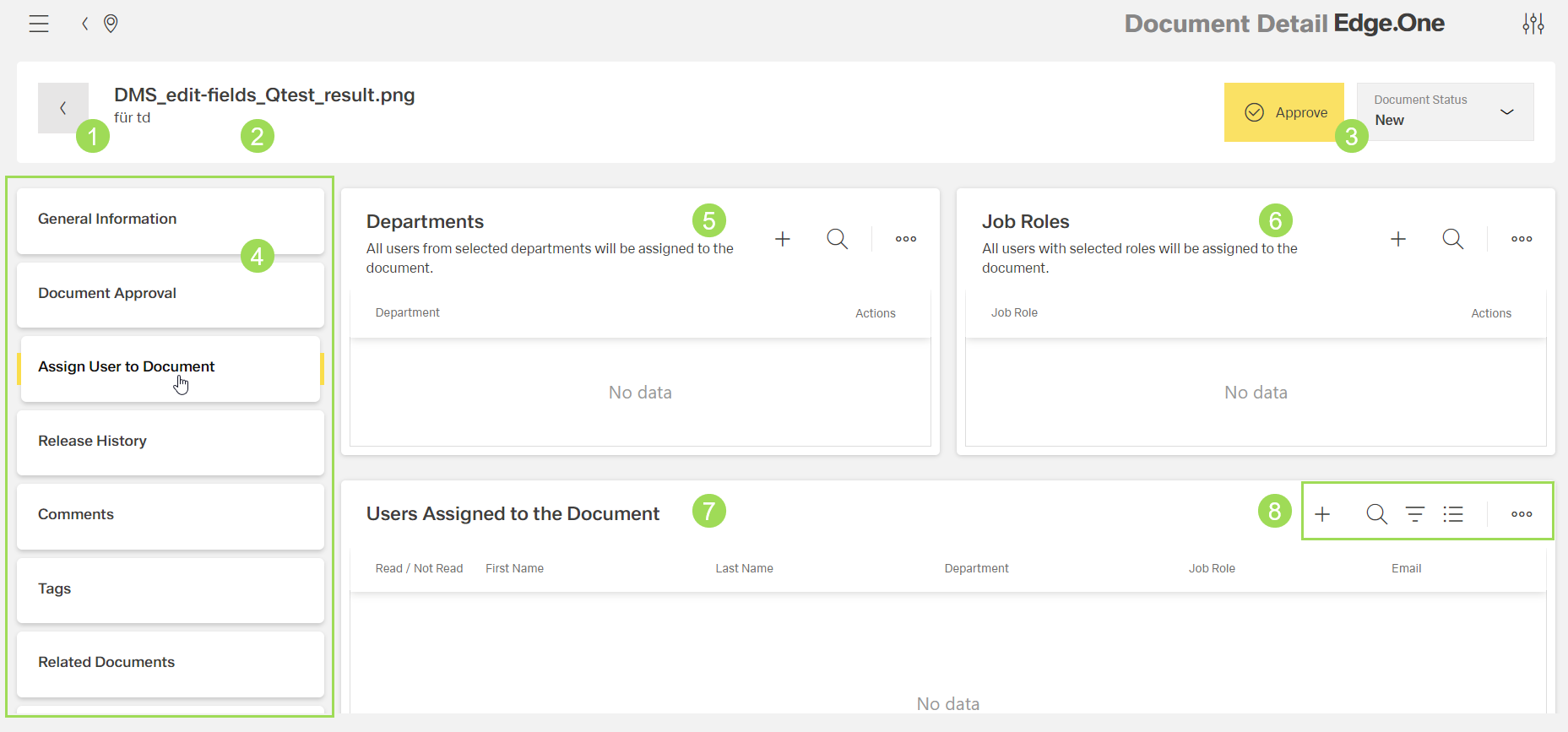
The illustration shows the general screen and its main elements: (1) button to return to the document list, (2) document name and description, (3) information on document status, (4) main navigation, (5) managing departments assigned to this document, (6) managing departments assigned to this document, (7) managing (individual) users assigned to this document, (8) standard action buttons to sort and group the table
Users can be assigned by selecting
- all users from one department <5>
- all users with one job role <6>
- users individually/manually <8>
Users can also be removed from being assigned to a document.
Please note: the general user management as adding users, assign them to job roles and departments is described here.