Edit a qualification test in DMS
After clicking the button [ ] of the selected qualification test, the following window appears:
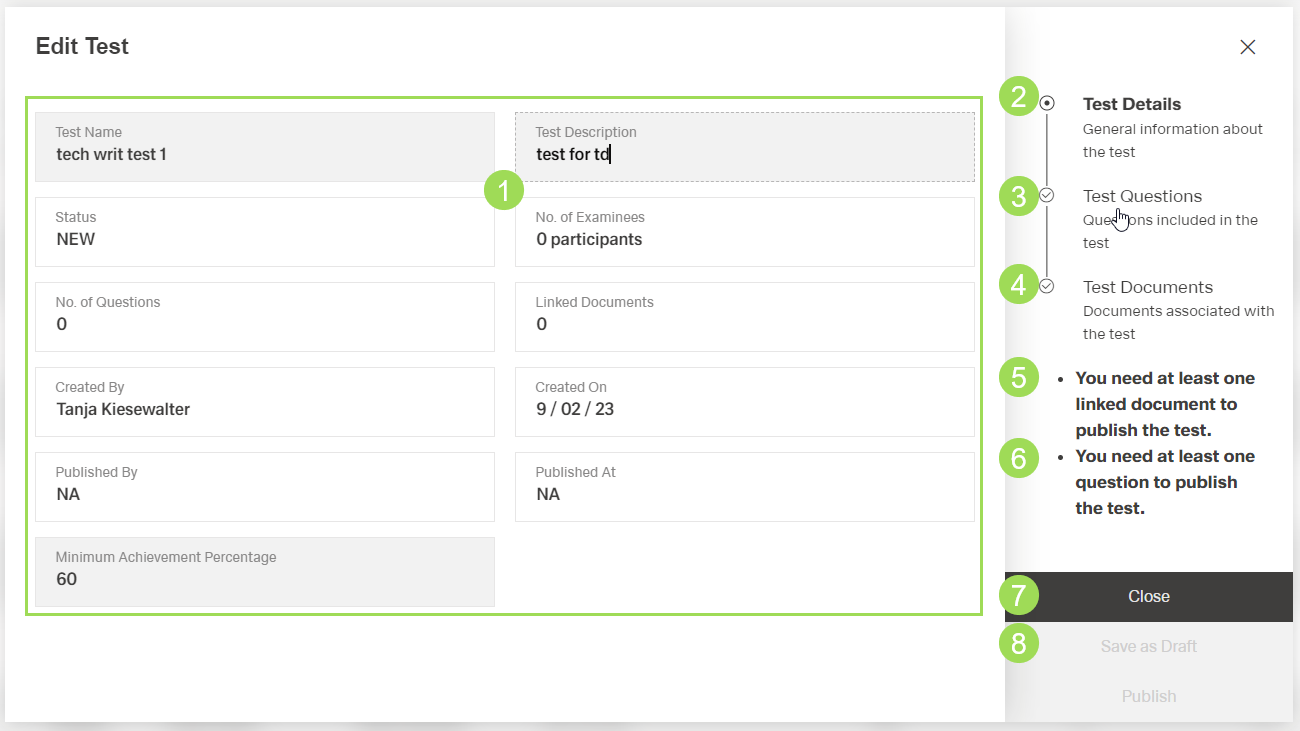
(1) test detail fields, (2) currently active submenu "Test Details", (3) submenu "Test Questions", (4) submenu "Test Documents", (5) information on submenu "Test Documents", this information disappears when a document is linked to the test, (6) information on submenu "Test Questions", this information disappears when a question is added, (7) button
Close, (8) buttonSave as Draft
The editable test detail fields can be changed if needed. After editing them, click the button Save as Draft to save the changes.
It is possible to independently edit the Test Questions and the Test Documents.