Assign a qualification test to a document (step by step)
It is possible to assign one or more qualification tests to one document.
Click the button [ ]
]
The following window appears:
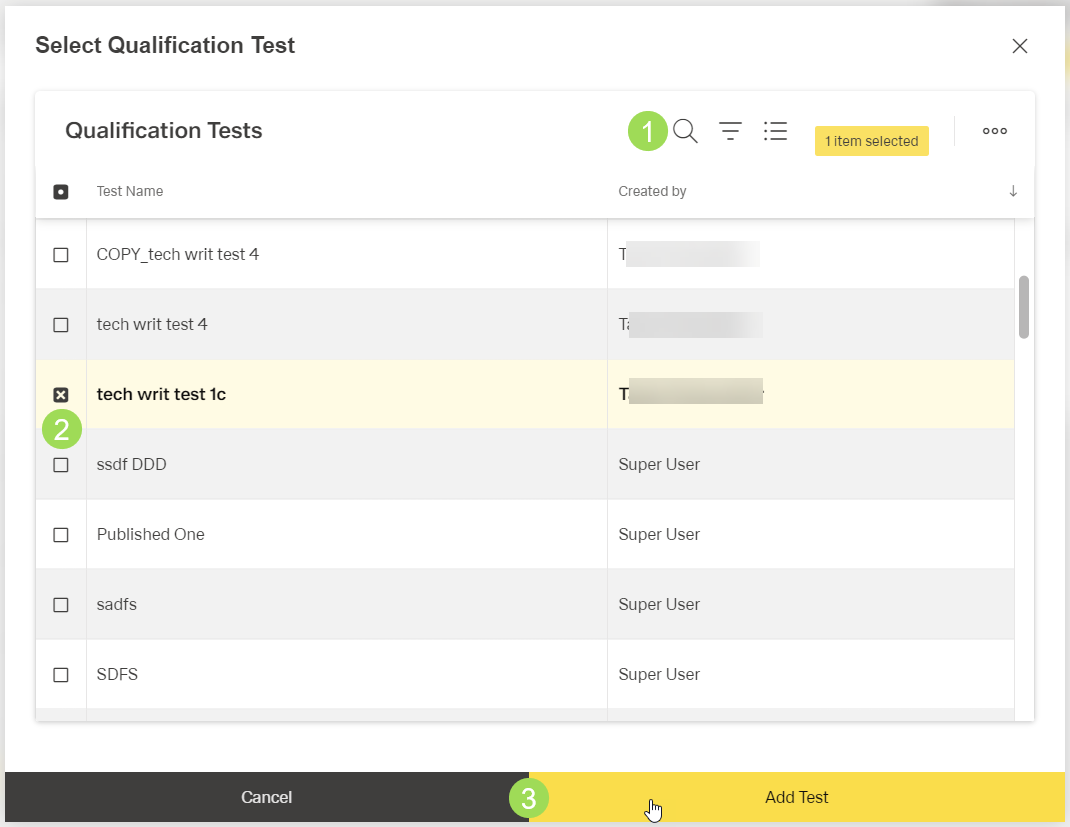
Select one ore more tests to be assigned <2> (by using the search and filter options <1>)
Click the button Save <3> (or Cancel)
A message about the successful action appears at the top of the screen.
The result:
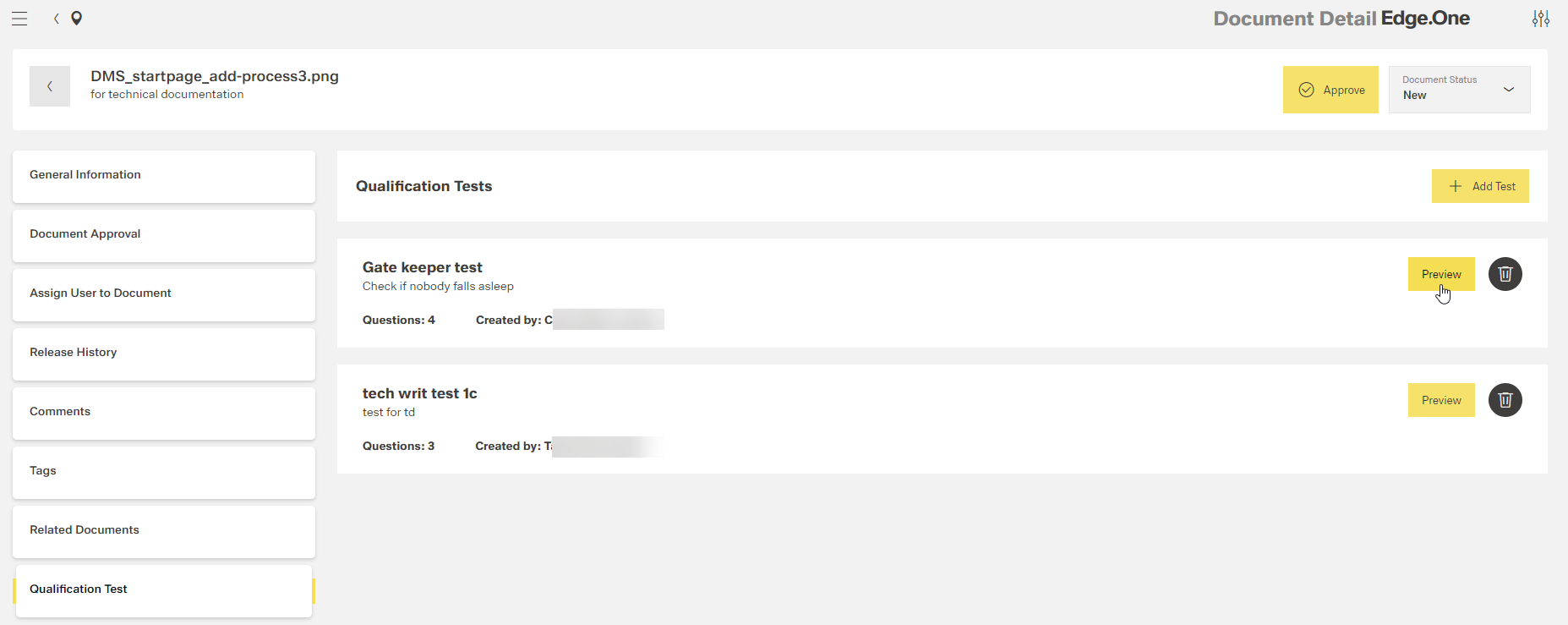
The preview of a test is shown here.