Qualification test
Qualification tests can be individually assigned to a document in its edit field under Documents. Neither the document status nor the test status are relevant for the assignment. The management of qualification tests, e.g. creating questions is done here.
Published test(s) for released documents are performed under DMS end user portal.
After clicking the button [ ] of a document and clicking the button
 Qualification Test, the following screen appears:
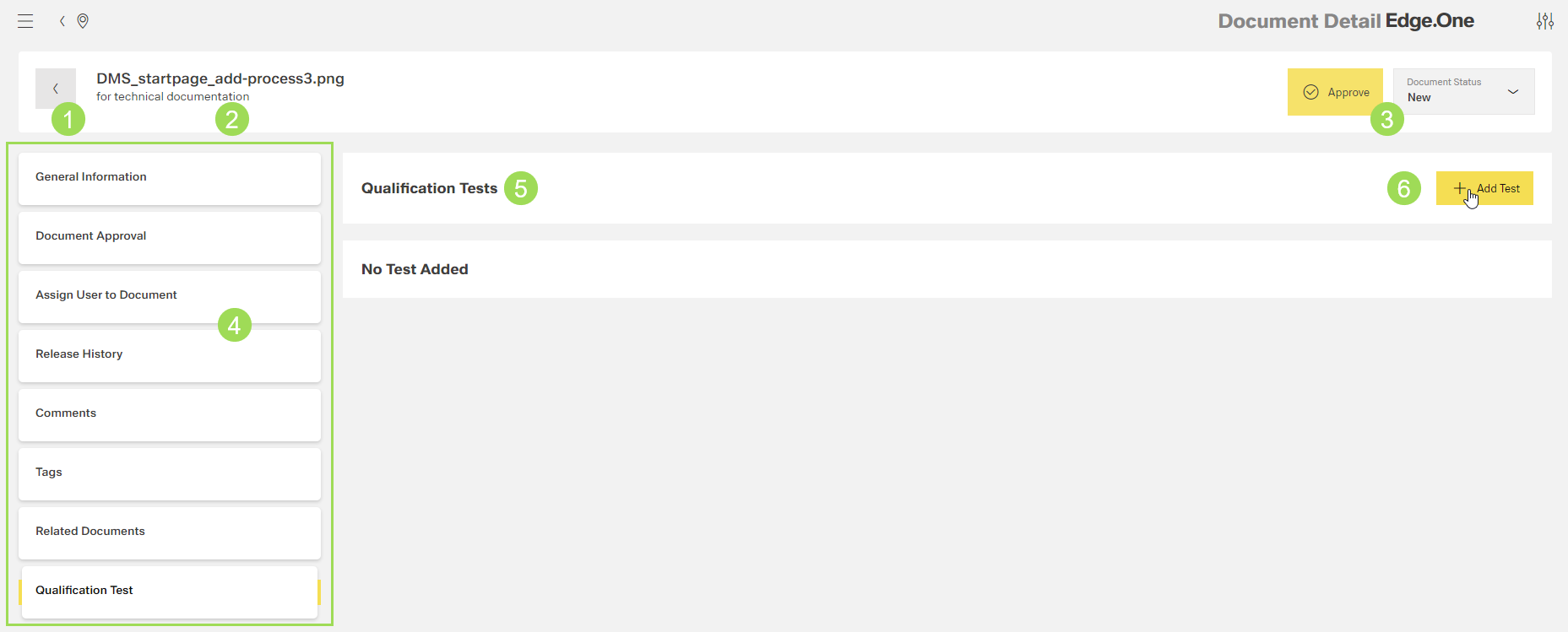
The illustration shows the submenu "Qualification Test": (1) header with document name and information, (2) main submenu bar, (3) document status, (5) list with assigned qualification tests, (6) button to assign a a qualification test to the document
Qualification tests can be
It is possible to preview a test after assigning it to the document by clicking the button Preview.