DMS categories
Newly uploaded documents are assigned to a category during the upload process. A category can also be changed when editing the document.
Document Management System categories are used for approval and release settings. In a category, approval levels and approver lists are preset. The category is also used to define custom approval settings by assigning the category to an approval setting.
Please note: approvers entered here are copied to the document. If another approver is added at a later time, the new approver is not visible in the corresponding submenu of the document. The new approver does NOT approve documents that already use the category. The new user only applies to newly assigned documents.
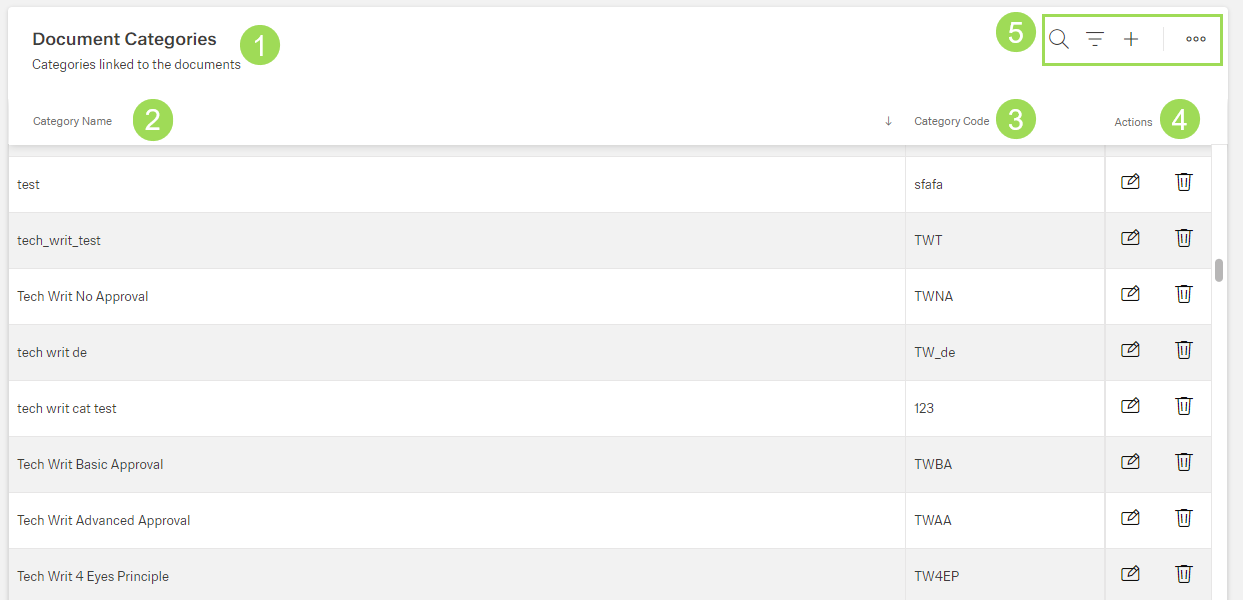
The illustration shows the start screen after opening "Categories": (1) menu name with short description, (2) column "Name", (3) column "Category Code", (4) column "Actions", (5) standard action buttons to sort and group the table
Categories can be