DMS setting "basic approval" (step by step)
The document owner or the document creator can approve and release the document.
Check the approval setting under "Configurations | Approval and release settings in DMS": Is the document category assigned to an appropiate custom approval setting? If the category is not assigned to a custom setting, is the global setting on "Basic Approval"? Correct the assignment if needed.
With the correct approval setting, the general document information for a document under "Documents" (button [ ]) shows an approve button:
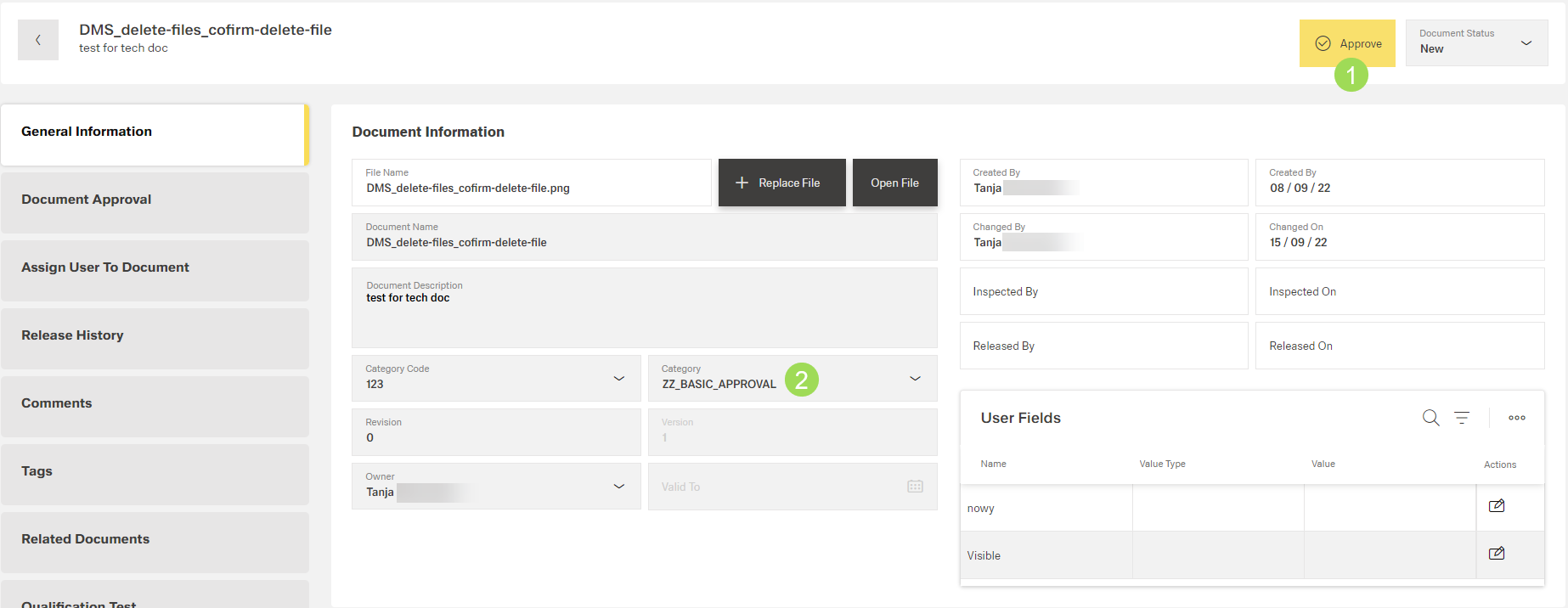
(1) [Approve] button, (2) selected category (the category settings influence the approval process)
Approval process for basic approval
Click the button Approve. The following window appears:
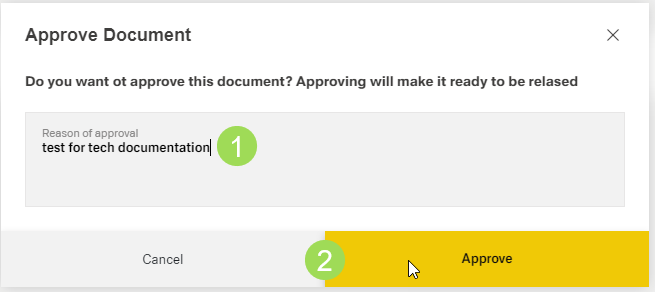
(1) mandatory edit field, (2) buttons
Fill mandatory edit field to inform about approval reason(s).
The comment written in the edit field can be found in "Approvers History" under "Document approval".
Click the button Approve (or Cancel)
After the approval, the document status changes to "Approved":
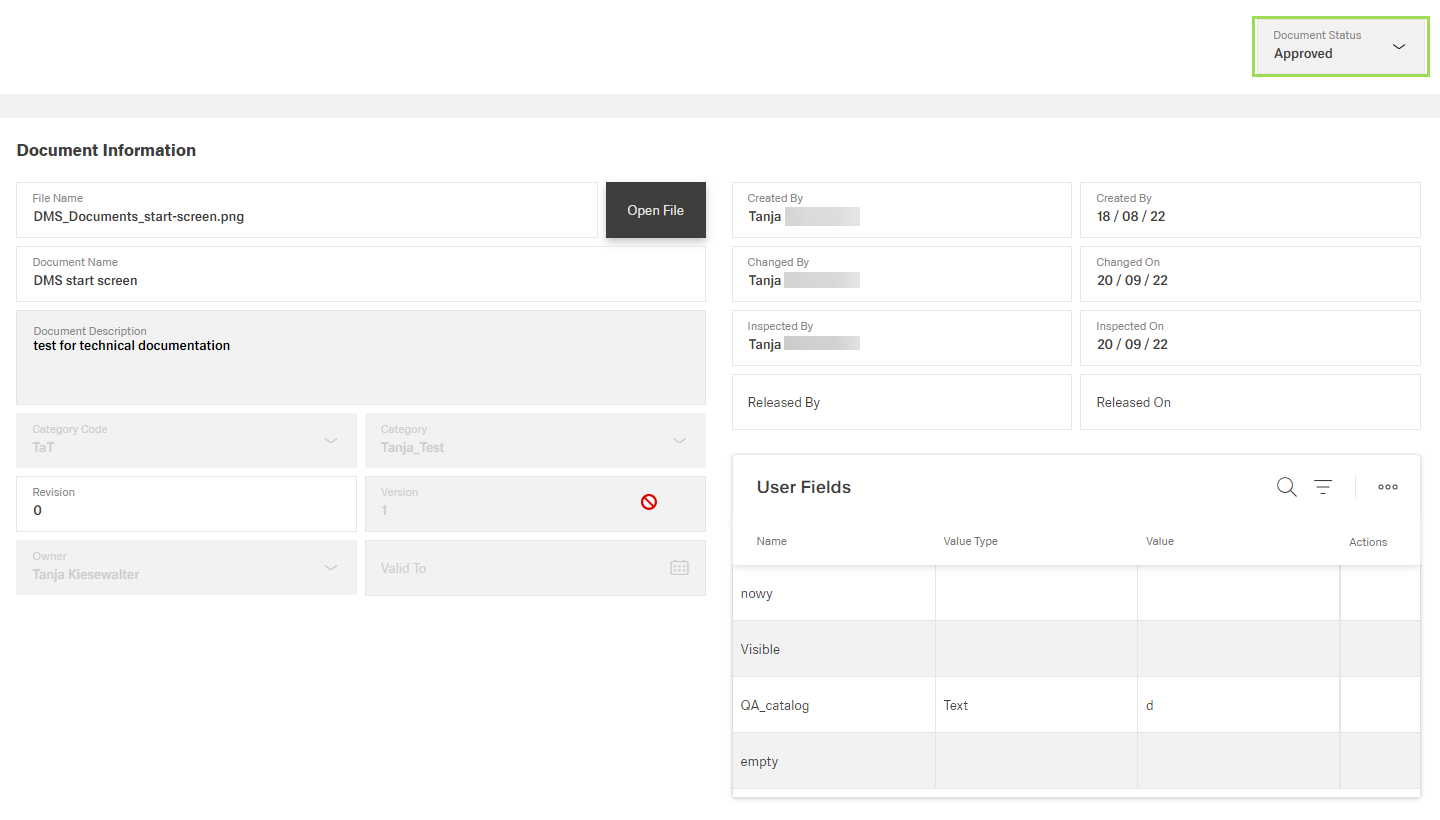
Now, the document owner or the document creator can perform the release process.