DMS setting "four eyes principle" (step by step)
In this approval setting, the owner assigns one other user to do the approval. It's also just one approval level. The release is done by the document owner or the document creator after successful approval.
Approval process for four eyes principle
Assign / check assigned approver
The approver can be either assigned in the document category or individually for this document in the menu "Document approval".
Check the approval setting under "Configurations | Approval and release settings in DMS":
Is the document category assigned to an appropiate custom approval setting? If the category is not assigned to a custom setting, is the global setting on "Four Eyes Principle"? Correct the assignment if needed.
Change the document status to "Under Approval" of the document under "Documents" (button [ ]).
]).
For the approver, a new button appears in the header:

The approver gets an E-mail about the pending approval including a link to the document (right half of the illustration):

The approver also sees the document when clicking on "pending for approval" in the shortcuts of the documents start screen (left part of the illustration).
For the approver:
Click the button Approve. The following window appears:
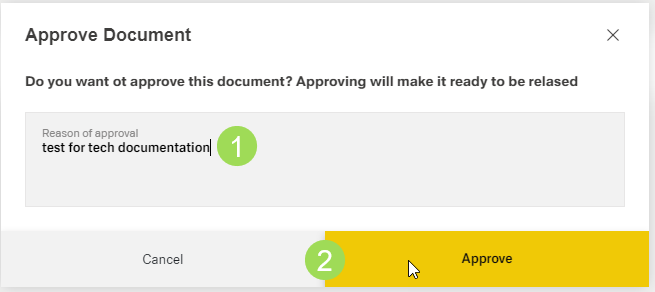
(1) mandatory edit field, (2) buttons
After the approval, the document status changes to "Approved":
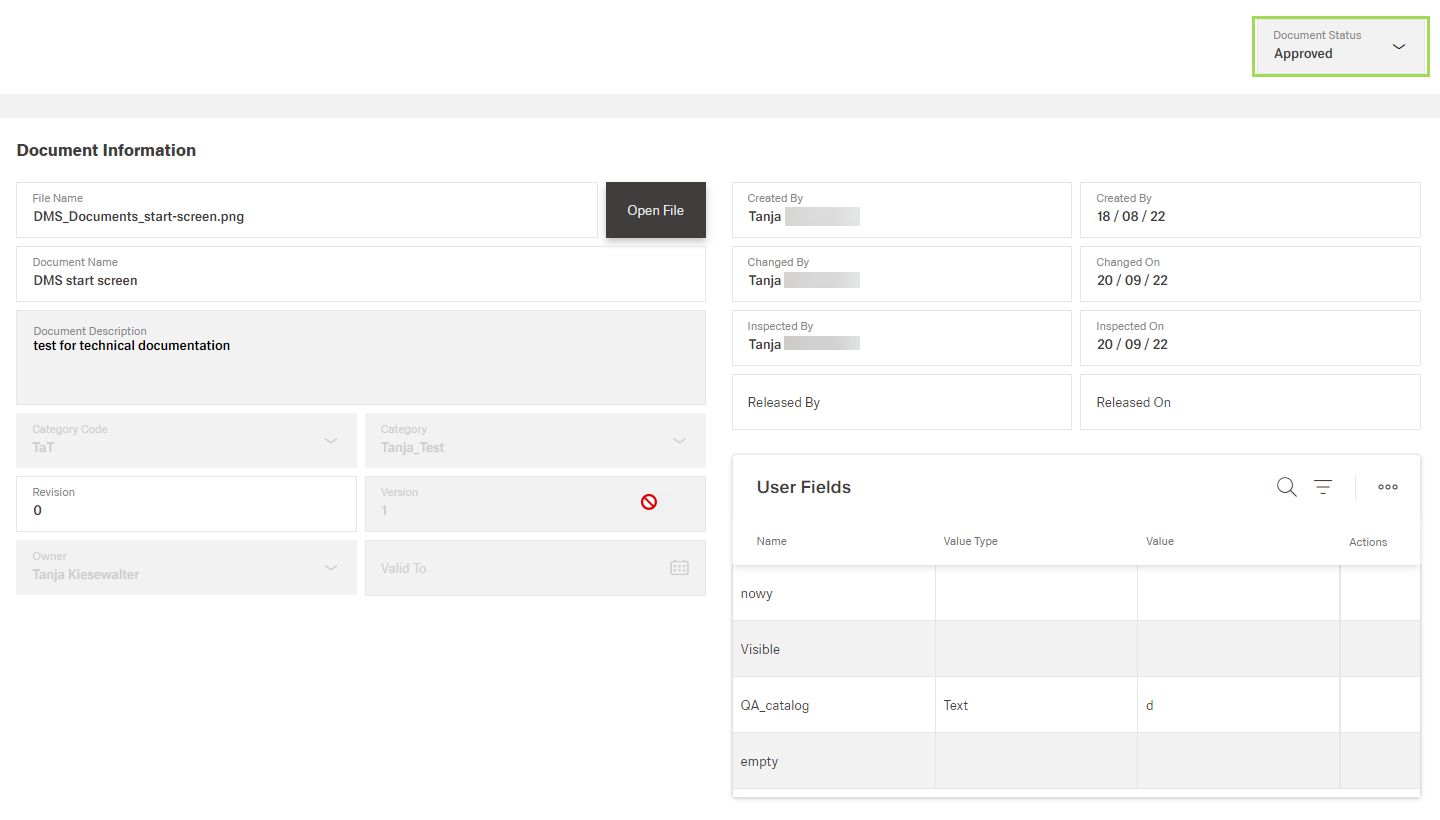
Now, the document owner or the document creator can perform the release process.